




LaserJet 3320MFP
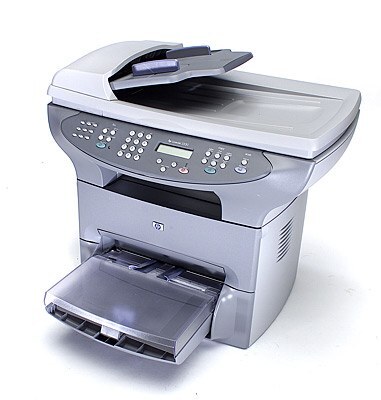
The LaserJet 3320MFP carries the full multifunction name of HP's 3320 — the 2002 all-in-one that consolidated a small office's printer, scanner, and copier into one box.
It runs on HP 15A (C7115A) toner; the high-yield HP 15X (C7115X) is the value choice. Compatible and genuine OEM cartridges in stock.
Toner Cartridges for LaserJet 3320MFP
This printer works with the following toner cartridges:
- HP C7115A
- HP C7115X
More HP Printers
- LaserJet 1000
- LaserJet 1000W
- LaserJet 1005
- LaserJet 1005W
- LaserJet 1200
- LaserJet 1200N
- LaserJet 1200SE
- LaserJet 1220
- LaserJet 1220SE
- LaserJet 3080
- LaserJet 3300
- LaserJet 3300MFP
- LaserJet 3300N
- LaserJet 3310
- LaserJet 3310MFP
- LaserJet 3320
- LaserJet 3320N
- LaserJet 3320NMFP
- LaserJet 3330
- LaserJet 3330F
- LaserJet 3330MFP
- LaserJet 3380
- LaserJet LaserJet 3320
Frequently Asked Questions
What is the difference between the C7115A and C7115X cartridges for the HP LaserJet 3320MFP?
For the HP LaserJet 3320MFP, C7115A and C7115X are the same cartridge family in two capacities: standard (HP 15A) and high-yield (HP 15X). Either one installs the same way; the choice is purely about how much you print.
Why is my HP LaserJet 3320MFP printing faded or streaky pages?
Faded output on the HP LaserJet 3320MFP usually means the C7115A cartridge is running low — check the toner gauge on the printer's display or status page. If the cartridge is new, remove the HP 15A cartridge, rock it gently to redistribute toner, and reseat it in the HP LaserJet 3320MFP.
Where can I find drivers for the HP LaserJet 3320MFP?
Start at HP support and look up the HP LaserJet 3320MFP by its full model name. If no current driver lists the HP LaserJet 3320MFP, try HP's universal print driver, which covers a wide range of LaserJet models.