




LaserJet 1005
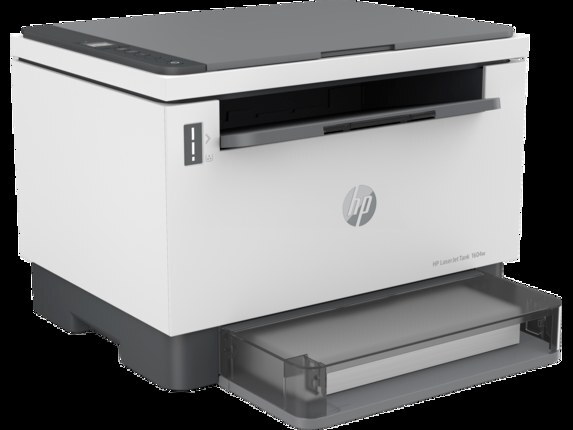
HP's LaserJet 1005, from 2006, refined the entry-level laser with a smaller footprint and quieter operation than the models that came before it. It takes the C7115A (HP 15A) cartridge, with the high-yield C7115X (HP 15X) as the longer-running option. Both yields are stocked in the compatible builds listed below.
Students, home offices and first-time laser buyers made the 1005 a bestseller, and the recipe was simple: a small box, a quiet engine and one cartridge to think about. That single-cartridge life is still the point of owning one. There is no color set to manage and no drum on a separate schedule — when the print fades, one swap restores the machine, and the two yield tiers let you match the cartridge to how much the desk actually prints.
Toner Cartridges for LaserJet 1005
| Cartridge | Color | Page Yield |
|---|---|---|
| C7115A (15A) | Black | See product page |
| C7115X (15X) | Black | See product page |
| LaserJet 1005 cartridge | Black | See product page |
The rest of the shelf for this printer: C7115A 2 Pack, C7115A 3 Pack, C7115A 5 Pack, C7115A 10 Pack, C7115A Premium 5 Pack, C7115A MICR, C7115X 2 Pack, C7115X 3 Pack, C7115X 5 Pack, C7115X 10 Pack, C7115X MICR, 15A 4 Black set (C7115A and C7115X).
Which cartridge should you buy?
Volume decides. The standard C7115A is the right size for a desk that prints weekly; the high-yield C7115X suits a desk that prints daily, because it spreads the cartridge cost over many more pages and asks for a swap far less often. The two are physically interchangeable, so you can change your mind at any reorder. For everyday documents, a compatible cartridge keeps the per-page cost at its lowest; the multi-packs above exist for households and small offices that would rather stock a shelf once than reorder every few months.
Chip, toner and everyday use
Two habits stretch every cartridge in this printer. First, the draft or toner-save setting in the driver: for internal documents it lays down noticeably less toner with no real loss of readability. Second, storage discipline — keep the spare sealed, lying horizontal, away from heat and sunlight, and it will keep well until the day it is needed. When output fades near the end of a cartridge, rock it gently side to side to redistribute the remaining toner and you will usually get a honest run of extra pages while the replacement ships.
Frequently Asked Questions
What is the difference between the C7115A and C7115X for the LaserJet 1005?
Yield, nothing else. Both fit the same slot and are physically interchangeable; the X simply carries more toner, so it lasts longer per cartridge. Pick by how much you print.
How can I lower toner costs on the LaserJet 1005?
Run compatible 15A cartridges for everyday printing, turn on draft or toner-save mode for internal pages, and step up to the high-yield 15X if you are changing cartridges often — fewer, bigger cartridges beat frequent small ones.
How should I store a spare C7115A?
Sealed in its packaging, horizontal, in a cool spot away from heat and sunlight. An unopened 15A cartridge stores well for a long time under those conditions.
Does the 1005 share its cartridge with other printers?
Yes — the model list at the bottom of this page is the family that runs on the same C7115A and C7115X cartridges, so a spare bought for this printer fits those machines too.
More printers that use the same cartridges
The same 15A and 15X cartridges also fit: HP C7115A, LASERJET 1001NW, LASERJET 1201NW, LASERJET 1202W, LaserJet 1000, LaserJet 1000, LaserJet 1000W, LaserJet 1005W, LaserJet 1200, LaserJet 1200N, LaserJet 1200SE, LaserJet 1220, LaserJet 1220SE, LaserJet 3080, LaserJet 3300, LaserJet 3300MFP, LaserJet 3300N, LaserJet 3310, LaserJet 3310MFP, LaserJet 3320, LaserJet 3320MFP, LaserJet 3320N, LaserJet 3320NMFP, LaserJet 3330, LaserJet 3330F, LaserJet 3330MFP, LaserJet 3380, LaserJet LaserJet 3320.