




LaserJet 3310
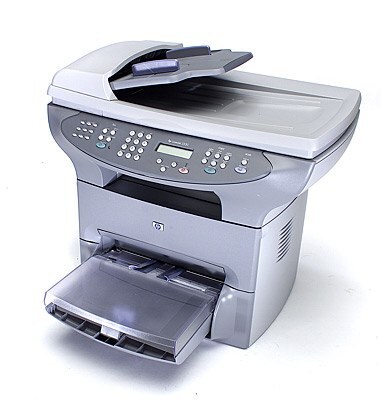
The LaserJet 3310 continued HP's early-2000s multifunction push with a refined take on the 3300 formula. This monochrome MFP handled a small office's printing, scanning, and copying from one tidy unit.
It uses HP 15A (C7115A) cartridges, with the HP 15X (C7115X) high-yield for busier machines. Compatible and genuine OEM toner available.
Toner Cartridges for LaserJet 3310
This printer works with the following toner cartridges:
- HP C7115A
- HP C7115X
More HP Printers
- LaserJet 1000
- LaserJet 1000W
- LaserJet 1005
- LaserJet 1005W
- LaserJet 1200
- LaserJet 1200N
- LaserJet 1200SE
- LaserJet 1220
- LaserJet 1220SE
- LaserJet 3080
- LaserJet 3300
- LaserJet 3300MFP
- LaserJet 3300N
- LaserJet 3310MFP
- LaserJet 3320
- LaserJet 3320MFP
- LaserJet 3320N
- LaserJet 3320NMFP
- LaserJet 3330
- LaserJet 3330F
- LaserJet 3330MFP
- LaserJet 3380
- LaserJet LaserJet 3320
Frequently Asked Questions
What is the difference between the C7115A and C7115X cartridges for the HP LaserJet 3310?
For the HP LaserJet 3310, C7115A and C7115X are the same cartridge family in two capacities: standard (HP 15A) and high-yield (HP 15X). Either one installs the same way; the choice is purely about how much you print.
What should I do with the empty C7115A from my HP LaserJet 3310?
Used C7115A cartridges from the HP LaserJet 3310 are recyclable through HP's free take-back program or local office-store collection bins. Bag the empty HP 15A cartridge to contain residual toner and drop it off.
How do I replace the toner in the HP LaserJet 3310?
Power on the HP LaserJet 3310, open the cartridge door, and remove the spent C7115A. Unwrap the replacement HP 15A cartridge, rock it gently side to side to distribute the toner, insert it into the HP LaserJet 3310, and close the door.