




LaserJet 3320
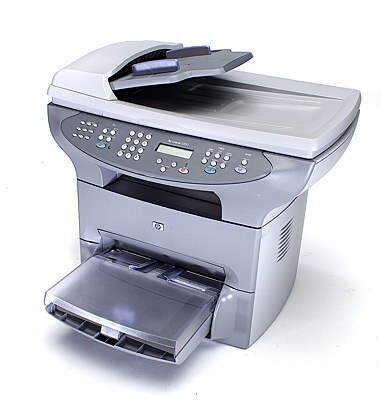
HP's LaserJet 3320, from 2002, brought the multifunction formula to even more desks with an approachable price and compact design. Printing, flatbed scanning, and copying came standard.
The cartridge family is HP 15A/15X: C7115A standard, C7115X high-yield. Compatible and genuine OEM cartridges both fit the 3320.
Toner Cartridges for LaserJet 3320
This printer works with the following toner cartridges:
- HP C7115A
- HP C7115X
More HP Printers
- LaserJet 1000
- LaserJet 1000W
- LaserJet 1005
- LaserJet 1005W
- LaserJet 1200
- LaserJet 1200N
- LaserJet 1200SE
- LaserJet 1220
- LaserJet 1220SE
- LaserJet 3080
- LaserJet 3300
- LaserJet 3300MFP
- LaserJet 3300N
- LaserJet 3310
- LaserJet 3310MFP
- LaserJet 3320MFP
- LaserJet 3320N
- LaserJet 3320NMFP
- LaserJet 3330
- LaserJet 3330F
- LaserJet 3330MFP
- LaserJet 3380
- LaserJet LaserJet 3320
Frequently Asked Questions
What is the difference between the C7115A and C7115X cartridges for the HP LaserJet 3320?
The C7115A is the standard-yield HP 15A cartridge and the C7115X is the high-yield HP 15X — both made for the HP LaserJet 3320. If you print regularly, the C7115X usually means fewer cartridge swaps over time.
How do I fix light vertical bands on prints from my HP LaserJet 3320?
Light vertical bands on the HP LaserJet 3320 typically trace back to the C7115A cartridge — toner distribution or a worn roller inside the cartridge. Remove the HP 15A cartridge, rock it gently, and reinstall it in the HP LaserJet 3320; if the bands persist with a fresh C7115A, the cartridge was the fix.
Will the HP LaserJet 3320 work with a newer computer?
In most cases the HP LaserJet 3320 will print from a newer computer using HP's universal print driver or the OS's bundled LaserJet support. Connectivity is the main thing to check on the HP LaserJet 3320 — USB or network both work fine with modern ports and adapters.