




LaserJet LaserJet 3320
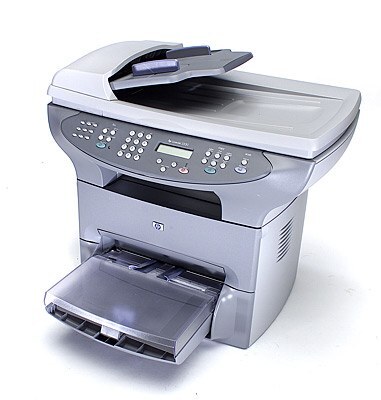
Yes, the name repeats itself — this is the catalog's double-named listing of HP's 3320 multifunction, the 2002 all-in-one that handled printing, scanning and copying for small offices that wanted one machine to do everything. The name is redundant; the printer isn't. Its cartridges are the C7115A standard and the high-yield C7115X (15X), and this page stocks the family as the Compatible HP 15A (C7115A C7115X) Toner Cartridge 4 Black four-pack — the 15A family's black cartridges, four at a time.
An all-in-one earns its keep differently from a printer. The 3320 copied the contracts, scanned the receipts and printed the letters, which means its toner consumption follows the whole office's paper life, not just its print queue. Owners kept these machines because the formula was honest: one cartridge code to remember, a swap that takes minutes, and output that stayed sharp. That memory is worth honoring at refill time — the code is on the old cartridge, and it is either C7115A or C7115X.
Toner Cartridges for LaserJet LaserJet 3320
| Cartridge | Color | Page Yield |
|---|---|---|
| Compatible HP 15A (C7115A C7115X) Toner Cartridge 4 Black | Black | See product page |
The single listing for this page, named for both codes of the 15A family. Standard and high-yield cartridges are physically interchangeable in the 3320.
Which cartridge should you buy?
Inside this family, the decision is about fill, not fit. The C7115A is the standard cartridge; the C7115X is the same cartridge with a higher yield, made for machines whose copy-and-print workload is steady. An all-in-one in daily office service usually belongs to the second group, which is why the multi-pack format suits it: this page's four-pack keeps the reserve deep enough that a busy copying week never ends in an empty machine. If your 3320 now lives a quieter retirement — occasional letters, rare copies — the standard fill is perfectly rational, and the pack simply means years between orders. Either way, buy by the code on the cartridge you remove, not by the listing's doubled name.
Chip, toner and everyday use
Multifunction machines hide their toner appetite: copies consume exactly like prints, so a cartridge can fade sooner than the print queue suggests. When output lightens, remove the cartridge and rock it gently end to end to redistribute the toner — a worthwhile reprieve while the spare is fetched. Store the rest of the four-pack sealed and upright in a cool spot, install the oldest unit first, and pull the sealing tape in one motion when a fresh cartridge goes in. A test copy after the swap confirms the seating before the machine goes back to work.
Frequently Asked Questions
Can I use a C7115X if the machine came with a C7115A?
Yes. Both codes fit the 3320; the X is simply the high-yield version and lasts longer per cartridge. The cartridges are physically interchangeable, so the choice follows your volume, not the machine's preference.
Why does this page's name say LaserJet twice?
It is a quirk of the catalog entry, not a different printer. Under the doubled name sits the same 3320 multifunction, and the cartridge family — C7115A and C7115X — is the ordinary 15A shelf.
Does copying use the same toner as printing?
It does. Every copy is a print from the same cartridge, which is why an all-in-one's toner can run down faster than a print-only machine's on the same desk.
More printers that use the same cartridges
The wider 15A/15X family — early-2000s printers and multifunctions that share this page's cartridges — is listed in full below:
- LaserJet 3380
- LaserJet 3330MFP
- LaserJet 3330F
- LaserJet 3330
- LaserJet 3320NMFP
- LaserJet 3320N
- LaserJet 3320MFP
- LaserJet 3320
- LaserJet 3310MFP
- LaserJet 3310
- LaserJet 3300N
- LaserJet 3300MFP
- LaserJet 3300
- LaserJet 3080
- LaserJet 1220SE
- LaserJet 1220
- LaserJet 1200SE
- LaserJet 1200N
- LaserJet 1200
- LaserJet 1005W
- LaserJet 1005
- LaserJet 1000W
- LaserJet 1000
- LaserJet 1000
- LASERJET 1202W
- LASERJET 1201NW
- LASERJET 1001NW
- HP C7115A