




LaserJet 1200N
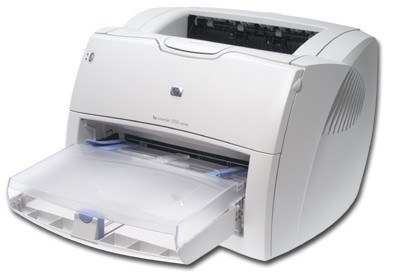
The LaserJet 1200N added Ethernet to HP's acclaimed 1200, turning a great personal printer into a shared small-office resource. In the early 2000s, this networked configuration was the affordable team printer.
It uses HP 15A (C7115A) toner; the high-yield HP 15X (C7115X) suits shared duty. Compatible and genuine OEM cartridges available.
Toner Cartridges for LaserJet 1200N
This printer works with the following toner cartridges:
- HP C7115A
- HP C7115X
More HP Printers
- LaserJet 1000
- LaserJet 1000W
- LaserJet 1005
- LaserJet 1005W
- LaserJet 1200
- LaserJet 1200SE
- LaserJet 1220
- LaserJet 1220SE
- LaserJet 3080
- LaserJet 3300
- LaserJet 3300MFP
- LaserJet 3300N
- LaserJet 3310
- LaserJet 3310MFP
- LaserJet 3320
- LaserJet 3320MFP
- LaserJet 3320N
- LaserJet 3320NMFP
- LaserJet 3330
- LaserJet 3330F
- LaserJet 3330MFP
- LaserJet 3380
- LaserJet LaserJet 3320
Frequently Asked Questions
Can I share the HP LaserJet 1200N with other computers on the network?
Yes — the HP LaserJet 1200N has built-in networking, so once it has an IP address, every computer on the same network can add it. Install the HP driver on each machine and point it at the HP LaserJet 1200N.
Should I buy the C7115A or the C7115X for my HP LaserJet 1200N?
Think about volume: the C7115A suits a HP LaserJet 1200N that prints a few pages a week, while the C7115X suits one that works daily. The HP LaserJet 1200N accepts both without any settings change.
Why is my HP LaserJet 1200N printing faded or streaky pages?
Streaks from the HP LaserJet 1200N most often point to low toner in the C7115A or an unevenly distributed cartridge. Try redistributing the HP 15A cartridge with a gentle rock; if pages stay pale, the HP LaserJet 1200N is due for a fresh C7115A.