




LaserJet 3320N
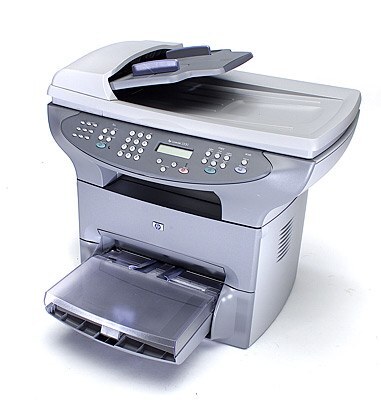
The 3320N gave HP's LaserJet 3320 multifunction an Ethernet port — the early-2000s all-in-one, ready for small-workgroup sharing. Print, scan, and copy duties served everyone on the network.
Toner is the HP 15A (C7115A), with the HP 15X (C7115X) high-yield optional. Compatible and genuine OEM cartridges available.
Toner Cartridges for LaserJet 3320N
This printer works with the following toner cartridges:
- HP C7115A
- HP C7115X
More HP Printers
- LaserJet 1000
- LaserJet 1000W
- LaserJet 1005
- LaserJet 1005W
- LaserJet 1200
- LaserJet 1200N
- LaserJet 1200SE
- LaserJet 1220
- LaserJet 1220SE
- LaserJet 3080
- LaserJet 3300
- LaserJet 3300MFP
- LaserJet 3300N
- LaserJet 3310
- LaserJet 3310MFP
- LaserJet 3320
- LaserJet 3320MFP
- LaserJet 3320NMFP
- LaserJet 3330
- LaserJet 3330F
- LaserJet 3330MFP
- LaserJet 3380
- LaserJet LaserJet 3320
Frequently Asked Questions
Can I share the HP LaserJet 3320N with other computers on the network?
Yes — the HP LaserJet 3320N has built-in networking, so once it has an IP address, every computer on the same network can add it. Install the HP driver on each machine and point it at the HP LaserJet 3320N.
How can I lower toner costs on the HP LaserJet 3320N?
Use compatible HP 15A cartridges in the HP LaserJet 3320N for everyday printing and reserve OEM C7115A for important documents. Enabling draft or toner-save mode in the driver also stretches each HP 15A cartridge further.
How should I store a spare C7115A cartridge for the HP LaserJet 3320N?
Store the extra C7115A sealed, horizontal, and away from heat and sunlight until the HP LaserJet 3320N needs it. An unopened HP 15A cartridge keeps well for a long time under those conditions.