




LaserJet 3300MFP
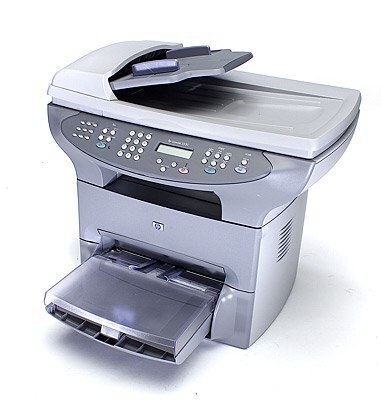
The LaserJet 3300MFP is the full-name listing of HP's 3300 — the 2002 all-in-one that gave small offices print, scan, and copy in a single desktop unit. Its flatbed scanner was a genuine step up for the price.
It feeds on HP 15A (C7115A) toner; the HP 15X (C7115X) high-yield lasts longer. Compatible and genuine OEM cartridges in stock.
Toner Cartridges for LaserJet 3300MFP
This printer works with the following toner cartridges:
- HP C7115A
- HP C7115X
More HP Printers
- LaserJet 1000
- LaserJet 1000W
- LaserJet 1005
- LaserJet 1005W
- LaserJet 1200
- LaserJet 1200N
- LaserJet 1200SE
- LaserJet 1220
- LaserJet 1220SE
- LaserJet 3080
- LaserJet 3300
- LaserJet 3300N
- LaserJet 3310
- LaserJet 3310MFP
- LaserJet 3320
- LaserJet 3320MFP
- LaserJet 3320N
- LaserJet 3320NMFP
- LaserJet 3330
- LaserJet 3330F
- LaserJet 3330MFP
- LaserJet 3380
- LaserJet LaserJet 3320
Frequently Asked Questions
Can the HP LaserJet 3300MFP scan and copy as well as print?
Yes, the HP LaserJet 3300MFP covers all three: print, copy, and scan. Copies run directly from the panel, while scanning on the HP LaserJet 3300MFP typically goes through the HP software on your computer.
Do I need to shake the C7115A cartridge before installing it in the HP LaserJet 3300MFP?
A gentle side-to-side rock helps distribute toner evenly inside the C7115A before it goes into the HP LaserJet 3300MFP. Do not shake it vigorously — a few easy tilts are enough to wake up a cartridge that has been sitting.
How do I clear a paper jam in the HP LaserJet 3300MFP?
Turn the HP LaserJet 3300MFP off first, then open the access doors and ease the stuck paper out along its normal travel direction. Check for small torn pieces inside the HP LaserJet 3300MFP, close the covers, and print a test page.