




Color LaserJet M251NW
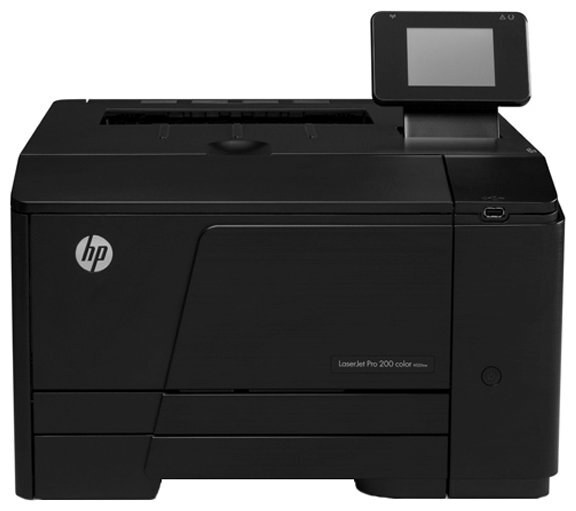
The Color LaserJet M251NW represents HP's 2012-era answer to small teams looking for a dependable color office printer. Second-hand units still circulate because the consumable market never dried up. Powering it is the HP 131A/131X cartridge line (CF210A, CF210X).
Genuine OEM CF210A, CF210X cartridges and compatible equivalents both fit the Color LaserJet M251NW perfectly. Pick OEM for peace of mind or compatible for value — either way, shipping is fast.
Toner Cartridges for Color LaserJet M251NW
This printer works with the following toner cartridges:
- HP CF210A
- HP CF210X
- HP CF211A
- HP CF212A
- HP CF213A
More HP Printers
- Color LaserJet M251
- Color LaserJet M276
- Color LaserJet M276NW
- Color LaserJet Pro 200 M251
- Color LaserJet Pro 200 M251N
- Color LaserJet Pro 200 M251NW
- Color LaserJet Pro 200 M276
- Color LaserJet Pro 200 M276N
- Color LaserJet Pro 200 M276NW
- LaserJet Pro 200 color M251
- LaserJet Pro 200 color M251NW
- LaserJet Pro 200 color M276
- LaserJet Pro 200 color M276NW
- LaserJet Pro 200 color Printer M251
- LaserJet Pro 200 color Printer M251NW
- LaserJet Pro 200 color Printer M276
- LaserJet Pro 200 color Printer M276NW
Frequently Asked Questions
Which toner cartridges work with the Color LaserJet M251NW?
The Color LaserJet M251NW uses CF210A, CF210X, CF211A, CF212A and CF213A. Match the code on your current cartridge before ordering so you get the right fit.
My Color LaserJet M251NW says toner is low — should I replace the cartridge immediately?
The low-toner warning on the Color LaserJet M251NW is an early heads-up rather than a hard stop. Order a replacement CF210A now, but keep printing until pages start to fade.
How do I install a replacement CF210A cartridge in the Color LaserJet M251NW?
Power the Color LaserJet M251NW on, open the cartridge door, and slide the old CF210A out. Remove the seal and packing clips from the new cartridge, insert it firmly, close the door, and print a test page to confirm.