




Color LaserJet M177
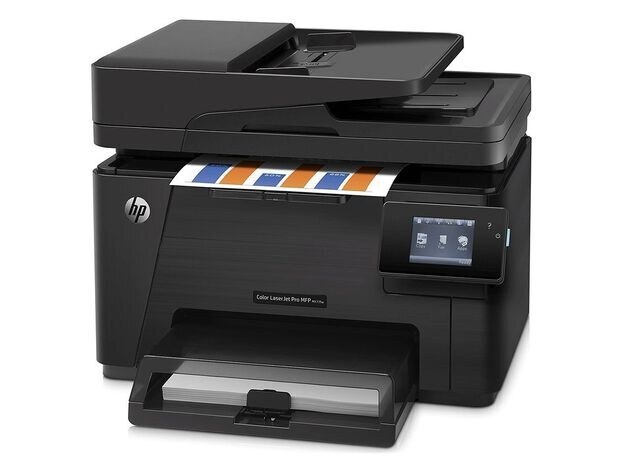
The M177 is the entry point to HP's 2013-era color lineup: a compact color laser for the home office or micro business. It's the base single-desk model — simple to set up, simple to keep in toner.
It runs the HP 130A family: CF350A black with CF351A, CF352A, CF353A color. Compatible cartridges keep the cost per page down; genuine OEM keeps HP's exact formulation. Both fit the M177.
Toner Cartridges for Color LaserJet M177
This printer works with the following toner cartridges:
- HP CF350A
- HP CF351A
- HP CF352A
- HP CF353A
More HP Printers
- Color LaserJet M176
- Color LaserJet M177FW
- Color LaserJet Pro M176
- Color LaserJet Pro M176N
- Color LaserJet Pro MFP M176
- Color LaserJet Pro MFP M177
- Color LaserJet Pro MFP M177FW
- LaserJet Pro 100 color MFP M176
- LaserJet Pro 100 color MFP M177
- LaserJet Pro 100 color MFP M177FW
Frequently Asked Questions
Which toner cartridges are compatible with the Color LaserJet M177?
Look for the exact codes CF350A, CF351A, CF352A, CF353A — one black and three color cartridges — for the Color LaserJet M177. Sticking to these codes guarantees a proper fit and correct recognition in the Color LaserJet M177.
How do I check toner levels on the Color LaserJet M177?
Open the supplies or consumables menu on the Color LaserJet M177's control panel to see the remaining level of each CF350A, CF351A, CF352A, CF353A cartridge. You can also print a supplies-status page from the device menus for a quick snapshot.
Why are the colors wrong on my Color LaserJet M177?
Run a calibration or cleaning page from the Color LaserJet M177's control panel and check which of the CF350A, CF351A, CF352A, CF353A cartridges is low. A nearly empty or mismatched color cartridge is the most common cause of off-colors on the Color LaserJet M177.