




LaserJet Pro 100 color MFP M176
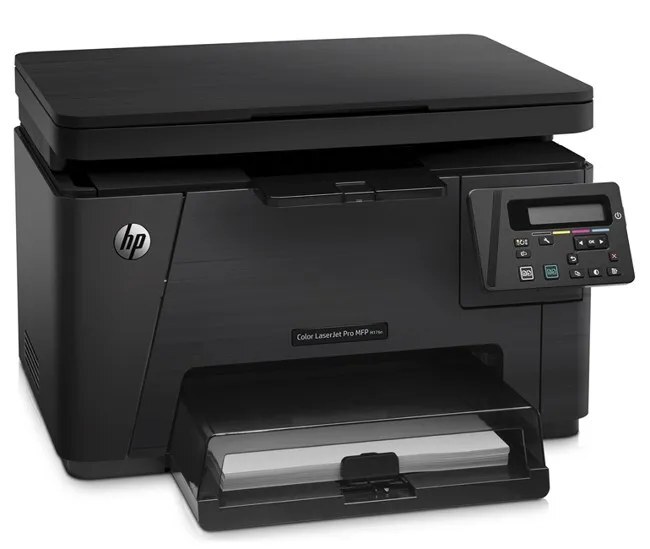
HP positioned the LaserJet Pro 100 Color MFP M176 as a 2013-era color all-in-one where home offices and micro businesses take priority. Second-hand units still circulate because the consumable market never dried up. The HP 130A family (CF350A, CF351A) is what keeps this printer fed.
Stock both kinds and decide per job: genuine OEM CF350A, CF351A for presentations, compatible for internal prints. The LaserJet Pro 100 Color MFP M176 handles either without complaint. For the LaserJet Pro 100 color MFP M176, the yellow CF352A and magenta CF353A cartridges complete the 130A four-pack alongside black and cyan.
Toner Cartridges for LaserJet Pro 100 color MFP M176
This printer works with the following toner cartridges:
- HP CF350A
- HP CF351A
- HP CF352A
- HP CF353A
More HP Printers
- Color LaserJet M176
- Color LaserJet M177
- Color LaserJet M177FW
- Color LaserJet Pro M176
- Color LaserJet Pro M176N
- Color LaserJet Pro MFP M176
- Color LaserJet Pro MFP M177
- Color LaserJet Pro MFP M177FW
- LaserJet Pro 100 color MFP M177
- LaserJet Pro 100 color MFP M177FW
Frequently Asked Questions
Which toner cartridges work with the LaserJet Pro 100 color MFP M176?
CF350A, CF351A, CF352A and CF353A are the cartridge codes for the LaserJet Pro 100 color MFP M176. Checking the label on the old cartridge is the fastest way to confirm.
Do CF350A cartridges for the LaserJet Pro 100 color MFP M176 go bad over time?
Toner powder stays usable for a long time, but cartridges kept for years can develop problems — install spares within a couple of years and leave them sealed until needed. The LaserJet Pro 100 color MFP M176 may flag a very old cartridge.
When should I replace the toner cartridge in my LaserJet Pro 100 color MFP M176?
Replace the CF350A cartridge in the LaserJet Pro 100 color MFP M176 when prints fade, show streaks, or the low-toner warning no longer clears. Keeping one spare on the shelf means the swap takes minutes instead of days.