




Color LaserJet Pro MFP M176
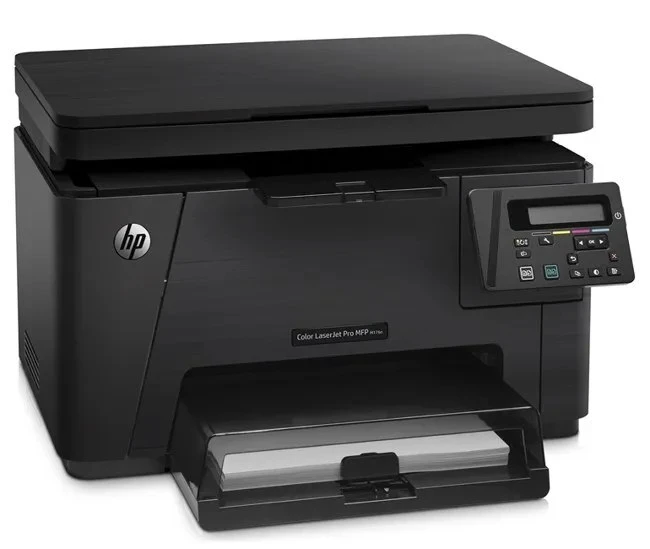
This 2013-era color MFP, the Color LaserJet Pro MFP M176, was engineered for the day-to-day demands of home offices and micro businesses. For teams that just need pages on paper, this printer delivered without ceremony. Its engine was built around the HP 130A cartridges (CF350A, CF351A).
Choose from genuine OEM CF350A, CF351A toner or quality compatible alternatives — both engineered to work cleanly in the Color LaserJet Pro MFP M176. Stocking up ahead of time beats a mid-week toner emergency. Completing the 130A family in the Color LaserJet Pro MFP M176 are the yellow CF352A and the magenta CF353A, each replaced on its own schedule.
Toner Cartridges for Color LaserJet Pro MFP M176
This printer works with the following toner cartridges:
- HP CF350A
- HP CF351A
- HP CF352A
- HP CF353A
More HP Printers
- Color LaserJet M176
- Color LaserJet M177
- Color LaserJet M177FW
- Color LaserJet Pro M176
- Color LaserJet Pro M176N
- Color LaserJet Pro MFP M177
- Color LaserJet Pro MFP M177FW
- LaserJet Pro 100 color MFP M176
- LaserJet Pro 100 color MFP M177
- LaserJet Pro 100 color MFP M177FW
Frequently Asked Questions
How do I find the right cartridge code for the Color LaserJet Pro MFP M176?
The Color LaserJet Pro MFP M176 uses CF350A, CF351A, CF352A and CF353A. Match the code on your current cartridge before ordering so you get the right fit.
Why is my Color LaserJet Pro MFP M176 printing blank pages?
Blank pages from the Color LaserJet Pro MFP M176 usually mean a cartridge seal was left on, a cartridge is empty, or a setting is off. Reseat the CF350A cartridge, confirm the seal was pulled, and check that paper is loaded properly.
How many cartridges does the Color LaserJet Pro MFP M176 need installed at once?
Four: CF350A black plus CF351A, CF352A and CF353A color cartridges. The Color LaserJet Pro MFP M176 needs all four in place for accurate color output.