




Color LaserJet M176
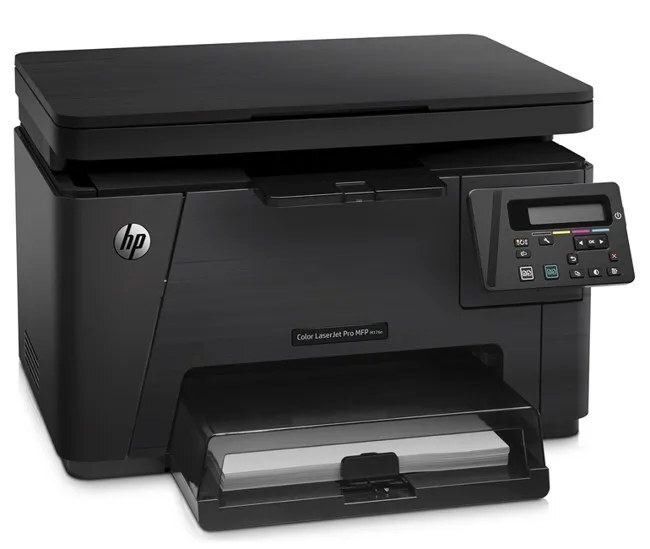
For home offices and micro businesses, the Color LaserJet M176 brought 2013-era-era laser printing in a color workgroup printer package. Reliability, not flash, is what keeps this machine on desks years later. Toner for this model comes from the HP 130A family (CF350A, CF351A).
The Color LaserJet M176 was designed for the CF350A, CF351A cartridge, and we stock both the genuine OEM version and a compatible alternative. Reordering takes a minute; being without toner costs far more. Yellow and magenta for the Color LaserJet M176 come from the CF352A and CF353A cartridges respectively, the color half of the 130A set.
Toner Cartridges for Color LaserJet M176
This printer works with the following toner cartridges:
- HP CF350A
- HP CF351A
- HP CF352A
- HP CF353A
More HP Printers
- Color LaserJet M177
- Color LaserJet M177FW
- Color LaserJet Pro M176
- Color LaserJet Pro M176N
- Color LaserJet Pro MFP M176
- Color LaserJet Pro MFP M177
- Color LaserJet Pro MFP M177FW
- LaserJet Pro 100 color MFP M176
- LaserJet Pro 100 color MFP M177
- LaserJet Pro 100 color MFP M177FW
Frequently Asked Questions
What toner cartridges does the Color LaserJet M176 use?
The Color LaserJet M176 is a color laser printer that takes four separate toner cartridges: CF350A, CF351A, CF352A, CF353A. Match these exact codes when buying replacements for the Color LaserJet M176.
Why does my Color LaserJet M176 not recognize a new toner cartridge?
Reseat the cartridge firmly in the Color LaserJet M176 and make sure the protective seal was fully removed, since leftover seal or dirty contacts are the usual cause. If the Color LaserJet M176 still rejects it, move the cartridge to a different slot to rule out a slot issue.
How do I check toner levels on the Color LaserJet M176?
Open the supplies or consumables menu on the Color LaserJet M176's control panel to see the remaining level of each CF350A, CF351A, CF352A, CF353A cartridge. You can also print a supplies-status page from the device menus for a quick snapshot.