






 See Compatible Printers
 Read more about our ink!
Hewlett Packard
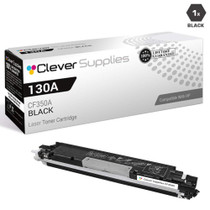
Compatible HP PRO 100 COLOR MFP M177FW (CF350A) Toner Cartridge Black

Amazon Price:

- Page Yield:
- Black: 1300
- Availability:
- In Stock
- Shipping:
- Calculated at Checkout
- Compatible Printers
- Color LaserJet Pro MFP M176n
- Color LaserJet Pro MFP M177fw
- LaserJet Pro MFP M176n
- LaserJet Pro MFP M177fw
- LaserJet Pro Pro MFP M176n
- LaserJet Pro Pro MFP M177fwi>
- Specifications
- SKU:
- CLS-HP-PRO 100 COLOR MFP M177FW-BK
- Printer Brand:
- Hewlett Packard
- OEM Number:
- CF350A
- Ink Color:
- Black
- Page Yield:
- Black: 1300
- Printer Type:
- Laser Cartridge
- Condition:
- New Compatible
- Description
- Reviews



With the HP 130A Color LaserJet Series, users can enjoy a versatile lineup of printers, including the PRO M176, PRO M176N, PRO MFP M177FW, PRO MFP M176, PRO MFP M177, M176, M177, and M177FW models, catering to various printing needs with efficiency and reliability. Whether it's for personal or professional use, these printers offer high-quality prints with ease of use and seamless integration into any environment. Compatible with these printers are the CF350A Black, CF351A Cyan, CF353A Magenta, and CF352A Yellow cartridges, recognized as the HP 130A toner cartridge and toner cartridge. These cartridges ensure consistent and vibrant color output for all printing tasks, providing reliable performance and impressive results. The LaserJet Pro 100 COLOR MFP M176 and PRO 100 COLOR MFP M177 series printers offer multifunction capabilities, including printing, scanning, copying, and optional faxing, making them ideal for busy office environments. With their user-friendly design and advanced features, these printers streamline workflows and enhance productivity. With the HP 130A cartridges, users can expect sharp and clear text, as well as accurate color reproduction for graphics and images. The CF350A Black cartridge delivers deep blacks for professional-looking documents, while the CF351A Cyan, CF353A Magenta, and CF352A Yellow cartridges ensure vibrant and true-to-life colors for impressive prints. Investing in the HP 130A Color LaserJet Series printers and cartridges provides users with reliable printing solutions that meet the demands of today's fast-paced work environments. Whether it's for small businesses, home offices, or corporate settings, these printers deliver exceptional performance and quality prints every time.
Frequently Asked Questions
Only my black is empty — is this all I need?
Yes. This is the single black CF350A (130A) cartridge for the HP Pro 100 Color MFP M177fw at $38.80. The four slots are independent: swap the black, leave the cyan, magenta, and yellow exactly where they are, and the machine carries on.
How do I confirm the cartridge code before buying?
Open the MFP's cartridge access and read the label on the black unit — CF350A is the number to match. The same cartridge is also referred to as the 130A black; either name on your old box or order history confirms this listing.
What page count should I expect?
Around 1,300 pages at standard coverage. Black handles the text of everything this machine does — printed letters, copied documents, received faxes — while colors are spent only on color work, which is why black almost always finishes first.
Will changing it interrupt the machine's other functions?
Only for the minute the swap takes. Open the access door, exchange the cartridge, close up, and printing, copying, and faxing all resume — scanning was never affected, since it uses no toner.
What backing does the cartridge come with?
A 1-year warranty and 1-year free returns. If it underperforms, reseat it once; if the problem persists, contact us Monday–Friday, 9 AM–5 PM CST for an exchange or refund.
How is it delivered?
From whichever of our IL, PA, GA, and CA warehouses is nearest you. The shipping & returns page explains timing and the returns process.
The low warning has not appeared, but our letters are coming out gray — what should we try first?
Take the CF350A out and rock it gently from side to side a few times, then print a test page. As a cartridge nears its end, the remaining toner settles unevenly and text fades before the supply is truly exhausted; leveling it often restores solid black for a while. If the darkness holds, you simply have notice that the end is approaching — order the replacement now. If the gray returns almost immediately, the cartridge is done and swapping is the answer rather than more coaxing.
Why keep the spent cartridge for a few days after the new one goes in?
Because it closes the diagnosis. If the fresh CF350A prints perfectly, the old cartridge was the problem and it can go. If output is still wrong with a new cartridge installed, the fault sits elsewhere in the machine — and having the pulled cartridge on hand lets you rule it in or out without guesswork. Keep it in the new cartridge's box, apart from any usable stock, and once the new one has printed cleanly through a few days of letters, copies, and faxes, send the old one out for recycling.
Our forms have shaded header boxes on every page — why does the cartridge finish sooner than its rating?
The roughly 1,300-page rating assumes light, standard coverage — a page that is mostly white space with text on it. A shaded header is a solid block of toner laid down on every single sheet, and copied forms repeat it again. Pages like that can draw two or three times the toner of a plain letter, so a forms-heavy M177fw honestly earns a shorter cartridge life without anything being wrong. Judge this cartridge by your own page mix, not the box figure.
How do we dispose of the spent CF350A?
Put it back in the packaging the replacement arrived in, which keeps any residual toner contained, and set it aside from new supplies so it is never mistaken for a usable cartridge. From there it can go out with office recycling or an e-waste collection, whichever your area uses for printer consumables. The one habit worth avoiding is the supply-drawer shuffle: an unmarked empty stored beside fresh stock will eventually be installed by someone in a hurry, and the machine will appear to fail twice in one week.
About This Pro 100 Color MFP M177fw Black Cartridge
This listing is the minimal, correct response to the most common MFP message there is: black toner low, everything else fine. One CF350A, dropped into the black slot of an HP Pro 100 Color MFP M177fw, restores full black output for documents, copies, and faxes — no bundle to store, no colors replaced before their time.
Related Items
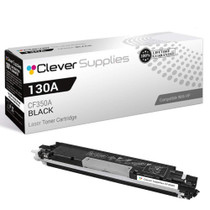

Hewlett Packard
Compatible HP PRO MFP M177FW (CF350A) Toner Cartridge Black

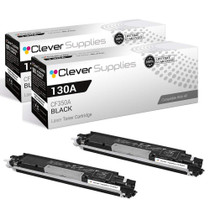
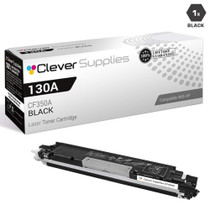
Hewlett Packard
Compatible HP PRO 100 COLOR MFP M177FW (CF350A) Toner Cartridge 2 Black
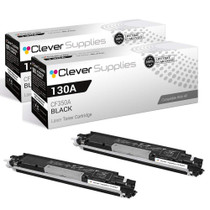

Hewlett Packard
Compatible HP PRO MFP M177FW (CF350A) Toner Cartridge 2 Black

Hewlett Packard
Compatible HP PRO MFP M177FW (CF350A) Toner Cartridge 3 Black