




Color LaserJet Pro MFP M177FW
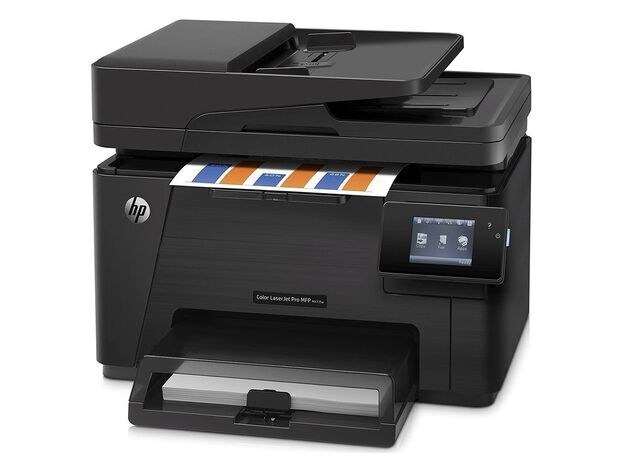
The Color LaserJet Pro MFP M177FW is a 2013-era color multifunction printer designed around one idea: dependable printing for home offices and micro businesses. Offices kept it around because it prints what it is asked to, day after day. It runs on the HP 130A cartridge family (CF350A, CF351A).
Running low on CF350A, CF351A? We stock genuine OEM and compatible toner for the Color LaserJet Pro MFP M177FW, ready to ship. A backup cartridge on the shelf is simple insurance against a stalled workday. Alongside the black and cyan, the Color LaserJet Pro MFP M177FW takes the yellow CF352A and magenta CF353A — the two remaining 130A cartridges.
Toner Cartridges for Color LaserJet Pro MFP M177FW
This printer works with the following toner cartridges:
- HP CF350A
- HP CF351A
- HP CF352A
- HP CF353A
More HP Printers
- Color LaserJet M176
- Color LaserJet M177
- Color LaserJet M177FW
- Color LaserJet Pro M176
- Color LaserJet Pro M176N
- Color LaserJet Pro MFP M176
- Color LaserJet Pro MFP M177
- LaserJet Pro 100 color MFP M176
- LaserJet Pro 100 color MFP M177
- LaserJet Pro 100 color MFP M177FW
Frequently Asked Questions
What are the four cartridge numbers for the Color LaserJet Pro MFP M177FW?
CF350A, CF351A, CF352A and CF353A are the cartridge codes for the Color LaserJet Pro MFP M177FW. Checking the label on the old cartridge is the fastest way to confirm.
How do I clear a paper jam in the Color LaserJet Pro MFP M177FW?
Turn the Color LaserJet Pro MFP M177FW off and remove the jammed sheet slowly through the rear or toner access door, pulling in the direction of the paper path. Check for torn scraps, then reload the tray with fanned paper.
My Color LaserJet Pro MFP M177FW says toner is low — should I replace the cartridge immediately?
The low-toner warning on the Color LaserJet Pro MFP M177FW is an early heads-up rather than a hard stop. Order a replacement CF350A now, but keep printing until pages start to fade.