




Color LaserJet Pro M176
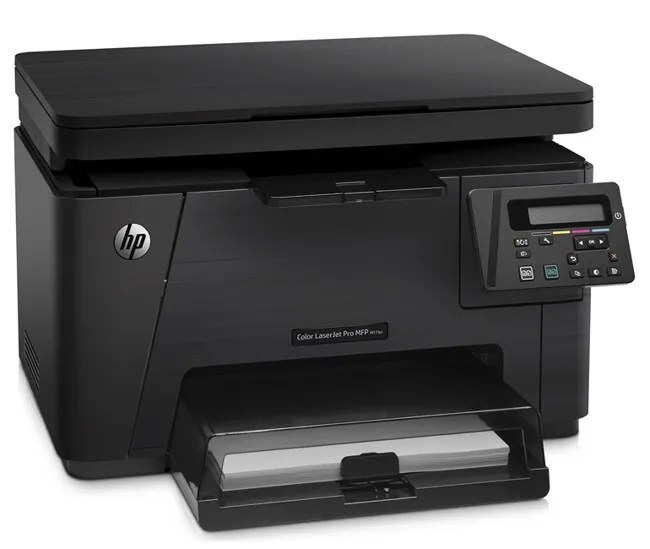
HP aimed the Color LaserJet Pro M176 squarely at home offices and micro businesses when it launched this 2013-era color workgroup machine. For teams that just need pages on paper, this printer delivered without ceremony. HP matched this printer with the HP 130A cartridge series (CF350A, CF351A).
Genuine OEM CF350A, CF351A toner keeps the Color LaserJet Pro M176 printing exactly as HP intended, and compatible cartridges keep high-volume offices economical. We stock both so you never wait on toner. The rest of the 130A set for the Color LaserJet Pro M176 is the yellow CF352A and the magenta CF353A, swapped one at a time as each color runs down.
Toner Cartridges for Color LaserJet Pro M176
This printer works with the following toner cartridges:
- HP CF350A
- HP CF351A
- HP CF352A
- HP CF353A
More HP Printers
- Color LaserJet M176
- Color LaserJet M177
- Color LaserJet M177FW
- Color LaserJet Pro M176N
- Color LaserJet Pro MFP M176
- Color LaserJet Pro MFP M177
- Color LaserJet Pro MFP M177FW
- LaserJet Pro 100 color MFP M176
- LaserJet Pro 100 color MFP M177
- LaserJet Pro 100 color MFP M177FW
Frequently Asked Questions
Which toner cartridges work with the Color LaserJet Pro M176?
CF350A, CF351A, CF352A and CF353A are the cartridge codes for the Color LaserJet Pro M176. Checking the label on the old cartridge is the fastest way to confirm.
Will the Color LaserJet Pro M176 still print in black when a color cartridge is empty?
The Color LaserJet Pro M176 generally pauses printing when any cartridge runs out, so black-only printing with an empty color cartridge is not dependable. Replacing the depleted color cartridge gets it going again.
Is the Color LaserJet Pro M176 a color printer?
Yes, the Color LaserJet Pro M176 prints in full color with four cartridges: CF350A, CF351A, CF352A and CF353A. All four need to be installed for accurate color output.