






 See Compatible Printers
 Read more about our ink!
Hewlett Packard
CS Compatible Replacement for HP CF353A Toner Cartridge Magenta/ HP 130A Toner

Amazon Price:

- Page Yield:
- 1,000 Pages
- Availability:
- In Stock
- Shipping:
- Calculated at Checkout
- Compatible Printers
- Color LaserJet Pro MFP M176n
- Color LaserJet Pro MFP M177fw
- LaserJet Pro MFP M176n
- LaserJet Pro MFP M177fw
- LaserJet Pro Pro MFP M176n
- LaserJet Pro Pro MFP M177fwi>
- Specifications
- SKU:
- HEWCF353A-COM
- Printer Brand:
- Hewlett Packard
- OEM Number:
- CF353A
- Ink Color:
- Magenta
- Page Yield:
- 1,000 Pages
- Printer Type:
- Laser Cartridge
- Condition:
- New Compatible
- Description
- Yields up to 1000 pages
- Manufactured specifically for HP printers Compatible HP toner cartridges offer fast hassle-free printing
- HP 130A (CF353A) Magenta toner cartridges deliver consistent yields and provide high-quality results
- Streamline your printing needs with the time-saving reliability of compatible HP LaserJet toner cartridges
- Reviews

/> 

HP 130A (CF353A) Magenta Compatible Toner Cartridge produces superior quality and consistency for a wide array of printing needs
HP 130A (CF353A) Toner cartridge in Magenta color provides outstanding print quality for your important documents projects and presentations. Toner cartridge offers high reliability and performance.
Features:
Frequently Asked Questions
What color does the CF353A code stand for?
CF353A stands for magenta. It is the magenta cartridge in HP's 130A family, supplied here on its own for $36.41. The other two color stations run on their own separate cartridges, so a cartridge labeled CF353A belongs only in the magenta position and nowhere else in the machine.
Why have my blues turned dull and my purples gone flat?
Purple and violet are built from magenta working with cyan, and rich blues lean on magenta more than most people realise. As magenta fades, purples lose their red half and collapse into plain, lifeless blue, while deep blues print thinner and duller than they appear on screen. If the red family still shows up in your prints but every purple looks like a tired blue, the CF353A is the station running dry.
Why do reds print orange when magenta is low?
A strong printed red needs a full measure of magenta laid down with yellow. Starve the page of magenta and the yellow dominates, pushing reds toward orange and coral — a red logo comes out looking rusty, warning signs lose their punch, and photographs of food or flowers look oddly autumnal. That orange shift, paired with flat purples, is magenta's signature symptom.
Is 1,000 pages a realistic rating for this magenta cartridge?
The CF353A is rated at 1,000 pages under standard coverage conditions, and magenta consumption follows the work: presentations with red headings and purple charts spend it steadily, photo pages spend it faster, and plain correspondence barely touches it. Read the figure as the cartridge's tested capacity — how long it lasts on your desk depends on how much red-family color your pages actually contain.
Can a home user fit this cartridge without disturbing the rest of the printer?
Yes — magenta lifts out and drops in as a single station in the LaserJet Pro MFP M177fw, with no need to remove or replace any other cartridge. Color photocopying will use the fresh magenta immediately; scanning, which involves no toner, works the same before and after the change.
How should I store a spare magenta cartridge before I need it?
Keep it sealed in its box, flat, and out of direct sunlight and heat until the day you fit it — a desk drawer or office shelf at ordinary room temperature is ideal. Opening it early gains nothing, and leaving an unopened spare ready means the orange-red warning signs described above can be fixed the same day they appear.
Which page should I reprint to judge the new magenta?
The one that exposed the fade in the first place: the red logo that came out rusty, or the chart whose purples collapsed into plain blue. Magenta's work is concentrated in the red family, so a familiar page carrying real reds and purples shows the restored CF353A at work far more honestly than any generic test sheet could.
What is the smart moment to order the next magenta?
At the first orange shift in a red you know well. Magenta announces the end of its life in logos, headings and warning colors long before the station actually runs empty, while the cartridge still has usable pages left in it. Ordering on that first sign means the replacement is already on the shelf when the old one finally gives out.
Magenta is fresh again, but the blues still look dull. Where do I look next?
At cyan. Blues and purples are partnerships — magenta working with cyan — so once a fresh CF353A is fitted, a blue that still prints thin and lifeless is pointing at the cyan station instead. The practical habit is to judge each partnership color in turn rather than replacing cartridges at random until the page happens to come right.
What should I do with the magenta cartridge I have just removed?
Note its CF353A code before it leaves the desk — the label is the reorder reference for this station, and quoting the code guarantees the same cartridge comes back. Keep the removed unit until the new one's proof page has been checked, then clear it out with the household's other spent cartridges rather than letting it linger beside the machine as a false spare. All twelve offers in this family — five set configurations, the four singles and the three black packs — are compared side by side in our Best HP 130A (CF350–CF353) Toner Cartridges guide.
About This CF353A Magenta Cartridge — The Red Family, Back at Full Strength
Magenta does the heavy lifting behind every red, pink and purple a color printer produces, and its absence is felt in the most visible places: logos, charts, photographs of people. This single CF353A, at $36.41 with a 1,000-page rating in the 130A family, is aimed at that one faded station — restoring saturated reds and living purples while your cyan and yellow cartridges, which may have months left in them, stay exactly where they are.
Cover is straightforward: a 1-year warranty and 1-year free returns, with support available Monday–Friday, 9 AM–5 PM CST if a color problem needs talking through. Parcels ship from warehouses in IL, PA, GA and CA, and the shipping & returns page explains the delivery side in full. The wider range for this printer family is gathered under HP in the store.
Related Items

Hewlett Packard
CS Compatible Replacement for HP CF350A Toner Cartridge Black/ HP 130A Toner
/>


Hewlett Packard
CS Compatible Replacement for HP CF351A Toner Cartridge Cyan/ HP 130A Toner
/>

Hewlett Packard
CS Compatible Replacement for HP CF352A Toner Cartridge Yellow/ HP 130A Toner
/>
Hewlett Packard
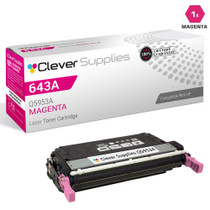
CS Compatible Replacement for HP Q5953A Toner/ HP 643A Toner Cartridge Magenta
/>