




Color LaserJet Pro M176N
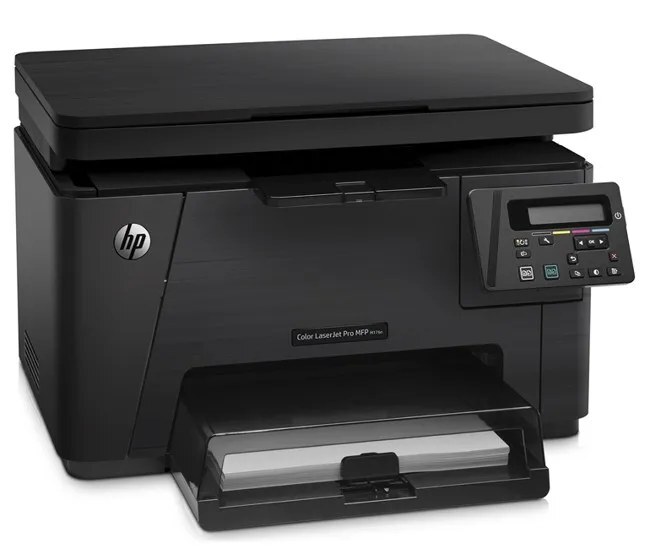
The N in Color LaserJet Pro M176N stands for the built-in networking that lets this 2013-era color laser drop straight onto an office network and serve everyone in the room. Its supplies come from the HP 130A family: the CF350A in black, the CF351A in cyan, the CF352A in yellow and the CF353A in magenta.
Sharing changes the toner math. A networked printer collects jobs from several desks, so consumption is steadier and less predictable than at a single-user machine — nobody owns the print queue, and color pages arrive from every direction. The practical answer is a small buffer: one black and at least the color your team uses most, held locally, so a shared resource never sits idle waiting on a delivery.
Toner Cartridges for Color LaserJet Pro M176N
- Black: CF350A — See product page for yield
- Cyan: CF351A — See product page for yield
- Yellow: CF352A — See product page for yield
- Magenta: CF353A — See product page for yield
Multipacks and alternate listings for the same family:
- Pro M176N 4 Color Set
- 130A 4 Color Set (shared listing)
- 130A 4 Color Set (second listing)
- 130A 4 Color Set (third listing)
- 130A 4 Color Set (fourth listing)
- 130A 5 Color Set
- Pro M176N 2 Black
- Pro M176N 3 Color Set
- Pro M176N 8 Color Set
- 130A 2 Black
- 130A 3 Black
Which cartridge should you buy?
On a shared machine, buy for the queue, not for one person. Black disappears first in mixed office use, which is why the 2 Black and 3 Black listings exist; take one of those as your standing spare and reorder when it goes into the printer. Colors are calmer — replace the single cyan, yellow or magenta the panel names, and leave the others alone. A complete set is the right call after an office move, a team expansion, or any stretch where several colors report low together. The 8-count set is the deep-stock option for offices that would rather hold toner than think about it. Whichever route you take, the codes stay the same four.
Chip, toner and everyday use
Because the M176N reports levels over the network, check the supplies status from your desk before walking over — the chip on each cartridge is what the printer reads, and a cartridge that shows oddly low right after installation usually just needs to be reseated. Rock a fading cartridge gently from side to side to level the toner inside; page-yield figures assume roughly 5% coverage, and presentation pages with big color blocks will always run through a color cartridge faster than memos do. Keep sealed spares near the printer, not in a hot supply closet, and fan paper before loading it to cut down on multi-sheet feeds.
Frequently Asked Questions
What toner does the Color LaserJet Pro M176N take?
Four HP 130A cartridges: CF350A black, CF351A cyan, CF352A yellow and CF353A magenta. The label on the cartridge you remove confirms the code in seconds.
Can different computers on the network use different cartridges?
No — everyone shares the same installed set. That is exactly why a shelf spare matters on this model: one empty cartridge pauses the queue for the whole office, not just for one user.
Should our office buy singles or sets for the M176N?
Singles for routine color changes, a black multipack as the standing spare, and a full set only when several cartridges run low together or you are standardizing a fresh install.
Does an unopened spare cartridge go stale?
Kept sealed in normal room conditions, a spare stays ready for a long time. Leave the tape seal in place until installation day and store it flat, away from sunlight and heat.
More printers that use the same cartridges
Every model in this group draws on the identical cartridge family: LaserJet Pro 100 color MFP M177FW, LaserJet Pro 100 color MFP M177, LaserJet Pro 100 color MFP M176, HP 130A, Color LaserJet Pro MFP M177FW, Color LaserJet Pro MFP M177, Color LaserJet Pro MFP M176, Color LaserJet Pro M176, Color LaserJet M177FW, Color LaserJet M177, Color LaserJet M176