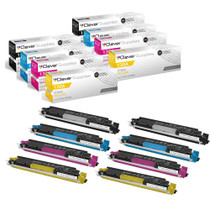
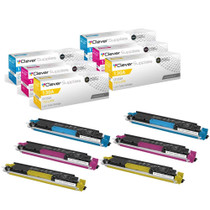
With the HP 130A Color LaserJet Series, users can enjoy a versatile lineup of printers, including the PRO M176, PRO M176N, PRO MFP M177FW, PRO MFP M176, PRO MFP M177, M176, M177, and M177FW models, catering to various printing needs with efficiency and reliability. Whether it's for personal or professional use, these printers offer high-quality prints with ease of use and seamless integration into any environment. Compatible with these printers are the CF350A Black, CF351A Cyan, CF353A Magenta, and CF352A Yellow cartridges, recognized as the HP 130A toner cartridge and toner cartridge. These cartridges ensure consistent and vibrant color output for all printing tasks, providing reliable performance and impressive results. The LaserJet Pro 100 COLOR MFP M176 and PRO 100 COLOR MFP M177 series printers offer multifunction capabilities, including printing, scanning, copying, and optional faxing, making them ideal for busy office environments. With their user-friendly design and advanced features, these printers streamline workflows and enhance productivity. With the HP 130A cartridges, users can expect sharp and clear text, as well as accurate color reproduction for graphics and images. The CF350A Black cartridge delivers deep blacks for professional-looking documents, while the CF351A Cyan, CF353A Magenta, and CF352A Yellow cartridges ensure vibrant and true-to-life colors for impressive prints. Investing in the HP 130A Color LaserJet Series printers and cartridges provides users with reliable printing solutions that meet the demands of today's fast-paced work environments. Whether it's for small businesses, home offices, or corporate settings, these printers deliver exceptional performance and quality prints every time.
Frequently Asked Questions
Which part numbers should I be matching on this M176N listing?
Match the three 130A color codes printed for this set: CF351A for cyan, CF352A for yellow and CF353A for magenta. If those are the codes your M176N asks for, this is the corresponding color set — three cartridges for $72.27, covering the color side of the machine and nothing beyond it.
Is black included anywhere in this three-pack?
It is not, in any of the three. When the M176N reports its black as empty, this box will not clear that message, because black is a different cartridge altogether — the CF350A — sold separately from this color trio. Check which station is actually low before ordering, so the right cartridge is the one that turns up.
Our M176N does a lot of black-and-white copying. Does that use these colors?
Plain copying in black relies on the black cartridge, while a color copy draws on all three colors in this set. Scanning a page onto a computer uses no toner in either case. So a copy-heavy desk should watch the black and the colors as two separate supplies, because they empty for different reasons.
How can I tell which of the three colors is closest to running out?
Check the supplies status on the machine before a long run and read the three levels individually rather than guessing from one faded print. Pages that come out missing a tint — greens turning blue, reds turning yellowish — usually point at the specific CF351A, CF352A or CF353A station that has given up first.
What does the 1,000-page figure mean for each color here?
It is the rating for a single cartridge: up to 1,000 pages from the CF351A, up to 1,000 from the CF352A and up to 1,000 from the CF353A at standard coverage. A page carrying one small color heading spends very little of it; a page flooded with color spends far more, which is why two offices can get very different life from the same set.
What happens if I fit one of these and the color is still wrong?
Talk to us while the cartridge is in its first year — the set is covered by a 1-year warranty and 1-year free returns, and our support team is on hand Monday–Friday, 9 AM–5 PM CST to work through whether the cartridge or something else is at fault.
Do the three colors have to be fitted together, or can they go in one at a time?
One at a time. The CF351A, CF352A and CF353A are three independent cartridges in three separate stations, and colors almost never empty on the same day. Fit only the one the M176N flags as low and leave the other two sealed in their cartons — a fresh cartridge opened early gains nothing, and the sealed ones stay at full strength until their own turn comes.
How should the colors I am not fitting yet be stored?
Keep them sealed, lying flat, in a cool, dry place away from direct sunlight and heat sources. The seal is what keeps the toner settled and the cartridge fresh, so there is no benefit in opening a carton to check it. Writing the arrival month on each box helps you fit the oldest stock first when a station finally calls for its color.
How do I make sure the cartridge in my hand matches the empty station?
Match the code, not just the color name. Read the code on the unit you pull out and compare it with the new one: CF351A is cyan, CF352A is yellow and CF353A is magenta — the three differ by a single digit, which is exactly why the check matters. If the code on the cartridge in your hand matches the code on the spent one, it belongs in that station.
What should I do with a color cartridge once it is spent?
Put it back in its carton and keep it until the replacement has proved itself on a few color pages — if anything looks wrong, the spent unit and its labeling are useful evidence while the set is in its first year. Once the new cartridge is printing cleanly, the old one can go out with your local recycling or waste stream, and the code on its carton doubles as your reorder reference for next time.
About This 130A 3 Color Set for the Pro M176N
The listing name says Pro M176N, while the machine family behind it is the one gathered on the Color LaserJet Pro MFP M176 page — same color stations, same 130A codes, just a fuller version of the model name on this product. What matters for ordering is not which form of the name you know the printer by, but the three codes: CF351A, CF352A and CF353A.
For an M176N that prints proposals, copies forms and scans paperwork through the week, this $72.27 trio keeps the color half of that workload supplied while black is handled on its own track. Stock is held in IL, PA, GA and CA, and the practical details of getting it to you are on the shipping & returns page. More supplies for the brand are listed under HP.







 See Compatible Printers
 Read more about our ink!