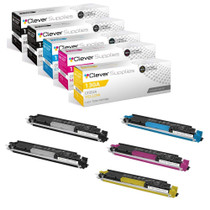
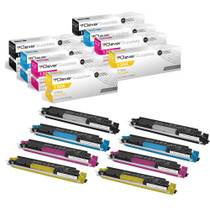
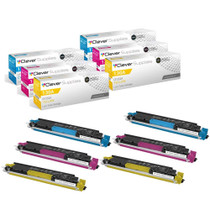
With the HP 130A Color LaserJet Series, users can enjoy a versatile lineup of printers, including the PRO M176, PRO M176N, PRO MFP M177FW, PRO MFP M176, PRO MFP M177, M176, M177, and M177FW models, catering to various printing needs with efficiency and reliability. Whether it's for personal or professional use, these printers offer high-quality prints with ease of use and seamless integration into any environment. Compatible with these printers are the CF350A Black, CF351A Cyan, CF353A Magenta, and CF352A Yellow cartridges, recognized as the HP 130A toner cartridge and toner cartridge. These cartridges ensure consistent and vibrant color output for all printing tasks, providing reliable performance and impressive results. The LaserJet Pro 100 COLOR MFP M176 and PRO 100 COLOR MFP M177 series printers offer multifunction capabilities, including printing, scanning, copying, and optional faxing, making them ideal for busy office environments. With their user-friendly design and advanced features, these printers streamline workflows and enhance productivity. With the HP 130A cartridges, users can expect sharp and clear text, as well as accurate color reproduction for graphics and images. The CF350A Black cartridge delivers deep blacks for professional-looking documents, while the CF351A Cyan, CF353A Magenta, and CF352A Yellow cartridges ensure vibrant and true-to-life colors for impressive prints. Investing in the HP 130A Color LaserJet Series printers and cartridges provides users with reliable printing solutions that meet the demands of today's fast-paced work environments. Whether it's for small businesses, home offices, or corporate settings, these printers deliver exceptional performance and quality prints every time.
Frequently Asked Questions
What does the 130A name on this M177 listing actually cover?
It is the family name for the three color cartridges in this box: CF351A in cyan, CF352A in yellow and CF353A in magenta. The set sells for $72.27 and contains those three alone — the 130A label on a color set should never be read as including a black cartridge alongside them.
Why has one color on my M177 dropped much faster than the other two?
That is the normal pattern, not a sign of a leak. A business that prints blue-heavy charts burns through cyan first; one printing warm-toned photos leans on yellow and magenta. Each of the three is rated at 1,000 pages, but real documents almost never use the trio evenly, so their levels drift apart.
If the black is fine but a color has run out, can the M177 keep printing black-only pages?
For plain text work the machine leans on its black cartridge, but anything with color in it needs the missing color back before it prints properly. And the reverse matters too: this set cannot stand in for black. Black here is the separate CF350A cartridge, which is not in this box and has to be sourced by itself when it empties.
Does scanning a document to my computer use up any of these colors?
None at all. Scanning simply reads the page in front of the glass — CF351A, CF352A and CF353A are only spent when toner is actually laid onto paper, during printing or color copying. A week of heavy scanning leaves the levels exactly where they were.
Can I change just the empty color and leave the other two in place?
Yes. The three stations work independently, so you can pull the spent cartridge, slot its replacement in, and leave the partly used pair untouched. Buying the trio together simply means the other two are already on hand when their levels follow.
How do I reach someone if a cartridge from this set arrives damaged?
Contact us Monday–Friday, 9 AM–5 PM CST and we will sort it out — the set carries a 1-year warranty and 1-year free returns, which covers cartridges that arrive damaged as well as ones that fail early in use.
After fitting one color from this set, how do I know the change actually fixed the page?
Reprint the exact document that exposed the problem — the chart whose blues looked wrong, or the photo whose skin tones went green. A generic test page can look perfectly fine while your real work still carries a cast, but the before-and-after comparison on identical artwork cannot hide anything: if the same page now prints true, the replacement has done its job.
What does this trio work out to per rated color page?
The $72.27 buys three cartridges rated at 1,000 pages each — 3,000 rated color pages in the box, which is roughly 2.4 cents per rated page. Treat that as a planning figure rather than a promise: a page of light accents spends far less of each cartridge than a full-color photograph, so your real cost per page floats around that number with your mix of work.
How can I learn which color my M177 actually spends first?
Write the fitting date on each cartridge's box as it goes in. When a station later empties, the three dates show the true order and the real intervals for your documents — not the rating's assumption of even use. Next time, the order can be timed from those dates, or weighted toward the color your work always finishes first.
What should I do with the cartridges I take out of this machine?
Note each spent cartridge's code — CF351A, CF352A or CF353A — before it leaves the desk. The code printed on the empty is the surest reorder reference there is, because it names the exact station you just emptied. Clear the spent units together rather than letting them collect beside the printer, where an empty can too easily be mistaken for a spare.
About This 130A Color Trio for the Color LaserJet Pro MFP M177
Think of color on the Color LaserJet Pro MFP M177 as a three-part recipe. Cyan, yellow and magenta are blended in different proportions for every shade on the page, which is why a single empty station shows up everywhere — skies go strange, skin tones go green, a company logo comes out the wrong color entirely. Restoring all three 130A cartridges together brings the balance back in one pass, instead of chasing one off-color symptom at a time.
At $72.27 this is a refresh for a machine whose black station is still healthy and whose colors have aged together. Parcels are dispatched from our warehouses in IL, PA, GA and CA; timing and costs are explained on the shipping & returns page, and further cartridges for the brand are gathered in our HP range.







 See Compatible Printers
 Read more about our ink!