




Color LaserJet M177
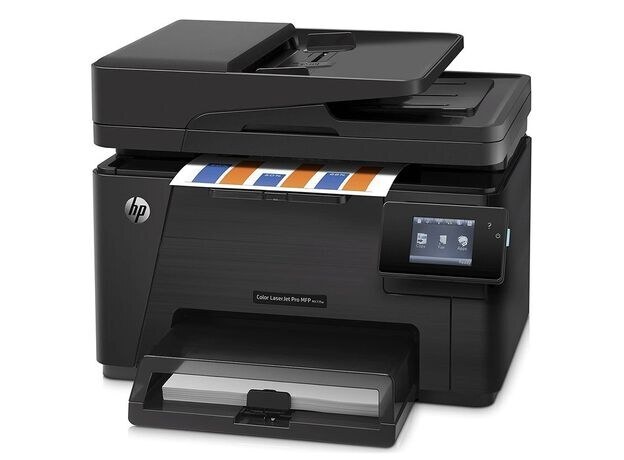
The M177 is the entry point to HP's 2013-era color lineup: a compact color laser for the home office or micro business, the base single-desk model that is simple to set up and simple to keep in toner. Its four cartridges are CF350A black with CF351A cyan, CF352A yellow and CF353A magenta — the HP 130A family, sold here as compatible replacements.
A base model earns its keep by asking little. The M177 has no appetite for attention: four cartridge codes, four slots, and a cost per page that compatible cartridges keep down. Owners who print a few pages a day buy singles; owners who print in bursts keep a four color set in reserve so a low cartridge never stops the day.
Toner Cartridges for Color LaserJet M177
- CF350A — Black — Black
- CF350A — Black, standard listing — Black
- CF351A — Cyan — Cyan
- CF352A — Yellow — Yellow
- CF353A — Magenta — Magenta
- 130A 4 Color Set — CF350A, CF351A, CF352A, CF353A — Black / Cyan / Magenta / Yellow
- M177 4 Color Set — Black / Cyan / Magenta / Yellow
Further 130A listings stocked for this printer:
- 130A CF350A CF351A CF352A CF353A 4 Color Set
- 130A CF350A CF351A CF352A CF353A 4 Color Set
- 130A CF350A CF351A CF352A CF353A 4 Color Set
- 130A CF350A CF351A CF352A CF353A 5 Color Set
- CF350A Black 2 Black
- CF351A CF352A CF353A 3 Color Set
- CF350A CF351A CF352A CF353A 5 Color Set
- CF350A CF351A CF352A CF353A 8 Color Set
- CF350A CF351A CF352A CF353A 4 Color Set
- CF350A CF351A CF352A CF353A 5 Color Set
- CF350A Black 3 Black
- CF350A Black 5 Black
- CF350A CF351A CF352A CF353A 5 Color Set
- CF351A CF352A CF353A 6 Color Set
- CF350A Black
- 130A CF350A Black 2 Black
- 130A CF350A Black 3 Black
- CF351A CF352A CF353A 3 Color Set
Which cartridge should you buy?
Light, steady printing is what this machine was built for, and its buying pattern is simple. Singles for the slot that is empty — black first, usually — and a four color set only when the whole row is low. Keep an eye on cost per page rather than box price: a set looks like a bigger spend but covers four swaps at once. The family has one yield tier on this page, so the choice is pack size, not cartridge size.
Chip, toner and everyday use
Slide the new cartridge in until it clicks and the M177 reads its chip on the next job. A cartridge that is not seen after install usually still has a piece of its seal strip attached — pull it out, check, and seat it again. Spares keep best sealed and upright in a cool drawer, and a gentle side-to-side rock before install evens the toner inside a cartridge stored for months.
Frequently Asked Questions
Which toner cartridges are compatible with the Color LaserJet M177?
The M177 takes CF350A black, CF351A cyan, CF352A yellow and CF353A magenta — the HP 130A family. Match the code on the cartridge you are replacing.
Is there a high-yield cartridge for the M177?
No high-yield tier is stocked for the 130A family on this page. For heavier use, the multi-packs — two and three black packs, and the five and eight color sets — are how this family handles volume.
Should a light user buy sets or singles?
Singles. A set ties up three cartridges you may not need for months, while a single replaces exactly the empty slot. Switch to the four color set when the whole row runs low together.
How do I know which color is empty?
The control panel's supplies view shows each cartridge's level, and a supplies-status page prints the same snapshot. Colors empty one at a time, so check before ordering a full set.
More printers that use the same cartridges
These machines share the 130A cartridges, listed in reverse order: LaserJet Pro 100 color MFP M177FW, LaserJet Pro 100 color MFP M177, LaserJet Pro 100 color MFP M176, HP 130A, Color LaserJet Pro MFP M177FW, Color LaserJet Pro MFP M177, Color LaserJet Pro MFP M176, Color LaserJet Pro M176N, Color LaserJet Pro M176, Color LaserJet M177FW, Color LaserJet M176.