




LaserJet Pro 100 color MFP M177
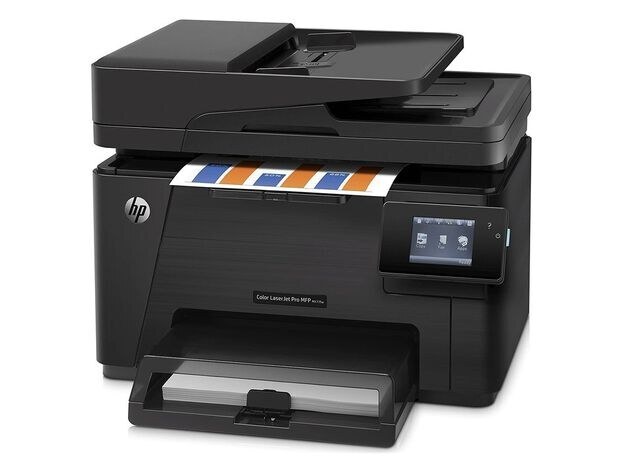
The LaserJet Pro 100 Color MFP M177 belongs to the 2013-era generation of color all-in-ones serving home offices and micro businesses. Setup is simple, and the supply chain for its toner is deep and mature. It takes the HP 130A toner family (CF350A, CF351A).
The LaserJet Pro 100 Color MFP M177 accepts CF350A, CF351A toner, available here as genuine OEM or compatible. Many offices mix the two: OEM for client-facing work, compatible for everyday drafts. The LaserJet Pro 100 color MFP M177 takes the yellow CF352A and magenta CF353A as well, filling out the full HP 130A cartridge family.
Toner Cartridges for LaserJet Pro 100 color MFP M177
This printer works with the following toner cartridges:
- HP CF350A
- HP CF351A
- HP CF352A
- HP CF353A
More HP Printers
- Color LaserJet M176
- Color LaserJet M177
- Color LaserJet M177FW
- Color LaserJet Pro M176
- Color LaserJet Pro M176N
- Color LaserJet Pro MFP M176
- Color LaserJet Pro MFP M177
- Color LaserJet Pro MFP M177FW
- LaserJet Pro 100 color MFP M176
- LaserJet Pro 100 color MFP M177FW
Frequently Asked Questions
Which toner cartridges work with the LaserJet Pro 100 color MFP M177?
Use CF350A, CF351A, CF352A and CF353A in the LaserJet Pro 100 color MFP M177. These are the codes listed for this printer, so any cartridge carrying one of them is the right type.
Can I make copies on the LaserJet Pro 100 color MFP M177 without a computer?
Yes. Put the page on the LaserJet Pro 100 color MFP M177's scanner, press the copy button on the control panel, set the number of copies, and start — no computer is needed.
Why are prints from my LaserJet Pro 100 color MFP M177 coming out faded?
Check that all four cartridges (CF350A, CF351A, CF352A and CF353A) are seated in the LaserJet Pro 100 color MFP M177 and that none is empty, then run the printer's cleaning cycle from the menu. If only one color looks washed out, the CF351A cartridge is the likely culprit.