






 See Compatible Printers
 Read more about our ink!
Hewlett Packard
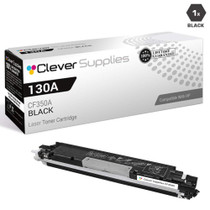
Compatible HP PRO MFP M176 (CF350A) Toner Cartridge Black

Amazon Price:

- Page Yield:
- Black: 1300
- Availability:
- In Stock
- Shipping:
- Calculated at Checkout
- Compatible Printers
- Color LaserJet Pro MFP M176n
- Color LaserJet Pro MFP M177fw
- LaserJet Pro MFP M176n
- LaserJet Pro MFP M177fw
- LaserJet Pro Pro MFP M176n
- LaserJet Pro Pro MFP M177fwi>
- Specifications
- SKU:
- CLS-HP-PRO MFP M176-BK
- Printer Brand:
- Hewlett Packard
- OEM Number:
- CF350A
- Ink Color:
- Black
- Page Yield:
- Black: 1300
- Printer Type:
- Laser Cartridge
- Condition:
- New Compatible
- Description
- Reviews



With the HP 130A Color LaserJet Series, users can enjoy a versatile lineup of printers, including the PRO M176, PRO M176N, PRO MFP M177FW, PRO MFP M176, PRO MFP M177, M176, M177, and M177FW models, catering to various printing needs with efficiency and reliability. Whether it's for personal or professional use, these printers offer high-quality prints with ease of use and seamless integration into any environment. Compatible with these printers are the CF350A Black, CF351A Cyan, CF353A Magenta, and CF352A Yellow cartridges, recognized as the HP 130A toner cartridge and toner cartridge. These cartridges ensure consistent and vibrant color output for all printing tasks, providing reliable performance and impressive results. The LaserJet Pro 100 COLOR MFP M176 and PRO 100 COLOR MFP M177 series printers offer multifunction capabilities, including printing, scanning, copying, and optional faxing, making them ideal for busy office environments. With their user-friendly design and advanced features, these printers streamline workflows and enhance productivity. With the HP 130A cartridges, users can expect sharp and clear text, as well as accurate color reproduction for graphics and images. The CF350A Black cartridge delivers deep blacks for professional-looking documents, while the CF351A Cyan, CF353A Magenta, and CF352A Yellow cartridges ensure vibrant and true-to-life colors for impressive prints. Investing in the HP 130A Color LaserJet Series printers and cartridges provides users with reliable printing solutions that meet the demands of today's fast-paced work environments. Whether it's for small businesses, home offices, or corporate settings, these printers deliver exceptional performance and quality prints every time.
Frequently Asked Questions
My copies look washed out but the colors seem fine — is it this cartridge?
Very likely, yes. On the LaserJet Pro MFP M176 the copier draws from the same black cartridge as the printer, so faded copies with healthy colors almost always mean the black is nearly spent. This CF350A — the 130A black — is the cartridge that sits in the black slot.
I've never changed one — how hard is it?
It is a one-minute, no-tools job: open the top access door, pull the old cartridge straight out by its handle, unwrap the new one and pull its sealing tab, then slide it in until it clicks. Close the door and the machine is ready.
How many pages should I expect from it?
About 1,300 pages at standard coverage. A home office printing letters, forms, and the occasional copied document will land near that figure; pages with dense graphics or heavy copy jobs use toner faster.
What does this single cartridge cost?
$38.80 for the one black CF350A in this listing. When a color eventually runs low, that color is a separate cartridge — an empty black never forces you to replace the colors too.
What if the new one doesn't fix the fading?
Reseat it first and give it a gentle side-to-side rock to level the toner inside. If pages still come out wrong, you are covered by a 1-year warranty and 1-year free returns — call us Monday–Friday, 9 AM–5 PM CST and we will exchange it or refund you.
How fast will it arrive?
It ships from whichever of our warehouses — IL, PA, GA, or CA — is closest to you. Delivery windows and return instructions are on the shipping & returns page.
How can we be sure the cartridge — and not the copier — is behind pale copies?
Print a document from the computer and compare it with a copy of the same page. On the Pro MFP M176, the printer and the copier draw on the same CF350A, so if the print is pale too, the cartridge is the culprit and this listing is the fix. If the print comes out solid black but the copy is washed, the toner is fine and the scanner glass is the place to look — a wipe of the glass costs nothing and should come before any cartridge is condemned.
Should we throw the old cartridge away the moment the new one goes in?
Not quite yet. Keep the pulled cartridge for a few days, in the new one's packaging and clearly apart from anything usable, until the CF350A that replaced it has proven itself across both printing and copying. If pages stay wrong with a fresh cartridge installed, the old one was innocent and the machine itself needs attention — and you will be glad the evidence is still in the drawer. Once the new cartridge has a few good days behind it, the old one can go out for recycling.
We bought this cartridge ahead of need — how should it wait?
Sealed in its bag, lying flat in a drawer away from sunlight and radiators. A toner cartridge is a patient thing while it stays unopened: nothing inside it dries out or goes stale on any timescale a home office should worry about, so buying the CF350A when you see the first hints of fading — rather than after the last page fails — costs nothing and removes the gap entirely. Just leave the seal and the pull-tab untouched until the day the cartridge actually goes into the machine.
What do we do with the spent cartridge afterward?
Put it back into the packaging the new cartridge arrived in, which keeps the residual toner contained, and keep it physically separate from any new supplies. From there it can leave with household or office recycling, or an e-waste collection, depending on what your area offers for printer consumables. The habit that matters is the separation: an unmarked spent cartridge stored beside fresh stock will sooner or later be picked up and installed by someone who assumes it is new, and the fading problem will appear to have come back.
About This Pro MFP M176 Black Cartridge
For a home-office HP Pro MFP M176 that prints school forms one day and copies signed paperwork the next, black is the cartridge that keeps the whole machine useful. This single CF350A is the buy-it-when-you-need-it option: no multi-pack commitment, just the right black cartridge, dropped in and printing solid text again within minutes of opening the box.
Related Items


Hewlett Packard
Compatible HP M176 (CF350A) Toner Cartridge Black


Hewlett Packard
Compatible HP PRO 100 COLOR MFP M176 (CF350A) Toner Cartridge 3 Black


Hewlett Packard
Compatible HP PRO M176 (CF350A) Toner Cartridge 2 Black


Hewlett Packard
Compatible HP M176 (CF350A) Toner Cartridge 3 Black