






 See Compatible Printers
 Read more about our ink!
Hewlett Packard
Compatible HP PRO MFP M176 (CF351A) Toner Cartridge Cyan

Amazon Price:

- Page Yield:
- Color: 1000
- Availability:
- In Stock
- Shipping:
- Calculated at Checkout
- Compatible Printers
- Color LaserJet Pro MFP M176n
- Color LaserJet Pro MFP M177fw
- LaserJet Pro MFP M176n
- LaserJet Pro MFP M177fw
- LaserJet Pro Pro MFP M176n
- LaserJet Pro Pro MFP M177fwi>
- Specifications
- SKU:
- CLS-HP-PRO MFP M176-C
- Printer Brand:
- Hewlett Packard
- OEM Number:
- CF351A
- Ink Color:
- Cyan
- Page Yield:
- Color: 1000
- Printer Type:
- Laser Cartridge
- Condition:
- New Compatible
- Description
- Reviews



With the HP 130A Color LaserJet Series, users can enjoy a versatile lineup of printers, including the PRO M176, PRO M176N, PRO MFP M177FW, PRO MFP M176, PRO MFP M177, M176, M177, and M177FW models, catering to various printing needs with efficiency and reliability. Whether it's for personal or professional use, these printers offer high-quality prints with ease of use and seamless integration into any environment. Compatible with these printers are the CF350A Black, CF351A Cyan, CF353A Magenta, and CF352A Yellow cartridges, recognized as the HP 130A toner cartridge and toner cartridge. These cartridges ensure consistent and vibrant color output for all printing tasks, providing reliable performance and impressive results. The LaserJet Pro 100 COLOR MFP M176 and PRO 100 COLOR MFP M177 series printers offer multifunction capabilities, including printing, scanning, copying, and optional faxing, making them ideal for busy office environments. With their user-friendly design and advanced features, these printers streamline workflows and enhance productivity. With the HP 130A cartridges, users can expect sharp and clear text, as well as accurate color reproduction for graphics and images. The CF350A Black cartridge delivers deep blacks for professional-looking documents, while the CF351A Cyan, CF353A Magenta, and CF352A Yellow cartridges ensure vibrant and true-to-life colors for impressive prints. Investing in the HP 130A Color LaserJet Series printers and cartridges provides users with reliable printing solutions that meet the demands of today's fast-paced work environments. Whether it's for small businesses, home offices, or corporate settings, these printers deliver exceptional performance and quality prints every time.
Frequently Asked Questions
What does CF351A on the box confirm for my M176?
It confirms you have the cyan cartridge. CF351A is the cyan member of HP's 130A family, and this listing — a single cyan cartridge for $36.41 — is written specifically around the LaserJet Pro MFP M176 named in its title. Cyan is the only colour inside; the yellow and magenta your printer uses are separate cartridges with separate codes.
If my scans look perfect but my prints look wrong, where is the problem?
In the toner, not the scanner. Scanning reads a page with light and uses no toner at all, so a scan can look flawless on the same day that printed colour has gone badly astray. When the printed version of a page shifts colour but the scanned version does not, the fault sits in a cartridge — and if the shift is toward pink and purple in place of blue, that cartridge is the cyan CF351A.
Why do holiday photos of the sea and sky print pink on this machine?
Because blue is a two-cartridge colour: cyan plus magenta. With cyan nearly empty, magenta prints almost unopposed and the Mediterranean turns violet, swimming pools go lilac, and clear skies take on a sunset tint that was never in the photograph. Greens made from cyan and yellow lose their freshness at the same time. A fresh CF351A brings the blues back to blue.
How can I be sure cyan — not another colour — is the one to order?
Print the supplies status page from the printer and read the cyan level against the others, then look at a colour sample with fresh eyes: purplish blues and yellowish greens together point to cyan, while orange-looking reds point to magenta and bluish greens point to yellow. Two minutes with that page is cheaper than guessing, and it tells you whether this $36.41 cartridge is the right fix.
What will 1,000 pages of cyan mean on a compact home-and-office MFP?
The rating is 1,000 pages at standard coverage. On a machine like the M176, which typically mixes everyday documents with the occasional colour copy, photo or school project, cyan tends to be spent in bursts — untouched for weeks of plain text, then drawn on heavily by a single photo-heavy afternoon. Faxing in black and white and scanning spend none of it at all.
What protection does this cartridge carry after it arrives?
A 1-year warranty and 1-year free returns protect it: if the cartridge fails during its first year, sending it back costs you nothing. Questions before or after fitting are answered Monday–Friday, 9 AM–5 PM CST.
About This CF351A Cyan Cartridge for the M176
The LaserJet Pro MFP M176 earns its place on a small desk by doing several jobs at once — printing, colour copying, scanning and faxing — yet only the printing and copying sides ever touch this cartridge. That split is what makes cyan trouble on this machine so confusing, and so easy to diagnose once you know scans cannot fade. This CF351A, a 1,000-page 130A cyan cartridge at $36.41, addresses the one station behind the purple skies and pink-tinted prints, leaving the M176's other cartridges to finish their own work.
Delivery runs from warehouses in IL, PA, GA and CA; the shipping & returns page sets out timescales and how a return is handled. For the other colours and supplies belonging to this machine, start from the store's HP section.
Related Items

Hewlett Packard
Compatible HP PRO MFP M176 (CF350A) Toner Cartridge Black


Hewlett Packard
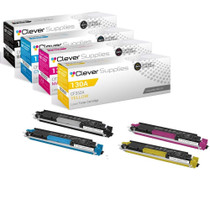
Compatible HP PRO 100 COLOR MFP M176 (CF350A CF351A CF352A CF353A) Toner Cartridge 4 Color Set


Hewlett Packard
Compatible HP PRO MFP M476 (CF381A) Toner Cartridge Cyan

Hewlett Packard
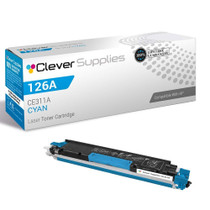
Compatible HP PRO M175 MFP (CE311A) Toner Cartridge Cyan