




SCX-4835FR
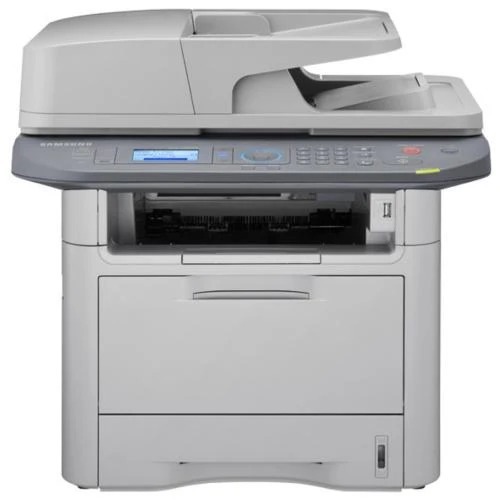
The SCX-4835FR is the fax-equipped regional variant of Samsung's 4835 multifunction platform, adding fax to the print-copy-scan mix.
Toner is the same MLT-D205S or MLT-D205L used across the family. We stock compatible and genuine OEM cartridges in both yields.
Toner Cartridges for SCX-4835FR
This printer works with the following toner cartridges:
- Samsung MLT-D205S
- Samsung MLT-D205L
- Samsung MLT-D205E
More Samsung Printers
- ML-3310
- ML-3310ND
- ML-3312ND
- ML-3710
- ML-3710DW
- ML-3710ND
- ML-3712DW
- ML-3712ND
- SCX-4833
- SCX-5637
- SCX-5639FR
- SCX-5739FW
- ML-3310D
- ML-3312
- ML-3312D
- SCX-4833FD
- SCX-4833FR
- SCX-4833HD
- SCX-4835
- SCX-4835FD
- SCX-4835HD
- SCX-5637F
- SCX-5637FN
- SCX-5637FR
- SCX-5637HR
- SCX-5639
- ML-3710D
- SCX-5639HR
- SCX-5737
- ML-3712
- ML-3712D
- SCX-5737FW
- SCX-5739
Frequently Asked Questions
Why might my SCX-4835FR report a toner level incorrectly with a third-party cartridge?
A 'non-genuine cartridge' notice on the SCX-4835FR is informational — you can typically acknowledge it and keep printing. The message simply means the printer detected a chip it doesn't recognize as Samsung's. Print quality itself depends on the cartridge's construction, not on whether the warning appeared.
Which cartridges in the MLT-D205S series work in the SCX-4835FR?
To verify fit for the SCX-4835FR, look for the MLT-D205S, MLT-D205L code on the product listing and confirm the seller names your exact model in the compatibility list. Both should agree. If a listing shows the right code but omits your model, contact the seller before ordering.
Will print quality degrade gradually or suddenly at the end of a MLT-D205S in the SCX-4835FR?
If the SCX-4835FR stops printing entirely at the warning rather than letting you continue, check the driver or panel settings for a 'continue' or override option. Some models enforce a hard stop. In that case, the shake trick plus a prompt cartridge swap is your fastest path back.