




SCX-4833HD
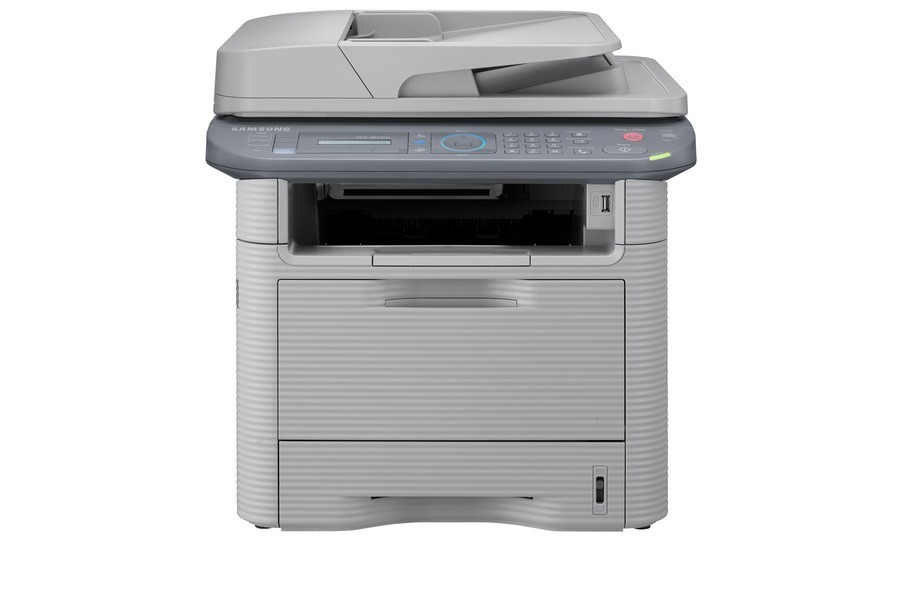
The Samsung SCX-4833HD is the expanded-configuration variant of the 4833 multifunction line, aimed at offices that need more document-handling capacity than the standard build offers. The toner story stays simple: standard-yield MLT-D205S, high-yield MLT-D205L, and above both the extra-high-yield MLT-D205E, the longest-running option in the family. All three rungs are stocked below as compatibles, together with a MICR version of the high-yield cartridge and listings sold under the SCX-4833HD name.
Expanded document handling means this machine was bought to process paper in volume — bigger stacks through the feeder, longer queues at the output tray. A printer worked that hard consumes toner on a schedule, not by surprise, and the buying decision shifts from price per cartridge to cost per page and changes per year.
Toner Cartridges for SCX-4833HD
| Cartridge | Color | Page Yield |
|---|---|---|
| MLT-D205E — extra-high-yield single | Black | See product page |
| MLT-D205L — high-yield single | Black | See product page |
| MLT-D205S — standard-yield single | Black | See product page |
| MLT-D205L — high-yield 2 pack | Black | See product page |
| MLT-D205L — high-yield 3 pack | Black | See product page |
| MLT-D205L — MICR version, for check printing | Black | See product page |
| MLT-D205L — premium high-yield 5 pack | Black | See product page |
| SCX-4833HD — high-yield single, sold under the printer's name | Black | See product page |
| SCX-4833HD — high-yield 5 pack, sold under the printer's name | Black | See product page |
Which cartridge should you buy?
For this variant, start at the top of the ladder and work down. The MLT-D205E exists for queues that rarely empty: it runs the longest between changes and brings cost per page to its lowest point in the family. The MLT-D205L suits the middle ground — steady daily printing without extreme volume — and its 2-pack, 3-pack and premium 5-pack listings make it easy to keep the supply cupboard stocked. The MLT-D205S still makes sense if the machine's expanded hardware is used in bursts separated by quiet weeks. Whichever rung you pick, keep one spare on hand: on a high-throughput machine, an empty cartridge with no replacement in the building is a stopped office, not a minor errand.
Chip, toner and everyday use
A word on expectations: genuine Samsung cartridges follow the maker's original specification, so fit and consistency are predictable, while compatible quality genuinely varies by manufacturer — good ones print cleanly, poor ones fade or leak. The compatibles on this page are backed by a 1-year warranty and 1-year returns, which is the practical protection to look for. On installation, remove all sealing tape, slide the cartridge in until it clicks, and let the printer finish its recognition cycle before sending a job. Yield ratings assume 5% page coverage; dense forms and reports will run through a cartridge faster than the estimate suggests.
Frequently Asked Questions
Are compatibles noticeably worse than genuine Samsung toner in the SCX-4833HD?
It depends entirely on who made the compatible. Well-built compatibles print clean, even pages that are hard to distinguish from genuine output; badly built ones are where the fading and leaking stories come from. Judge a compatible by its warranty and return terms rather than by the label — a seller standing behind the cartridge for a year is telling you something about how it was made.
When is the MLT-D205E worth choosing over the MLT-D205L?
When the swap itself is the cost. If your team changes cartridges often enough that the interruption is a real event — jobs paused, someone sent to the supply cupboard — the extra-high-yield cartridge pays for itself in fewer changes and a lower cost per page. On a lightly used machine the difference barely shows, and the L is the balanced choice.
A listing shows a slightly different code for this printer — which do I trust?
Trust the code printed on the cartridge currently in the machine. Samsung's model names in this range look nearly identical, and a single letter's difference points to a different cartridge family. The three codes that belong in the SCX-4833HD are MLT-D205S, MLT-D205L and MLT-D205E — if a listing names anything else, it is not for this printer.
How many spare cartridges should a busy office keep for this machine?
One in the printer and one sealed on the shelf is the working minimum for a machine with this kind of queue. Rotate the stock — install the older spare first — so no cartridge sits long enough for its seals to become the weak point. Offices printing in genuinely serious volume usually move to the 5-pack listings and stop thinking about it month to month.
More printers that use the same cartridges
The same MLT-D205 cartridges keep a whole generation of Samsung monochrome machines running, including:
- ML-3712D
- ML-3712DW
- ML-3712ND
- SCX-4833
- SCX-4833FD
- SCX-4833FR
- SCX-4835
- SCX-4835FD
- SCX-4835FR
- SCX-4835HD
- SCX-5637
- SCX-5637F
- SCX-5637FN
- SCX-5637FR
- SCX-5637HR
- SCX-5639
- SCX-5639FR
- SCX-5639HR
- SCX-5737
- SCX-5737FW
- SCX-5739
- SCX-5739FW
- Samsung-MLTD205
- ML-3310
- ML-3310D
- ML-3310ND
- ML-3312
- ML-3312D
- ML-3312ND
- ML-3710
- ML-3710D
- ML-3710DW
- ML-3710ND
- ML-3712