




SCX-5737
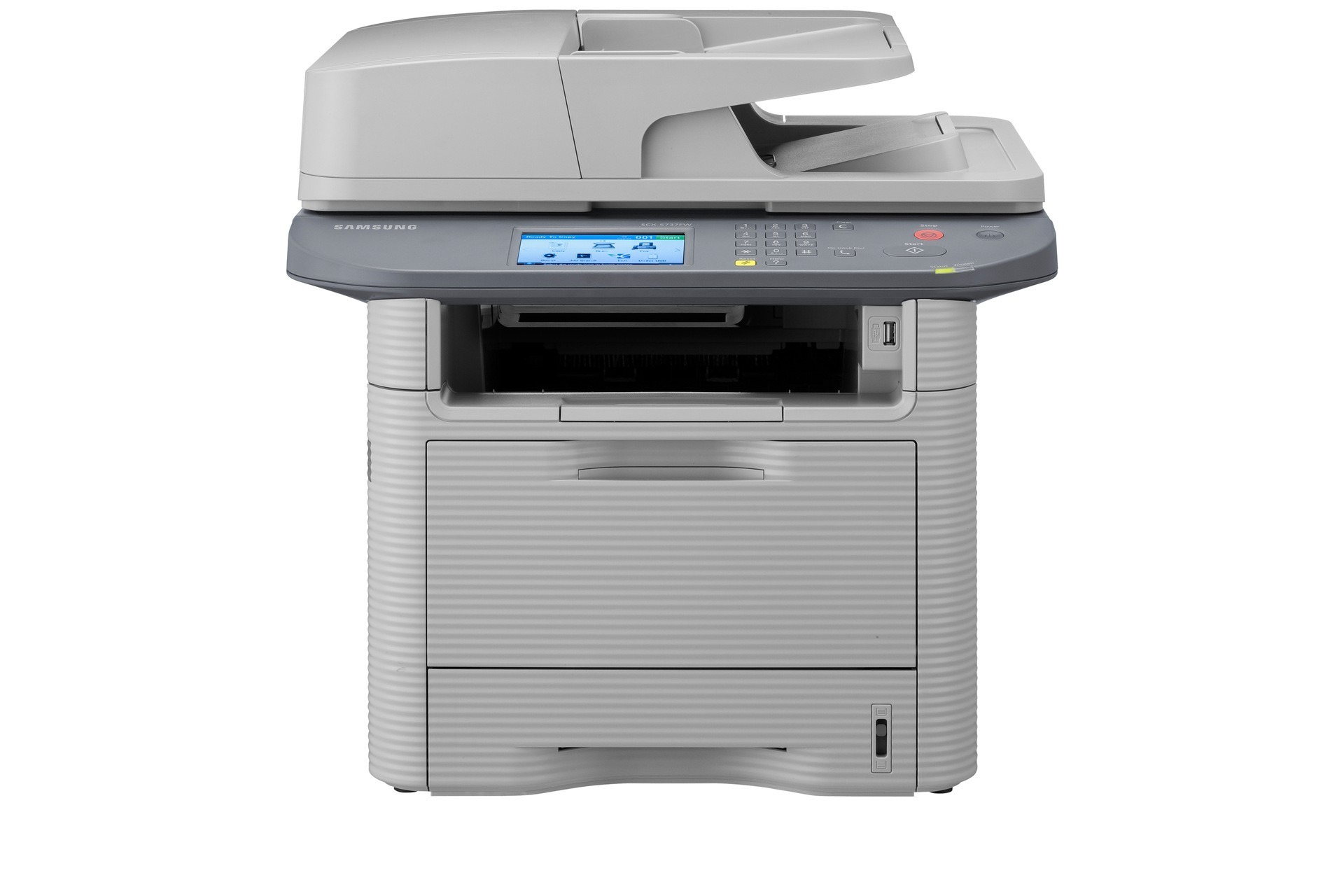
Fax, copy, scan and print in one unit: the Samsung SCX-5737 brings the 5737 multifunction platform to workgroups that want a single device at the center of the office. Its toner shelf is built on two tiers, the MLT-D205S standard cartridge and the MLT-D205L high-yield cartridge. The machine also accepts the extra-high MLT-D205E from the same family, so offices already stocking that cartridge for sibling machines can use it here as well.
A four-function machine at the center of an office has a particular social problem: everyone uses it, so everyone notices when it stops. The walk-up copier, the fax endpoint and the shared printer are the same device, which means a toner outage interrupts three workflows at once. Keeping this class of machine fed is less about the cartridge itself than about the routine around it — a named owner, a visible spare, and a reorder point that arrives before the panic.
Toner Cartridges for SCX-5737
| Cartridge | Color | Page Yield |
|---|---|---|
| MLT-D205L High Yield Laser Toner Cartridge Black | Black | High yield — see product page |
| MLT-D205S Laser Toner Cartridge Black | Black | Standard yield — see product page |
| MLT-D205L High Yield Laser Toner Cartridge Black 2 Pack | Black | High yield, 2 pack — see product page |
| MLT-D205L High Yield MICR Laser Toner Cartridge Black | Black | High yield MICR, for check printing — see product page |
| MLT-D205L High Yield Laser Toner Cartridge Black 3 Pack | Black | High yield, 3 pack — see product page |
| MLT-D205L Premium Quality High Yield Laser Toner Cartridge Black 5 Pack | Black | Premium high yield, 5 pack — see product page |
| SCX-5737 High Yield Laser Toner Cartridge Black | Black | High yield — see product page |
| SCX-5737 High Yield Laser Toner Cartridges Black 5 Pack | Black | High yield, 5 pack — see product page |
Which cartridge should you buy?
On a shared machine, buy the bigger fill. The high-yield cartridge should be the standing choice for any 5737 in daily workgroup service: fewer changes, fewer interruptions, and a lower chance that the change lands during someone else's urgent job. The standard cartridge belongs on a lightly used satellite unit in a side office. Offices that dislike reordering chores should look at the multipacks of the high-yield tier — a 3 pack or the premium 5 pack turns toner into a quarterly non-event. And if your wider fleet already runs the extra-high MLT-D205E, it fits this machine too, which can simplify the whole shelf.
Chip, toner and everyday use
Two driver settings do most of this machine's cost control. Setting duplex as the default, with single-sided as a per-job override, addresses paper; toner-save on draft work addresses toner itself. On the hardware side, an unrecognized-cartridge message usually resolves with the basics: open the cover, reseat the cartridge firmly, and check that the chip contacts are clean and unobstructed. Firmware updates can occasionally change how the machine validates chips, so glancing at update notes before installing them is a sensible habit for any office running compatible cartridges.
Frequently Asked Questions
Should duplex be the default setting on a shared SCX-5737?
Yes — it is one of the simplest cost controls available on a shared machine. Set duplex as the driver default so the casual printouts that dominate office volume come out double-sided automatically, and let users override it per job when a document genuinely needs single sides. Pair it with toner-save for drafts and you have addressed the two biggest consumable costs.
How do we stop the empty-cartridge surprise on the busiest morning of the month?
Keep one spare MLT-D205S or MLT-D205L on site as an absolute minimum, and two during your heavy periods. Then learn your machine's rhythm: note roughly how long each cartridge lasts, and reorder when the spare goes in, not when the shelf is empty. Running dry should be a rare accident, not a recurring event.
The printer says the cartridge is not recognized — what are the likely causes?
Start mechanical: a cartridge that is almost, but not quite, seated is the most common culprit, followed by a chip contact that needs a gentle wipe. Firmware updates occasionally change chip validation, which is the other known cause. Every cartridge on this page carries a 1-year warranty with 1-year returns, so if the basics do not cure it, a replacement is straightforward.
More printers that use the same cartridges
Gathered below — alternating through the two model lines — is the full family that shares this machine's cartridges: ML-3310D, ML-3312, ML-3312ND, ML-3710D, ML-3710ND, ML-3712D, ML-3712ND, SCX-4833FD, SCX-4833HD, SCX-4835FD, SCX-4835HD, SCX-5637F, SCX-5637FR, SCX-5639, SCX-5639HR, SCX-5739, Samsung-MLTD205, ML-3310, ML-3310ND, ML-3312D, ML-3710, ML-3710DW, ML-3712, ML-3712DW, SCX-4833, SCX-4833FR, SCX-4835, SCX-4835FR, SCX-5637, SCX-5637FN, SCX-5637HR, SCX-5639FR, SCX-5737FW, SCX-5739FW.