




SCX-4833FD
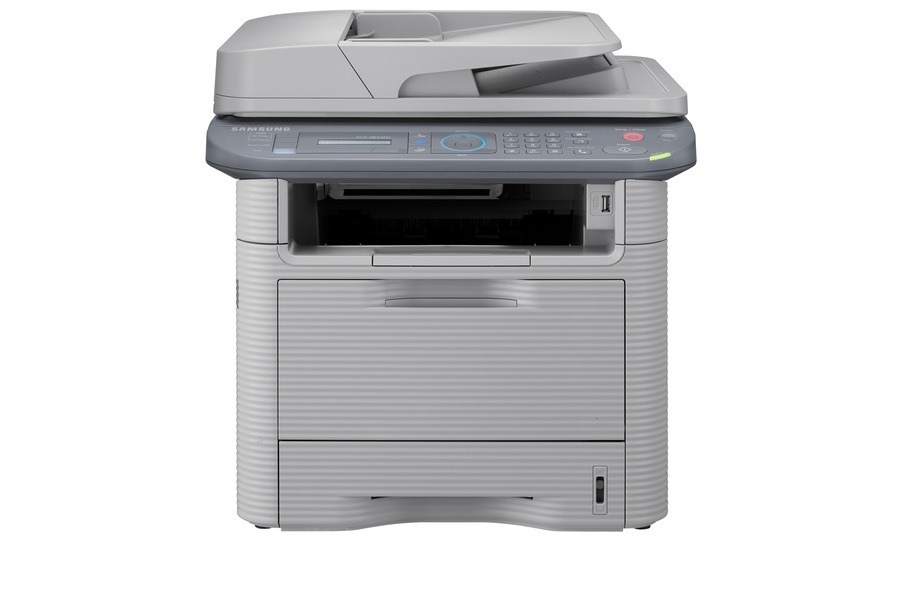
Fax plus duplex: the Samsung SCX-4833FD is the 4833-series multifunction for offices that still send faxes and print double-sided.
It runs on MLT-D205S or MLT-D205L toner cartridges. Compatible and genuine OEM options are both in stock. The range also includes an extra-high-yield cartridge, the MLT-D205E, for SCX-4833FD machines whose print and scan queues rarely sit empty.
Toner Cartridges for SCX-4833FD
This printer works with the following toner cartridges:
- Samsung MLT-D205S
- Samsung MLT-D205L
- Samsung MLT-D205E
More Samsung Printers
- ML-3310
- ML-3310ND
- ML-3312ND
- ML-3710
- ML-3710DW
- ML-3710ND
- ML-3712DW
- ML-3712ND
- SCX-4833
- SCX-4835FR
- SCX-5637
- SCX-5639FR
- SCX-5739FW
- ML-3310D
- ML-3312
- ML-3312D
- SCX-4833FR
- SCX-4833HD
- SCX-4835
- SCX-4835FD
- SCX-4835HD
- SCX-5637F
- SCX-5637FN
- SCX-5637FR
- SCX-5637HR
- SCX-5639
- ML-3710D
- SCX-5639HR
- SCX-5737
- ML-3712
- ML-3712D
- SCX-5737FW
- SCX-5739
Frequently Asked Questions
Should I keep the box when I install a new MLT-D205S in the SCX-4833FD?
No convenient drop-off? Search for mail-back toner recycling programs that accept Samsung cartridges from the SCX-4833FD — several are free. Schools and nonprofits sometimes collect empties as fundraisers, which is another good home for your used MLT-D205S.
Can sleep mode extend the life of the SCX-4833FD's imaging components?
The greenest SCX-4833FD setup layers three habits: a reasonable sleep timer, toner-save for drafts, and duplex as the default — each cutting a different waste stream. Power settings curb electricity, toner-save stretches the MLT-D205S, and duplex saves paper. Together they form the complete efficiency picture.
How do I enable toner-save mode on the SCX-4833FD?
Keep toner-save off for legal documents and anything you'll file long-term from the SCX-4833FD — lighter text looks unprofessional and copies poorly. Save eco mode for the high-volume, low-stakes printing that dominates most offices; your MLT-D205S stretches furthest there. That split is where the real savings hide.