




SCX-4833
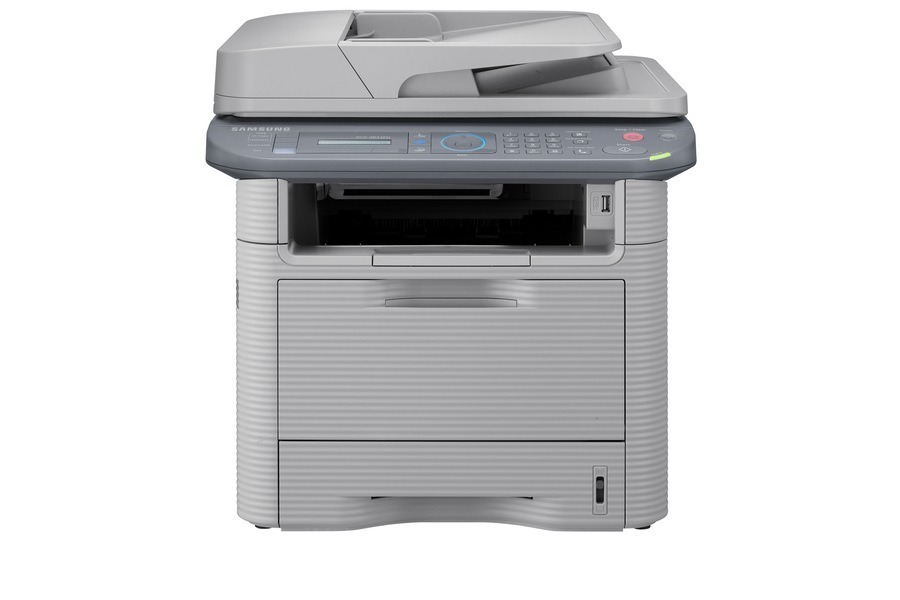
The Samsung SCX-4833 pulls printing, copying and scanning into one compact monochrome desktop unit, the kind of machine a small team parks within arm's reach and uses all day. It is unusually flexible about toner, accepting three yields of the same cartridge family: the standard MLT-D205S, the high-yield MLT-D205L, or the extra-high-yield MLT-D205E for the longest possible run between swaps. All three sit on the shelf below, alongside multi-packs, a MICR option and listings under the printer's own name.
A desktop multifunction lives a double life. In the morning it is a printer, by midday it is the office copier, and in between it scans signed pages back into the workflow. The SCX-4833 was specified for exactly that rotation, and its three-step yield ladder exists because two offices can own the same machine and empty cartridges at completely different speeds. Matching the cartridge to your actual pace is the one decision that shapes what this printer costs you.
Toner Cartridges for SCX-4833
| Cartridge | Color | Page Yield |
|---|---|---|
| MLT-D205S standard-yield toner cartridge | Black | See product page |
| MLT-D205L high-yield toner cartridge | Black | See product page |
| MLT-D205E extra-high-yield toner cartridge | Black | See product page |
| MLT-D205L high-yield toner, 2 pack | Black | See product page |
| MLT-D205L high-yield toner, 3 pack | Black | See product page |
| MLT-D205L Premium high-yield toner, 5 pack | Black | See product page |
| MLT-D205L high-yield MICR toner cartridge (for check printing) | Black | See product page |
| SCX-4833 high-yield toner cartridge (model-named listing) | Black | See product page |
| SCX-4833 high-yield toner cartridges, 5 pack (model-named listing) | Black | See product page |
Which cartridge should you buy?
Read the ladder from the bottom. The MLT-D205S is the right start for light, irregular use, where a cartridge might sit half-used for months. The MLT-D205L is the middle rung most small teams end up on: meaningfully more pages per cartridge and a lower cost per page, without committing to the biggest box. The MLT-D205E tops the range for SCX-4833 units that print, copy and scan all day and need the longest stretch between changes. Heavy users should also look at the 2 pack and 3 pack of the L cartridge, which cut both price per cartridge and ordering frequency. Every compatible here is backed by a 1-year warranty with 1-year returns.
Chip, toner and everyday use
Near the end of a cartridge, the oldest trick in laser printing still works: take the unit out and rock it gently from side to side so the remaining toner spreads evenly, then print on. Handle it like it is full of dust, because it is. Rock rather than shake hard, work over a trash can or a sheet of newspaper to catch strays, and wash any toner off your hands with cool water. For storage, keep spares sealed in a cool, dry spot; heat and age attack the seals and the photosensitive surfaces inside, so a cartridge that sat for years should be judged quickly by its first pages, which will tell you plainly whether it is still good.
Frequently Asked Questions
How many times can I rock a cartridge to stretch it before I must replace it?
Treat each rocking as buying a short extension, not a refill. The first one often restores respectable density for a useful number of pages; the second buys less, and by the third the output usually tells you the toner is genuinely gone. Use the trick to finish the week or the current job, and order the replacement the first time you need it, rather than the third.
Is there a cartridge for printing checks on the SCX-4833?
Yes. Alongside the regular MLT-D205L there is a MICR version of the same cartridge, made with magnetic toner so bank scanners can read the encoded line on printed checks. It installs exactly like the standard cartridge. Keep it dedicated to check runs and swap back to a regular cartridge for everyday documents if you want to reserve it.
Can I send the empty cartridge back in the new one's box?
In most cases yes, and it is a tidy habit: install the fresh MLT-D205S or L cartridge, drop the empty into the box that just opened, and apply the prepaid return label if one was included with your order. That single routine keeps nearly every empty out of the trash and gives you a ready-made recycling channel without extra packaging.
Does a spare cartridge go bad sitting in a hot storage room?
Heat is the enemy more than time is. The chip in a cartridge does not meaningfully limit its shelf life; what ages are the seals and light-sensitive components, and warmth accelerates both. Store spares somewhere cool and dry, keep them sealed until install day, and a cartridge bought a year ahead will normally print like new.
More printers that use the same cartridges
This three-yield cartridge family is shared across a broad band of Samsung printers and multifunctions, every one of them listed here. ML-3310, ML-3310D, ML-3310ND, ML-3312, ML-3312D, ML-3312ND, ML-3710, ML-3710D, ML-3710DW, ML-3710ND, ML-3712, ML-3712D, ML-3712DW, ML-3712ND, SCX-4833FD, SCX-4833FR, SCX-4833HD, SCX-4835, SCX-4835FD, SCX-4835FR, SCX-4835HD, SCX-5637, SCX-5637F, SCX-5637FN, SCX-5637FR, SCX-5637HR, SCX-5639, SCX-5639FR, SCX-5639HR, SCX-5737, SCX-5737FW, SCX-5739, SCX-5739FW, Samsung-MLTD205.