




LJ Enterprise 500 Color M575F
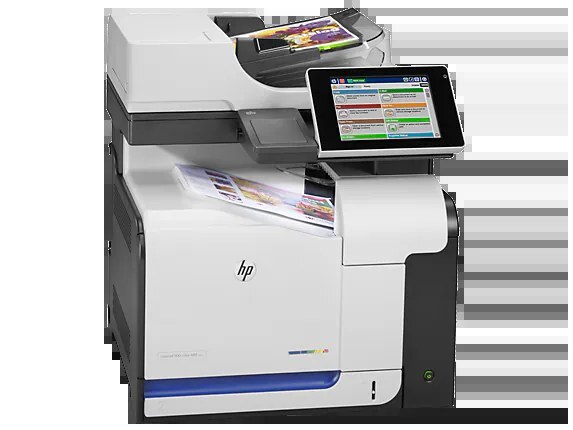
Fax capability is what rounds out the LJ Enterprise 500 Color M575F: an early-2010s department machine that prints in color and still keeps a working fax line for the offices that send and receive paper documents. Its supplies come from the HP 507A range — CE400A black, CE401A cyan, CE402A yellow and CE403A magenta. A fax-and-print unit works its black cartridge harder than a printer alone, so longer-running blacks matter here: the 507X high-yield CE400X and the maximum-yield CE400XX (507XX). The high-yield colors, CE401X for cyan, CE402X for yellow and CE403X for magenta, are stocked on this page as part of a four-color set.
Departments that kept a fax line into the 2010s usually had a reason: signed forms, orders and paperwork that arrived on paper whether anyone liked it or not. The M575F folded that traffic into the same box as the department's color printing, which simplified the supply shelf to a single cartridge family. Faxes arrive in black, so the black cartridge sets the pace; color capacity sits ready for the documents the department prints itself.
Toner Cartridges for LJ Enterprise 500 Color M575F
- CE400A — black, the standard cartridge this machine works through fastest
- CE400X — black, high yield, for steady fax and print volume
- CE400XX — black, maximum yield, the longest-running option on this page
- CE401A — cyan
- CE402A — yellow
- CE403A — magenta
- 507X & 507A 4 Color Set — one box with CE400X black and the three standard colors
- 507XX & 507X 4 Color Set — the high-yield set, built around CE400XX black
- 500 Color M575f 4 Color Set — the model-named four-color set for this machine
Page yields for every listing above are shown on its own product page ("See product page" applies across this shelf).
Which cartridge should you buy?
Think about the fax line first. A machine receiving faxes all day spends black toner even when nobody in the office prints a thing, so the standard CE400A is best treated as the light-duty choice. The CE400X suits the typical department, and the CE400XX is the one to pick when a low-toner warning would mean an important fax sitting unprinted. Colors follow a different logic: they only move when the office prints color, so standard CE401A, CE402A and CE403A singles, replaced individually as each one empties, cover most M575F units. Choose a four-color set when the printer reports several cartridges low at once, or when you want a complete spare set in the cabinet. Compatible cartridges here are covered by a 1-year warranty, with 1-year returns to match.
Chip, toner and everyday use
A replacement cartridge should be recognized as soon as the access door closes, because the printer reads the chip on the cartridge during installation. If the panel still shows the old reading, open the door, reseat the cartridge until it sits square, and restart the machine so it checks the supplies again. Keep cartridges sealed until the day they go in — toner keeps best in its bag, away from heat and direct light. Near the end of a cartridge, a gentle side-to-side rock spreads the remaining toner across the drum and evens out fading pages. For a fax machine, one habit matters more than the rest: never let the black cartridge be the one with no spare behind it.
Frequently Asked Questions
Which black cartridge suits an M575F that receives faxes all day?
The longer-running ones. Received faxes print in black only, so black consumption on an M575F is steady even in a quiet office. The high-yield CE400X is the usual upgrade, and the maximum-yield CE400XX is there for machines whose fax traffic never really stops.
Why does my M575F not recognize a new CE400A cartridge?
Almost always a seating or prep issue. Take the CE400A out, confirm every seal and tab came off before it went in, slide it back until it sits firmly, then power the printer off and back on so it re-detects the cartridge.
Do all four cartridges have to be replaced at the same time?
No. The M575F tracks black, CE401A cyan, CE402A yellow and CE403A magenta independently. Replace the single cartridge the panel flags and leave the rest in place — replacing a set on principle only throws away toner you already paid for.
How can I cut color printing costs on the M575F?
Print internal drafts in draft mode and save full quality for final copies, and let the high-yield black options carry the everyday load — most pages a fax-equipped department produces are black, so the black tier you choose moves the cost per page more than anything else.
More printers that use the same cartridges
Nothing about the fax hardware changes the supplies: the M575F shares its cartridge family with every model below, listed here in reverse order:
LaserJet Pro 500 color MFP M570DN, LaserJet Pro 500 color MFP M570, LaserJet Pro 500 color M570DW, LaserJet Pro 500 color M570DN, LaserJet Pro 500 color M570, LaserJet Enterprise color flow MFP M575C, LaserJet Enterprise color flow M575C, LaserJet Enterprise MFP M570dn, LaserJet Enterprise 500 color Printer M575F, LaserJet Enterprise 500 color Printer M575DN, LaserJet Enterprise 500 color Printer M575, LaserJet Enterprise 500 color Printer M551XH, LaserJet Enterprise 500 color Printer M551N, LaserJet Enterprise 500 color Printer M551DN, LaserJet Enterprise 500 color Printer M551, LaserJet Enterprise 500 color MFP M575F, LaserJet Enterprise 500 color MFP M575DN, LaserJet Enterprise 500 color MFP M575, LJ Enterprise 500 Color M575DN, LJ Enterprise 500 Color M551XH, LJ Enterprise 500 Color M551N, LJ Enterprise 500 Color M551DN, HP 507X & 507A, Color LaserJet Enterprise Flow M575C, Color LaserJet Enterprise 500 Color M575f MFP, Color LaserJet Enterprise 500 Color M575dn, Color LaserJet Enterprise 500 Color M575c, Color LaserJet Enterprise 500 Color M551xh MFP, Color LaserJet Enterprise 500 Color M551n MFP, Color LaserJet Enterprise 500 Color M551dn, Color LaserJet Enterprise 500, Color LaserJet 500.