




Color LaserJet Enterprise 500 Color M551n MFP
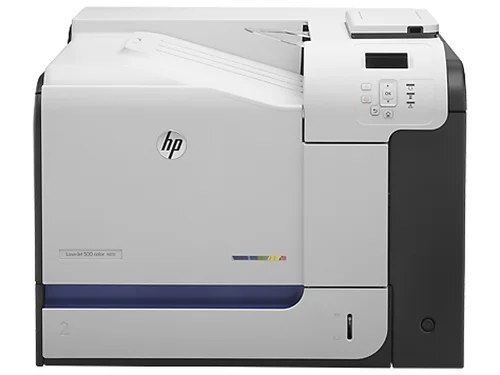
Networked color multifunction output defined the HP Color LaserJet Enterprise 500 Color M551n MFP, an early-2010s workhorse that folded scanning and copying into the M551's enterprise print engine.
Cartridges are the HP 507A set: CE400A black — with a high-yield CE400X option — alongside CE401A cyan, CE402A yellow, and CE403A magenta.
Toner Cartridges for Color LaserJet Enterprise 500 Color M551n MFP
This printer works with the following toner cartridges:
- HP CE400A
- HP CE400X
- HP CE401A
- HP CE402A
- HP CE403A
More HP Printers
- Color LaserJet Enterprise 500 Color M551dn
- Color LaserJet Enterprise 500 Color M551xh MFP
- Color LaserJet Enterprise 500 Color M575c
- Color LaserJet Enterprise 500 Color M575dn
- Color LaserJet Enterprise 500 Color M575f MFP
- Color LaserJet Enterprise Flow M575C
- LaserJet Enterprise 500 color MFP M575
- LaserJet Enterprise 500 color MFP M575DN
- LaserJet Enterprise 500 color MFP M575F
- LaserJet Enterprise 500 color Printer M551
- LaserJet Enterprise 500 color Printer M551DN
- LaserJet Enterprise 500 color Printer M551N
- LaserJet Enterprise 500 color Printer M551XH
- LaserJet Enterprise 500 color Printer M575
- LaserJet Enterprise 500 color Printer M575DN
- LaserJet Enterprise 500 color Printer M575F
- LaserJet Enterprise color flow M575C
- LaserJet Enterprise color flow MFP M575C
- LaserJet Enterprise MFP M570dn
- LaserJet Pro 500 color M570
- LaserJet Pro 500 color M570DN
- LaserJet Pro 500 color M570DW
- LaserJet Pro 500 color MFP M570
- LaserJet Pro 500 color MFP M570DN
- LJ Enterprise 500 Color M551DN
- LJ Enterprise 500 Color M551N
- LJ Enterprise 500 Color M551XH
- LJ Enterprise 500 Color M575DN
- LJ Enterprise 500 Color M575F
Frequently Asked Questions
How do I know I'm buying the right toner for my Color LaserJet Enterprise 500 Color M551n MFP?
Compare the code on the box with the Color LaserJet Enterprise 500 Color M551n MFP's list: CE400A, CE400X, CE401A, CE402A, CE403A. HP makes look-alike cartridges for different printer families, so a code match is your guarantee.
Why won't my Color LaserJet Enterprise 500 Color M551n MFP print after a cartridge change?
If the Color LaserJet Enterprise 500 Color M551n MFP won't print after a cartridge change, confirm the new CE400A is fully seated and its sealing tape was removed. Read any message on the printer's display and follow its steps. Removing and reinserting the cartridge with the printer powered on usually clears recognition errors.
Why did the copies from my Color LaserJet Enterprise 500 Color M551n MFP come out blank?
Blank copies from the Color LaserJet Enterprise 500 Color M551n MFP usually mean the CE400A is empty or its sealing tape was left on. Pull the cartridge, confirm the tape is removed, and reseat it firmly. If copies are only faded, the CE400A is running low and should be replaced.