




Color LaserJet Enterprise 500 Color M575dn
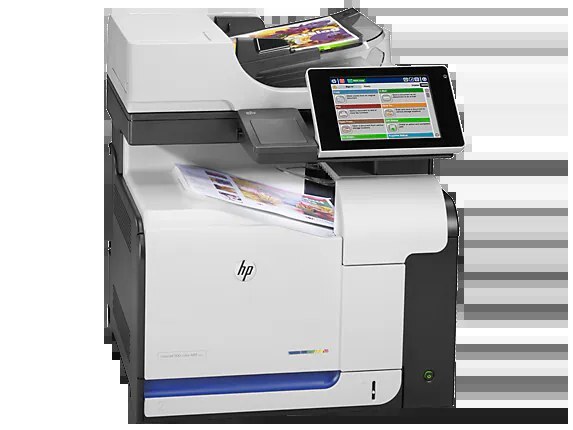
Automatic duplexing and Ethernet networking made the HP Color LaserJet Enterprise 500 Color M575dn the office-standard configuration of the M575 color MFP line.
It takes HP 507A cartridges — black CE400A (high-yield CE400X available), cyan CE401A, yellow CE402A, magenta CE403A.
Toner Cartridges for Color LaserJet Enterprise 500 Color M575dn
This printer works with the following toner cartridges:
- HP CE400A
- HP CE400X
- HP CE401A
- HP CE402A
- HP CE403A
More HP Printers
- Color LaserJet Enterprise 500 Color M551dn
- Color LaserJet Enterprise 500 Color M551n MFP
- Color LaserJet Enterprise 500 Color M551xh MFP
- Color LaserJet Enterprise 500 Color M575c
- Color LaserJet Enterprise 500 Color M575f MFP
- Color LaserJet Enterprise Flow M575C
- LaserJet Enterprise 500 color MFP M575
- LaserJet Enterprise 500 color MFP M575DN
- LaserJet Enterprise 500 color MFP M575F
- LaserJet Enterprise 500 color Printer M551
- LaserJet Enterprise 500 color Printer M551DN
- LaserJet Enterprise 500 color Printer M551N
- LaserJet Enterprise 500 color Printer M551XH
- LaserJet Enterprise 500 color Printer M575
- LaserJet Enterprise 500 color Printer M575DN
- LaserJet Enterprise 500 color Printer M575F
- LaserJet Enterprise color flow M575C
- LaserJet Enterprise color flow MFP M575C
- LaserJet Enterprise MFP M570dn
- LaserJet Pro 500 color M570
- LaserJet Pro 500 color M570DN
- LaserJet Pro 500 color M570DW
- LaserJet Pro 500 color MFP M570
- LaserJet Pro 500 color MFP M570DN
- LJ Enterprise 500 Color M551DN
- LJ Enterprise 500 Color M551N
- LJ Enterprise 500 Color M551XH
- LJ Enterprise 500 Color M575DN
- LJ Enterprise 500 Color M575F
Frequently Asked Questions
Can I use any HP toner cartridge in the Color LaserJet Enterprise 500 Color M575dn?
No — the Color LaserJet Enterprise 500 Color M575dn only accepts CE400A, CE400X, CE401A, CE402A, CE403A. Toner cartridges are keyed to specific printer families, so one made for another HP model generally won't fit or be recognized. Stick to the codes listed for your Color LaserJet Enterprise 500 Color M575dn.
Why won't my Color LaserJet Enterprise 500 Color M575dn print after a cartridge change?
If the Color LaserJet Enterprise 500 Color M575dn won't print after a cartridge change, confirm the new CE400A is fully seated and its sealing tape was removed. Read any message on the printer's display and follow its steps. Removing and reinserting the cartridge with the printer powered on usually clears recognition errors.
How do I print on both sides with the Color LaserJet Enterprise 500 Color M575dn?
Look for the duplex or "print on both sides" option in the print dialog when printing from the Color LaserJet Enterprise 500 Color M575dn. You can set it as the default in the printer preferences to save paper automatically. If the option is missing, reinstall the driver for the Color LaserJet Enterprise 500 Color M575dn and check again.