




LaserJet Enterprise 500 color Printer M551
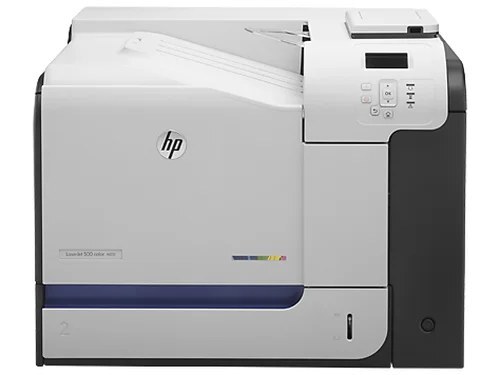
HP's LaserJet Enterprise 500 Color Printer M551 was the single-function anchor of the Enterprise 500 color line: serious A4 color output for workgroups that did their scanning elsewhere.
Its toner set is the HP 507A family — black CE400A (or high-yield CE400X), cyan CE401A, yellow CE402A, magenta CE403A.
Toner Cartridges for LaserJet Enterprise 500 color Printer M551
This printer works with the following toner cartridges:
- HP CE400A
- HP CE400X
- HP CE401A
- HP CE402A
- HP CE403A
More HP Printers
- Color LaserJet Enterprise 500 Color M551dn
- Color LaserJet Enterprise 500 Color M551n MFP
- Color LaserJet Enterprise 500 Color M551xh MFP
- Color LaserJet Enterprise 500 Color M575c
- Color LaserJet Enterprise 500 Color M575dn
- Color LaserJet Enterprise 500 Color M575f MFP
- Color LaserJet Enterprise Flow M575C
- LaserJet Enterprise 500 color MFP M575
- LaserJet Enterprise 500 color MFP M575DN
- LaserJet Enterprise 500 color MFP M575F
- LaserJet Enterprise 500 color Printer M551DN
- LaserJet Enterprise 500 color Printer M551N
- LaserJet Enterprise 500 color Printer M551XH
- LaserJet Enterprise 500 color Printer M575
- LaserJet Enterprise 500 color Printer M575DN
- LaserJet Enterprise 500 color Printer M575F
- LaserJet Enterprise color flow M575C
- LaserJet Enterprise color flow MFP M575C
- LaserJet Enterprise MFP M570dn
- LaserJet Pro 500 color M570
- LaserJet Pro 500 color M570DN
- LaserJet Pro 500 color M570DW
- LaserJet Pro 500 color MFP M570
- LaserJet Pro 500 color MFP M570DN
- LJ Enterprise 500 Color M551DN
- LJ Enterprise 500 Color M551N
- LJ Enterprise 500 Color M551XH
- LJ Enterprise 500 Color M575DN
- LJ Enterprise 500 Color M575F
Frequently Asked Questions
How do I know I'm buying the right toner for my LaserJet Enterprise 500 color Printer M551?
Compare the code on the box with the LaserJet Enterprise 500 color Printer M551's list: CE400A, CE400X, CE401A, CE402A, CE403A. HP makes look-alike cartridges for different printer families, so a code match is your guarantee.
How do I install a new toner cartridge in my LaserJet Enterprise 500 color Printer M551?
Open the cartridge door on the LaserJet Enterprise 500 color Printer M551 and slide the old CE400A out by its handle — set it aside for recycling. Unpack the new CE400A, pull off its protective seal, and slide it straight in until it clicks. Close the door and print a test page from the LaserJet Enterprise 500 color Printer M551 to confirm.
How do I clear a paper jam in the LaserJet Enterprise 500 color Printer M551?
Power off the LaserJet Enterprise 500 color Printer M551, open its doors, and pull the jammed paper out slowly in the direction of the paper path — never against it. Check that the tray guides sit snug against the paper stack, since loose guides cause repeat jams. Fan the paper and avoid overfilling the tray.