




Color LaserJet Enterprise 500 Color M551dn
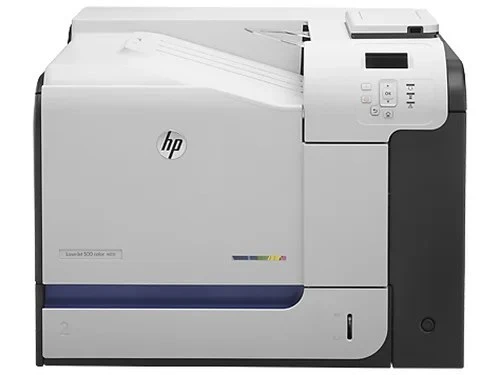
The HP Color LaserJet Enterprise 500 Color M551dn brought enterprise-grade color printing to workgroups in the early 2010s, with automatic duplexing and networking for shared A4 output.
It uses the HP 507A family — black CE400A (or high-yield CE400X) plus cyan CE401A, yellow CE402A, and magenta CE403A.
Toner Cartridges for Color LaserJet Enterprise 500 Color M551dn
This printer works with the following toner cartridges:
- HP CE400A
- HP CE400X
- HP CE401A
- HP CE402A
- HP CE403A
More HP Printers
- Color LaserJet Enterprise 500 Color M551n MFP
- Color LaserJet Enterprise 500 Color M551xh MFP
- Color LaserJet Enterprise 500 Color M575c
- Color LaserJet Enterprise 500 Color M575dn
- Color LaserJet Enterprise 500 Color M575f MFP
- Color LaserJet Enterprise Flow M575C
- LaserJet Enterprise 500 color MFP M575
- LaserJet Enterprise 500 color MFP M575DN
- LaserJet Enterprise 500 color MFP M575F
- LaserJet Enterprise 500 color Printer M551
- LaserJet Enterprise 500 color Printer M551DN
- LaserJet Enterprise 500 color Printer M551N
- LaserJet Enterprise 500 color Printer M551XH
- LaserJet Enterprise 500 color Printer M575
- LaserJet Enterprise 500 color Printer M575DN
- LaserJet Enterprise 500 color Printer M575F
- LaserJet Enterprise color flow M575C
- LaserJet Enterprise color flow MFP M575C
- LaserJet Enterprise MFP M570dn
- LaserJet Pro 500 color M570
- LaserJet Pro 500 color M570DN
- LaserJet Pro 500 color M570DW
- LaserJet Pro 500 color MFP M570
- LaserJet Pro 500 color MFP M570DN
- LJ Enterprise 500 Color M551DN
- LJ Enterprise 500 Color M551N
- LJ Enterprise 500 Color M551XH
- LJ Enterprise 500 Color M575DN
- LJ Enterprise 500 Color M575F
Frequently Asked Questions
How do I know I'm buying the right toner for my Color LaserJet Enterprise 500 Color M551dn?
Compare the code on the box with the Color LaserJet Enterprise 500 Color M551dn's list: CE400A, CE400X, CE401A, CE402A, CE403A. HP makes look-alike cartridges for different printer families, so a code match is your guarantee.
How do I install a new toner cartridge in my Color LaserJet Enterprise 500 Color M551dn?
Open the cartridge door on the Color LaserJet Enterprise 500 Color M551dn and slide the old CE400A out by its handle — set it aside for recycling. Unpack the new CE400A, pull off its protective seal, and slide it straight in until it clicks. Close the door and print a test page from the Color LaserJet Enterprise 500 Color M551dn to confirm.
How do I print on both sides with the Color LaserJet Enterprise 500 Color M551dn?
Look for the duplex or "print on both sides" option in the print dialog when printing from the Color LaserJet Enterprise 500 Color M551dn. You can set it as the default in the printer preferences to save paper automatically. If the option is missing, reinstall the driver for the Color LaserJet Enterprise 500 Color M551dn and check again.