




LaserJet Pro 500 color M570DN
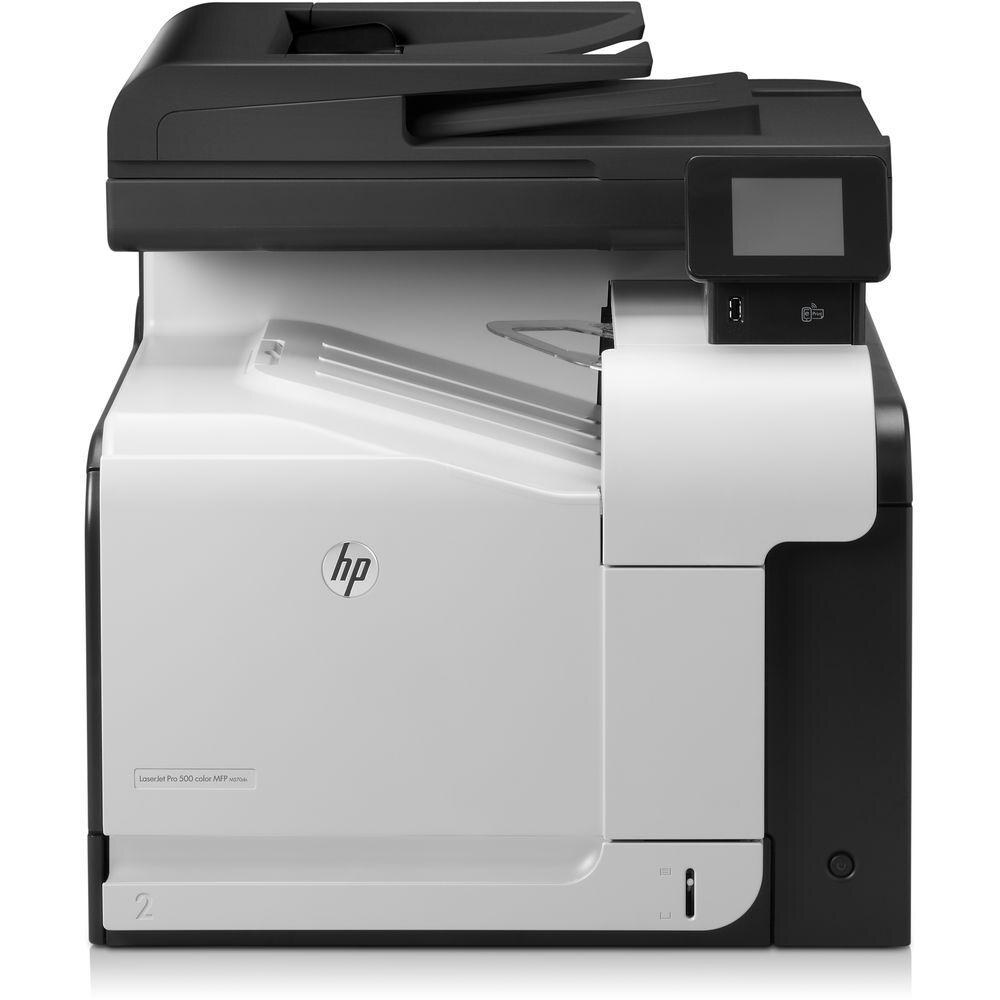
Duplexing and networking were the whole point of the LaserJet Pro 500 color M570DN: two-sided color documents printed straight onto the office network, ready for a workgroup rather than a single desk. Its cartridge set is the family built around CE400A (507A) black, CE401A cyan, CE402A yellow and CE403A magenta. Offices that outgrow the standard black can move up to the high-yield CE400X (507X) or the top-step CE400XX (507XX), and the colors have high-yield counterparts in the set listed below.
A networked, duplexing machine changes how toner gets used. Two-sided output halves paper consumption on long documents, and a shared queue means the printer serves a whole team's black-heavy workload — contracts, invoices, meeting handouts — with color pulled in when a document needs it. That mix is why the black cartridge on an M570DN typically empties well ahead of the colors, and why the higher-yield blacks exist for this model.
Toner Cartridges for LaserJet Pro 500 color M570DN
- CE400A — standard black — Black. Yield: see product page.
- CE401A — Cyan. Yield: see product page.
- CE402A — Yellow. Yield: see product page.
- CE403A — Magenta. Yield: see product page.
- CE400X — high-yield black — Black. Yield: see product page.
- CE400XX — extra-capacity black — Black. Yield: see product page.
- CE400X / CE401A / CE402A / CE403A — 507X & 507A 4 Color Set — Black, cyan, yellow and magenta. Yield: see product page.
- CE400XX / CE401X / CE402X / CE403X — 507XX & 507X 4 Color Set — Black, cyan, yellow and magenta (all high yield). Yield: see product page.
- Pro 500 Color M570dn — 4 Color Set — Black, cyan, yellow and magenta. Yield: see product page.
Which cartridge should you buy?
For a shared workgroup queue, buy black by volume and colors by need. The standard CE400A suits a small team, but most networked M570DN units belong on the CE400X, and a queue that prints all day earns the CE400XX. Colors deplete unevenly — a team printing charts may drain cyan while magenta barely moves — so replace each of CE401A, CE402A and CE403A individually. If a planned refresh finds three or four cartridges low together, the four-color sets below the singles in the list above are the tidy way to reset the whole machine, including the all-high-yield set that brings CE401X, CE402X and CE403X colors with the CE400XX black.
Chip, toner and everyday use
On a networked printer, nobody stands next to the machine when the low-toner warning appears — it surfaces in the queue or on the control panel between jobs. Make a habit of checking the supplies status when you collect output, and keep the next black cartridge in the cabinet beside the printer, not in a storeroom across the building. When you swap a cartridge, remove the seal completely and seat the unit until it clicks; a chip that is not read is usually a cartridge that is not fully home. Compatible cartridges here carry a 1-year warranty with 1-year returns.
Frequently Asked Questions
Does the LaserJet Pro 500 color M570DN print on both sides automatically?
Yes — duplexing is built into this configuration, so choosing two-sided output in the print dialog flips each sheet for you. It is the feature that defined the DN variant of the Pro 500 line.
Which black cartridge suits a busy shared queue?
Start with the CE400X high-yield black; if the queue empties even that too quickly, step up to the CE400XX. Both fit the same slot as the standard CE400A.
Will a compatible CE400A work in the M570DN?
Yes — the compatible cartridges on this page are built for this printer family. If one is ever rejected, reseat it firmly; chip recognition is the usual culprit, as HP's own guidance for third-party cartridges notes.
Can I replace just one color cartridge?
Yes. Each of the four cartridges is tracked and replaced independently, so a spent yellow never forces you to change a healthy black.
More printers that use the same cartridges
The same 507A-family cartridges serve a long list of HP Enterprise 500 and Pro 500 machines:
LaserJet Pro 500 color MFP M570DN, LaserJet Pro 500 color MFP M570, LaserJet Pro 500 color M570DW, LaserJet Pro 500 color M570, LaserJet Enterprise color flow MFP M575C, LaserJet Enterprise color flow M575C, LaserJet Enterprise MFP M570dn, LaserJet Enterprise 500 color Printer M575F, LaserJet Enterprise 500 color Printer M575DN, LaserJet Enterprise 500 color Printer M575, LaserJet Enterprise 500 color Printer M551XH, LaserJet Enterprise 500 color Printer M551N, LaserJet Enterprise 500 color Printer M551DN, LaserJet Enterprise 500 color Printer M551, LaserJet Enterprise 500 color MFP M575F, LaserJet Enterprise 500 color MFP M575DN, LaserJet Enterprise 500 color MFP M575, LJ Enterprise 500 Color M575F, LJ Enterprise 500 Color M575DN, LJ Enterprise 500 Color M551XH, LJ Enterprise 500 Color M551N, LJ Enterprise 500 Color M551DN, HP 507X & 507A, Color LaserJet Enterprise Flow M575C, Color LaserJet Enterprise 500 Color M575f MFP, Color LaserJet Enterprise 500 Color M575dn, Color LaserJet Enterprise 500 Color M575c, Color LaserJet Enterprise 500 Color M551xh MFP, Color LaserJet Enterprise 500 Color M551n MFP, Color LaserJet Enterprise 500 Color M551dn, Color LaserJet Enterprise 500, Color LaserJet 500