




LaserJet Enterprise 500 color Printer M575
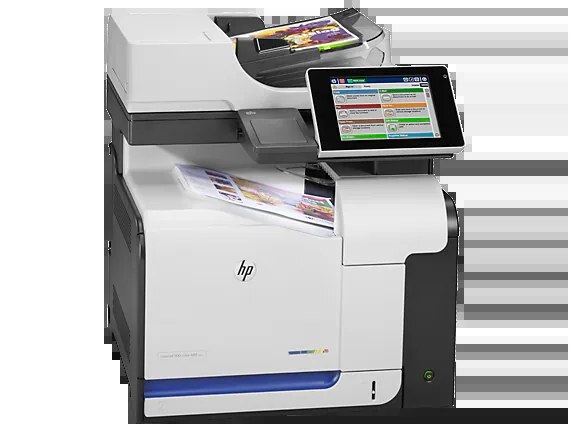
The LaserJet Enterprise 500 Color Printer M575 served as the single-function counterpart to the M575 MFP — enterprise color printing for workgroups with separate scanners and copiers.
It runs on HP 507A cartridges: black CE400A (or high-yield CE400X), cyan CE401A, yellow CE402A, magenta CE403A.
Toner Cartridges for LaserJet Enterprise 500 color Printer M575
This printer works with the following toner cartridges:
- HP CE400A
- HP CE400X
- HP CE401A
- HP CE402A
- HP CE403A
More HP Printers
- Color LaserJet Enterprise 500 Color M551dn
- Color LaserJet Enterprise 500 Color M551n MFP
- Color LaserJet Enterprise 500 Color M551xh MFP
- Color LaserJet Enterprise 500 Color M575c
- Color LaserJet Enterprise 500 Color M575dn
- Color LaserJet Enterprise 500 Color M575f MFP
- Color LaserJet Enterprise Flow M575C
- LaserJet Enterprise 500 color MFP M575
- LaserJet Enterprise 500 color MFP M575DN
- LaserJet Enterprise 500 color MFP M575F
- LaserJet Enterprise 500 color Printer M551
- LaserJet Enterprise 500 color Printer M551DN
- LaserJet Enterprise 500 color Printer M551N
- LaserJet Enterprise 500 color Printer M551XH
- LaserJet Enterprise 500 color Printer M575DN
- LaserJet Enterprise 500 color Printer M575F
- LaserJet Enterprise color flow M575C
- LaserJet Enterprise color flow MFP M575C
- LaserJet Enterprise MFP M570dn
- LaserJet Pro 500 color M570
- LaserJet Pro 500 color M570DN
- LaserJet Pro 500 color M570DW
- LaserJet Pro 500 color MFP M570
- LaserJet Pro 500 color MFP M570DN
- LJ Enterprise 500 Color M551DN
- LJ Enterprise 500 Color M551N
- LJ Enterprise 500 Color M551XH
- LJ Enterprise 500 Color M575DN
- LJ Enterprise 500 Color M575F
Frequently Asked Questions
Can I use any HP toner cartridge in the LaserJet Enterprise 500 color Printer M575?
No — the LaserJet Enterprise 500 color Printer M575 only accepts CE400A, CE400X, CE401A, CE402A, CE403A. Toner cartridges are keyed to specific printer families, so one made for another HP model generally won't fit or be recognized. Stick to the codes listed for your LaserJet Enterprise 500 color Printer M575.
Why won't my LaserJet Enterprise 500 color Printer M575 print after a cartridge change?
If the LaserJet Enterprise 500 color Printer M575 won't print after a cartridge change, confirm the new CE400A is fully seated and its sealing tape was removed. Read any message on the printer's display and follow its steps. Removing and reinserting the cartridge with the printer powered on usually clears recognition errors.
Where do I get drivers and firmware for the LaserJet Enterprise 500 color Printer M575?
Download them from HP's official support site — search for the LaserJet Enterprise 500 color Printer M575 and choose your operating system. Current drivers fix printing, scanning, and connectivity problems, so keep them updated. Skip third-party driver sites, which often bundle unwanted software.