




LaserJet Enterprise 500 color MFP M575DN
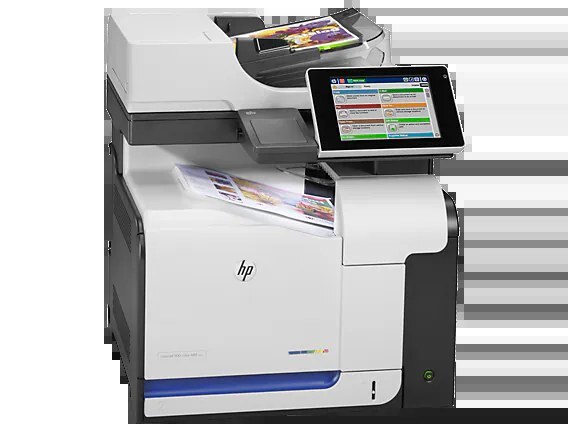
Duplex printing and wired networking are what define the LaserJet Enterprise 500 color MFP M575DN — the configuration most offices actually bought, built for two-sided output of shared color documents. Its toner comes from the HP 507A line: black is the CE400A (507A), with the high-yield CE400X (507X) above it, and the three colors are the cyan CE401A, yellow CE402A and magenta CE403A. Above the X tier sits one more black, the extra-capacity CE400XX, while the long-life color versions — CE401X, CE402X and CE403X — are stocked on this page as part of the 507XX four-color set.
A networked, two-sided machine changes how an office consumes toner. The M575DN tends to land on a corridor or copy room, connected once and used by everyone, and duplexing quietly doubles the pages each cartridge produces on paper-saving jobs. That shared duty cycle is exactly the profile the high-yield end of this cartridge family was made for — the black slot, in particular, rarely gets a quiet week.
Toner Cartridges for LaserJet Enterprise 500 color MFP M575DN
The full shelf for this model, each listing linked:
- CE400A — black, 507A standard tier — page yield: See product page
- CE400X — black, 507X high-yield tier — page yield: See product page
- CE400XX — black, 507XX extra-capacity tier — page yield: See product page
- CE401A — cyan — page yield: See product page
- CE402A — yellow — page yield: See product page
- CE403A — magenta — page yield: See product page
- 507X & 507A four-color set (CE400X with the three standard colors) — page yield: See product page
- 507XX & 507X four-color set (CE400XX with CE401X, CE402X, CE403X) — page yield: See product page
- M575dn four-color set — page yield: See product page
Which cartridge should you buy?
On a shared networked unit, buy for the slot that empties first — almost always black. The standard CE400A is the baseline; the CE400X stretches the interval between changes, which matters when the printer serves a whole team and every swap is a small queue of held jobs. The CE400XX is the fleet choice: maximum pages per change, minimum attention. Colors behave differently — duplexed color documents use them steadily but rarely in sync, so replacing one color at a time beats buying sets you do not yet need. The exception is a full refresh: if all three colors are near empty together, the 507XX set with its long-life colors resets the whole machine in one pass. Compatible cartridges here carry a 1-year warranty and 1-year returns.
Chip, toner and everyday use
The M575DN reads the chip on each cartridge at installation, and networked users see the resulting levels from their own desks through the printer's status page. When a 'not recognized' message appears after a swap, reseating the cartridge almost always clears it — pull it out, slide it back in until it seats, and let the machine recalibrate. Quoted yields assume five percent coverage; two-sided printing does not change toner use per printed side, but it does halve the paper bill. Store spares sealed and flat, away from heat, and rotate stock so the oldest cartridge goes in first.
Frequently Asked Questions
Does duplex printing wear one cartridge faster than the others?
No — duplexing changes paper handling, not toner layout. Each side of the sheet is printed normally, so cartridge life tracks the number of printed sides and their coverage, not the number of sheets.
Which black should a busy shared office choose?
The CE400X is the sensible default for shared duty, and the CE400XX for the heaviest queues. Both fit the same slot as the standard CE400A; nothing in the printer needs adjusting when you move between tiers.
Can different users see toner levels over the network?
Yes. Because the M575DN is a wired-network model, its supplies status is visible through the embedded status pages, so whoever orders toner can check all four levels without walking to the machine.
Do the color cartridges have to be replaced as a set?
No. Each color is an independent cartridge with its own level. Replace the one that runs out; the four-color sets on this page are a convenience for full refreshes, not a requirement.
More printers that use the same cartridges
Every other model in the family, listed in reverse shelf order:
LaserJet Pro 500 color MFP M570DN, LaserJet Pro 500 color MFP M570, LaserJet Pro 500 color M570DW, LaserJet Pro 500 color M570DN, LaserJet Pro 500 color M570, LaserJet Enterprise color flow MFP M575C, LaserJet Enterprise color flow M575C, LaserJet Enterprise MFP M570dn, LaserJet Enterprise 500 color Printer M575F, LaserJet Enterprise 500 color Printer M575DN, LaserJet Enterprise 500 color Printer M575, LaserJet Enterprise 500 color Printer M551XH, LaserJet Enterprise 500 color Printer M551N, LaserJet Enterprise 500 color Printer M551DN, LaserJet Enterprise 500 color Printer M551, LaserJet Enterprise 500 color MFP M575F, LaserJet Enterprise 500 color MFP M575, LJ Enterprise 500 Color M575F, LJ Enterprise 500 Color M575DN, LJ Enterprise 500 Color M551XH, LJ Enterprise 500 Color M551N, LJ Enterprise 500 Color M551DN, HP 507X & 507A, Color LaserJet Enterprise Flow M575C, Color LaserJet Enterprise 500 Color M575f MFP, Color LaserJet Enterprise 500 Color M575dn, Color LaserJet Enterprise 500 Color M575c, Color LaserJet Enterprise 500 Color M551xh MFP, Color LaserJet Enterprise 500 Color M551n MFP, Color LaserJet Enterprise 500 Color M551dn, Color LaserJet Enterprise 500, Color LaserJet 500