




LaserJet Enterprise 500 color Printer M551N
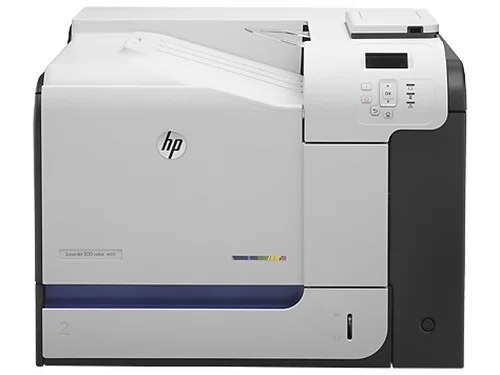
The networked-only LaserJet Enterprise 500 Color Printer M551N kept the M551's enterprise color engine on shared office networks without paying for duplex hardware teams didn't use.
It takes HP 507A toner — black CE400A (also as high-yield CE400X), cyan CE401A, yellow CE402A, magenta CE403A.
Toner Cartridges for LaserJet Enterprise 500 color Printer M551N
This printer works with the following toner cartridges:
- HP CE400A
- HP CE400X
- HP CE401A
- HP CE402A
- HP CE403A
More HP Printers
- Color LaserJet Enterprise 500 Color M551dn
- Color LaserJet Enterprise 500 Color M551n MFP
- Color LaserJet Enterprise 500 Color M551xh MFP
- Color LaserJet Enterprise 500 Color M575c
- Color LaserJet Enterprise 500 Color M575dn
- Color LaserJet Enterprise 500 Color M575f MFP
- Color LaserJet Enterprise Flow M575C
- LaserJet Enterprise 500 color MFP M575
- LaserJet Enterprise 500 color MFP M575DN
- LaserJet Enterprise 500 color MFP M575F
- LaserJet Enterprise 500 color Printer M551
- LaserJet Enterprise 500 color Printer M551DN
- LaserJet Enterprise 500 color Printer M551XH
- LaserJet Enterprise 500 color Printer M575
- LaserJet Enterprise 500 color Printer M575DN
- LaserJet Enterprise 500 color Printer M575F
- LaserJet Enterprise color flow M575C
- LaserJet Enterprise color flow MFP M575C
- LaserJet Enterprise MFP M570dn
- LaserJet Pro 500 color M570
- LaserJet Pro 500 color M570DN
- LaserJet Pro 500 color M570DW
- LaserJet Pro 500 color MFP M570
- LaserJet Pro 500 color MFP M570DN
- LJ Enterprise 500 Color M551DN
- LJ Enterprise 500 Color M551N
- LJ Enterprise 500 Color M551XH
- LJ Enterprise 500 Color M575DN
- LJ Enterprise 500 Color M575F
Frequently Asked Questions
What toner cartridges does the LaserJet Enterprise 500 color Printer M551N use?
The LaserJet Enterprise 500 color Printer M551N uses CE400A, CE400X, CE401A, CE402A, CE403A. For heavier printing, the CE400X high-yield version of CE400A fits the same LaserJet Enterprise 500 color Printer M551N. Order by these exact codes — cartridges made for other HP families won't fit or won't be recognized.
Why won't my LaserJet Enterprise 500 color Printer M551N print after a cartridge change?
If the LaserJet Enterprise 500 color Printer M551N won't print after a cartridge change, confirm the new CE400A is fully seated and its sealing tape was removed. Read any message on the printer's display and follow its steps. Removing and reinserting the cartridge with the printer powered on usually clears recognition errors.
What does the toner-low message on my LaserJet Enterprise 500 color Printer M551N mean?
The LaserJet Enterprise 500 color Printer M551N estimates toner from page counts rather than weighing the cartridge, so "low" means it's getting close — not that it's empty. Keep a spare CE400A on hand and swap it when print quality visibly fades. The warning usually clears on its own once the new cartridge is recognized.