




LaserJet Enterprise 500 color MFP M575
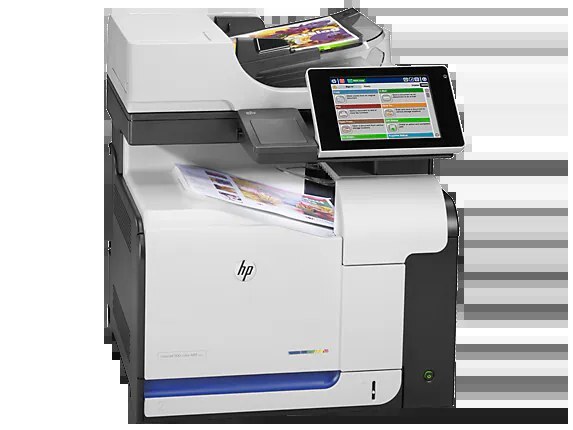
As the base color multifunction of HP's Enterprise 500 line, the LaserJet Enterprise 500 Color MFP M575 delivered print, scan, and copy in an A4 machine built for departmental use.
It uses HP 507A toner — CE400A black with a high-yield CE400X variant, plus CE401A cyan, CE402A yellow, and CE403A magenta.
Toner Cartridges for LaserJet Enterprise 500 color MFP M575
This printer works with the following toner cartridges:
- HP CE400A
- HP CE400X
- HP CE401A
- HP CE402A
- HP CE403A
More HP Printers
- Color LaserJet Enterprise 500 Color M551dn
- Color LaserJet Enterprise 500 Color M551n MFP
- Color LaserJet Enterprise 500 Color M551xh MFP
- Color LaserJet Enterprise 500 Color M575c
- Color LaserJet Enterprise 500 Color M575dn
- Color LaserJet Enterprise 500 Color M575f MFP
- Color LaserJet Enterprise Flow M575C
- LaserJet Enterprise 500 color MFP M575DN
- LaserJet Enterprise 500 color MFP M575F
- LaserJet Enterprise 500 color Printer M551
- LaserJet Enterprise 500 color Printer M551DN
- LaserJet Enterprise 500 color Printer M551N
- LaserJet Enterprise 500 color Printer M551XH
- LaserJet Enterprise 500 color Printer M575
- LaserJet Enterprise 500 color Printer M575DN
- LaserJet Enterprise 500 color Printer M575F
- LaserJet Enterprise color flow M575C
- LaserJet Enterprise color flow MFP M575C
- LaserJet Enterprise MFP M570dn
- LaserJet Pro 500 color M570
- LaserJet Pro 500 color M570DN
- LaserJet Pro 500 color M570DW
- LaserJet Pro 500 color MFP M570
- LaserJet Pro 500 color MFP M570DN
- LJ Enterprise 500 Color M551DN
- LJ Enterprise 500 Color M551N
- LJ Enterprise 500 Color M551XH
- LJ Enterprise 500 Color M575DN
- LJ Enterprise 500 Color M575F
Frequently Asked Questions
Can I use any HP toner cartridge in the LaserJet Enterprise 500 color MFP M575?
No — the LaserJet Enterprise 500 color MFP M575 only accepts CE400A, CE400X, CE401A, CE402A, CE403A. Toner cartridges are keyed to specific printer families, so one made for another HP model generally won't fit or be recognized. Stick to the codes listed for your LaserJet Enterprise 500 color MFP M575.
When should I replace the toner in my LaserJet Enterprise 500 color MFP M575?
Swap the CE400A when prints from the LaserJet Enterprise 500 color MFP M575 fade, streak, or the printer reports the cartridge as empty. "Toner low" warnings arrive earlier and still leave room to print, so keep a spare CE400A ready. Change it when quality visibly drops, not at the first warning.
How do I clear a paper jam in the LaserJet Enterprise 500 color MFP M575?
Power off the LaserJet Enterprise 500 color MFP M575, open its doors, and pull the jammed paper out slowly in the direction of the paper path — never against it. Check that the tray guides sit snug against the paper stack, since loose guides cause repeat jams. Fan the paper and avoid overfilling the tray.