




Color LaserJet Pro MFP M277N
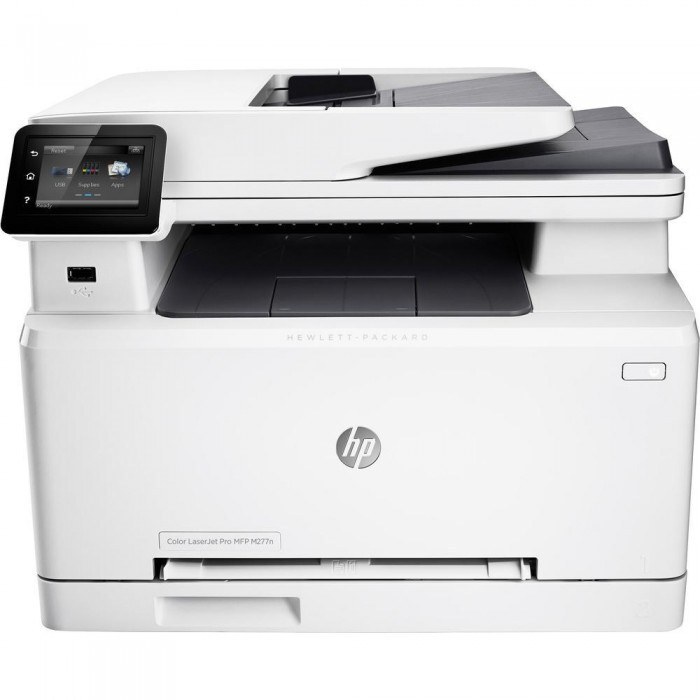
One compact box for the whole color document cycle: the Color LaserJet Pro MFP M277N prints, scans and copies in color, with Ethernet sharing it across the small office. Its toner shelf is HP's 201A line for standard loads — CF400A black through CF401A cyan, CF402A yellow and CF403A magenta — while the 201X high-yield set (CF400X, CF401X, CF402X, CF403X) takes over when pages pile up. Four slots, four colors, each monitored and replaced on its own.
Multifunction ownership changes the toner arithmetic: a machine that copies as well as it prints spends color on walk-up jobs nobody queued from a desk — the contract copied for a signature, the flyer duplicated for the notice board. Mid-2010s multifunction color, in other words, for teams short on space but not on paperwork, and its cartridges drain through two doors instead of one.
Toner Cartridges for Color LaserJet Pro MFP M277N
| Cartridge | Color | Page Yield |
|---|---|---|
| 201X 8 color set, 2 x BCMY | All four colors | See product page |
| 201X 6 color set, 2 x CMY | Cyan, yellow, magenta | See product page |
| 201X 5 color set, 2 black and CMY | All four colors | See product page |
| 201X 4 color set (CF400X, CF401X, CF402X, CF403X) | All four colors | See product page |
| 201X 3 color set (CF401X, CF402X, CF403X) | Cyan, yellow, magenta | See product page |
| CF400X 5 black, alternate listing | Black | See product page |
| CF400X black 5 pack | Black | See product page |
| CF400X black 3 pack | Black | See product page |
| CF400X black 2 pack | Black | See product page |
| CF403X high-yield magenta | Magenta | See product page |
| CF402X high-yield yellow | Yellow | See product page |
| CF401X high-yield cyan | Cyan | See product page |
| CF400X high-yield black | Black | See product page |
| 201A 8 color set, 2 x BCMY | All four colors | See product page |
| 201A 6 color set, 2 x CMY | Cyan, yellow, magenta | See product page |
| 201A 5 color set, 2 black and CMY | All four colors | See product page |
| 201A 4 color set (CF400A, CF401A, CF402A, CF403A) | All four colors | See product page |
| 201A 3 color set (CF401A, CF402A, CF403A) | Cyan, yellow, magenta | See product page |
| CF400A 5 black, alternate listing | Black | See product page |
| CF400A black 5 pack | Black | See product page |
| CF400A black 3 pack | Black | See product page |
| CF400A black 2 pack | Black | See product page |
| CF403A magenta, alternate listing | Magenta | See product page |
| CF403A magenta | Magenta | See product page |
| CF402A yellow | Yellow | See product page |
| CF401A cyan | Cyan | See product page |
| CF400A black, alternate listing | Black | See product page |
| CF400A standard-yield black | Black | See product page |
Which cartridge should you buy?
Copy volume is the deciding fact. An MFP whose scanner lid lifts all day belongs on high-yield fills across the board — the X cartridges run far longer, cost less per page, and spare a shared machine its most frequent interruption. Offices that mostly print, and copy occasionally, can let standard yields ride in the quieter colors and graduate slots individually. Either way, replace against the gauges: one slot at a time in normal months, a full set when a copying-heavy project has pulled several colors down together. All listings are compatible cartridges backed by a 1-year warranty and 1-year returns.
Chip, toner and everyday use
Walk-up copies bypass every print queue, so the chip gauges on the supplies screen are the only honest ledger this machine keeps — read them there rather than estimating from reams used. Swaps are a front-door job: seal off, cartridge in until it clicks, calibration cycle, done. Keep in mind the roughly 5 percent coverage basis behind yield ratings; a copied photograph spends like a printed one, which is to say heavily. Store the spare set sealed and flat near the machine, because an MFP out of one color is an office errand, not a private inconvenience.
Frequently Asked Questions
Does copying use the same cartridges as printing?
Yes — one set of four cartridges serves both functions, which is why an MFP's colors can fall faster than print counts alone explain. A week of duplicating color flyers draws on the same slots as a week of printing them.
Can the M277N print in black if a color cartridge is empty?
Plan as though it cannot. Color machines of this generation generally want all four slots present and reporting before they will run, so an empty color can stall even black-only jobs. Keeping one spare color cartridge on the shelf is the cheap way to never test the question under deadline.
Standard or high-yield for a scanning-and-copying office?
High-yield, unless the machine genuinely idles. Combined print-and-copy volume empties standard fills at a pace that turns swapping into a weekly ritual; the X line stretches that to a monthly one and lowers the per-page cost of every copy the lid produces.
One color faded mid-copy-run. What should I check?
That color's gauge first — copies announce depletion less politely than prints, often as a washed-out band across the page. If the gauge still shows toner, rock the cartridge gently to redistribute what remains; if the band persists, the cartridge is finished regardless of what the estimate says.
More printers that use the same cartridges
These models share the MFP's four-cartridge color shelf:
Color LaserJet M252; Color LaserJet M252DW; Color LaserJet M277; Color LaserJet M277DW; Color LaserJet MFP M277DW; Color LaserJet Pro M252; Color LaserJet Pro M252DW; Color LaserJet Pro M252N; Color LaserJet Pro M277; Color LaserJet Pro M277DW; Color LaserJet Pro M277N; Color LaserJet Pro MFP M277; Color LaserJet Pro MFP M277DW; HP 201A; HP 201X; LaserJet Pro M252; LaserJet Pro M252dw; LaserJet Pro M277; LaserJet Pro M277dw; LaserJet Pro M277n; LaserJet Pro MFP M277; LaserJet Pro MFP M277dw.