




Color LaserJet Pro M252N
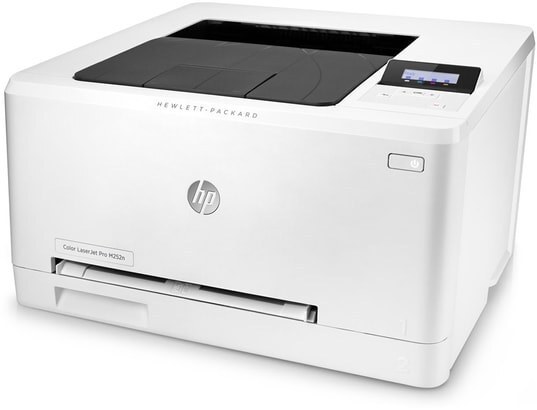
Wired workgroups got their M252 in the Color LaserJet Pro M252N: Ethernet networking on HP's compact mid-2010s color printing. For departments that run printers off the switch rather than Wi-Fi, the Pro badge meant network-ready out of the box.
Color toner means the 201 series: four cartridges — black CF400A, cyan CF401A, magenta CF402A, yellow CF403A — upgradeable to high-yield X versions across the board.
Toner Cartridges for Color LaserJet Pro M252N
This printer works with the following toner cartridges:
- HP CF400A
- HP CF401A
- HP CF402A
- HP CF403A
- HP CF400X
- HP CF401X
- HP CF402X
- HP CF403X
More HP Printers
- Color LaserJet M252
- Color LaserJet M252DW
- Color LaserJet M277
- Color LaserJet M277DW
- Color LaserJet MFP M277DW
- Color LaserJet Pro M252
- Color LaserJet Pro M252DW
- Color LaserJet Pro M277
- Color LaserJet Pro M277DW
- Color LaserJet Pro M277N
- Color LaserJet Pro MFP M277
- Color LaserJet Pro MFP M277DW
- Color LaserJet Pro MFP M277N
- LaserJet Pro M252
- LaserJet Pro M252dw
- LaserJet Pro M277
- LaserJet Pro M277dw
- LaserJet Pro M277n
- LaserJet Pro MFP M277
- LaserJet Pro MFP M277dw
Frequently Asked Questions
Does the Color LaserJet Pro M252N take CF400A cartridges?
Your Color LaserJet Pro M252N is designed for the standard set (CF400A, CF401A, CF402A, CF403A) or the high-yield set (CF400X, CF401X, CF402X, CF403X); any cartridge carrying one of those codes will fit.
How do I clear a paper jam in the Color LaserJet Pro M252N?
Power the Color LaserJet Pro M252N down, remove the trays, and open the front and rear access doors to pull jammed sheets out along the paper path — never yank against resistance, and check behind the CF400A cartridge area too.
Can I mix standard A and high-yield X cartridges in the Color LaserJet Pro M252N?
You can run any combination of A and X cartridges in the Color LaserJet Pro M252N — for example high-yield black (CF400X) with standard colors — since each slot in the Color LaserJet Pro M252N accepts both sizes.