




LaserJet Pro M277dw
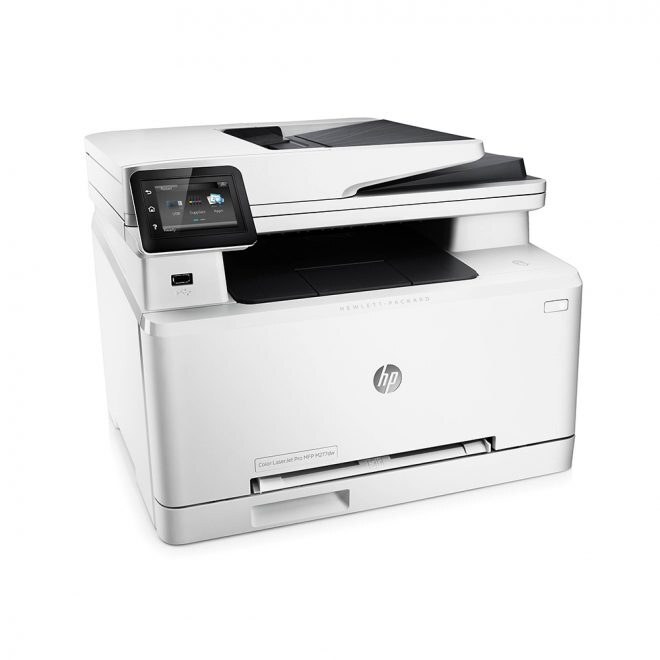
Two-sided color without a cable run is the LaserJet Pro M277dw's whole pitch: it is the duplex, Wi-Fi configuration of the M277 color line, made for desks that turn out contracts, invoices and the occasional color handout all day. Its black slot takes the high-yield CF400X cartridge, rated at about 2,800 pages, and the color slots run the family's standard cyan, magenta and yellow units. The listing stocked on this page is a 201X five-pack of black cartridges, five of those high-yield blacks in a single box. The wider family also lists a standard-yield CF400A black plus CF401A cyan, CF402A yellow and CF403A magenta, with CF401X, CF402X and CF403X as the high-yield color counterparts; those cartridges are not stocked on this page, so read the code on the cartridge you pull out before you order.
A wireless duplex machine earns its keep in a home office or a two-person team where the printer cannot sit next to the router and most paper is text with a color page mixed in. Two-sided output quietly halves paper use on long documents, and because black does the heavy lifting on this kind of workload, a five-pack of high-yield black is the practical way to stock it: the drawer stays full, swaps are rare, and the color cartridges are only bought when a color actually fades. Every cartridge sold here is a compatible unit backed by a 1-year warranty and 1-year returns.
Toner Cartridges for LaserJet Pro M277dw
| Cartridge | Color | Page Yield |
|---|---|---|
| CF400X Black | Black | See product page |
Which cartridge should you buy?
On this page the choice is already made for you, and it is the sensible one for this printer: the stocked listing is the high-yield black in a five-pack. A standard-yield CF400A suits a color machine that prints a few pages a week, but the M277dw is usually bought to work, and at roughly 2,800 pages per cartridge the X black stretches each swap much further and drops the cost per page. Color is different: cyan, magenta and yellow fade at their own pace depending on what you print, so replace each color on its own when its output thins instead of changing the set. If your M277dw prints color heavily, the high-yield color versions follow the same logic as the black; for mostly-text use, standard colors are enough.
Chip, toner and everyday use
Each 201-series cartridge carries its own chip, and the M277dw reads it on the first close of the door; if a supply message lingers, open and close the door once or restart the printer so it re-reads the chip. Pull the sealing strip fully out before installing and seat the cartridge until it sits level. The 2,800-page figure for the high-yield black is an estimate at 5% page coverage, so dense pages finish a cartridge sooner. When output first fades, take the cartridge out and rock it gently from side to side to redistribute the toner inside; that often restores even printing for a while. Keep the spare pack sealed, upright and out of direct sun until the day it goes in.
Frequently Asked Questions
Which toner cartridges does the LaserJet Pro M277dw use?
The printer runs the HP 201 family: CF400A black in standard yield, CF401A cyan, CF402A yellow and CF403A magenta, plus high-yield X versions of all four. This page stocks the high-yield black five-pack; the code printed on your old cartridge is the surest check before ordering.
Can I mix standard-yield and high-yield cartridges in the M277dw?
Yes. Each slot is read independently, so a high-yield black can sit next to standard-yield colors, or the other way around. The printer only asks that the code family matches the slot; capacity per slot is your choice, which makes it easy to upgrade just the color you burn through fastest.
Does the M277dw need a separate drum unit?
No separate drum is sold for this model on this page. The 201-series cartridges are self-contained units, so a cartridge change is the whole job: out with the empty one, strip the seal on the new one, and slide it in. There is no second consumable to track for this printer.
How should I store the spare cartridges from the five-pack?
Leave them in the sealed box, standing upright in a cool, dry place away from sunlight and heat vents. Stored that way, an unopened cartridge keeps well for a long while; buy for the year or two ahead rather than a decade, and rotate the oldest box to the front.
More printers that use the same cartridges
The M277dw shares its cartridges with the rest of the M252 and M277 family, so the same shelf serves every machine below.
Color LaserJet M252, Color LaserJet M252DW, Color LaserJet M277, Color LaserJet M277DW, Color LaserJet MFP M277DW, Color LaserJet Pro M252, Color LaserJet Pro M252DW, Color LaserJet Pro M252N, Color LaserJet Pro M277, Color LaserJet Pro M277DW, Color LaserJet Pro M277N, Color LaserJet Pro MFP M277, Color LaserJet Pro MFP M277DW, Color LaserJet Pro MFP M277N, HP 201A, HP 201X, LaserJet Pro M252, LaserJet Pro M252dw, LaserJet Pro M277, LaserJet Pro M277n, LaserJet Pro MFP M277, LaserJet Pro MFP M277dw.
SELECT YOUR PRINTER FAMILY TO SHOP LaserJet Pro M277dw PRODUCTS
There are no products listed under this category.