




Color LaserJet M252
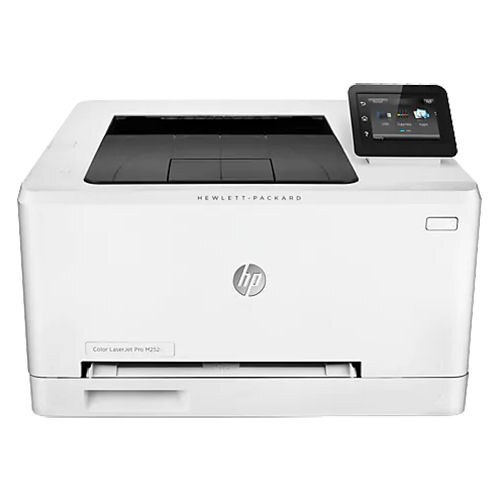
Color for the individual desk: the Color LaserJet M252 brought mid-2010s color printing down to a compact single-function box. No network frills, no duplex — just color documents for the person sitting in front of it.
Its four toner slots hold the 201A family: CF400A black, CF401A cyan, CF402A yellow, CF403A magenta — or high-yield 201X versions (CF400X–CF403X) when color use runs hot. Between the endpoints of that high-yield range sit the two colors a single desk leans on hardest — cyan steps up to CF401X and yellow to CF402X, each swapped on its own when one fades ahead of the others.
Toner Cartridges for Color LaserJet M252
This printer works with the following toner cartridges:
- HP CF400A
- HP CF401A
- HP CF402A
- HP CF403A
- HP CF400X
- HP CF401X
- HP CF402X
- HP CF403X
More HP Printers
- Color LaserJet M252DW
- Color LaserJet M277
- Color LaserJet M277DW
- Color LaserJet MFP M277DW
- Color LaserJet Pro M252
- Color LaserJet Pro M252DW
- Color LaserJet Pro M252N
- Color LaserJet Pro M277
- Color LaserJet Pro M277DW
- Color LaserJet Pro M277N
- Color LaserJet Pro MFP M277
- Color LaserJet Pro MFP M277DW
- Color LaserJet Pro MFP M277N
- LaserJet Pro M252
- LaserJet Pro M252dw
- LaserJet Pro M277
- LaserJet Pro M277dw
- LaserJet Pro M277n
- LaserJet Pro MFP M277
- LaserJet Pro MFP M277dw
Frequently Asked Questions
What toner does the Color LaserJet M252 need?
Only the standard set (CF400A, CF401A, CF402A, CF403A) or the high-yield set (CF400X, CF401X, CF402X, CF403X) fit the Color LaserJet M252; buying by code number is the surest way to avoid a mismatch.
Do I need special software to use the Color LaserJet M252?
The Color LaserJet M252 needs its print driver at minimum; the full software bundle adds scanning and maintenance tools, which matter most if your Color LaserJet M252 is a multifunction model.
How do I know which color cartridge the Color LaserJet M252 needs?
Open the supplies or status screen on the Color LaserJet M252 to see which of the the standard set (CF400A, CF401A, CF402A, CF403A) or the high-yield set (CF400X, CF401X, CF402X, CF403X) cartridges is low, and replace that one alone — the Color LaserJet M252 tracks each color separately.