




Color LaserJet Pro M277DW
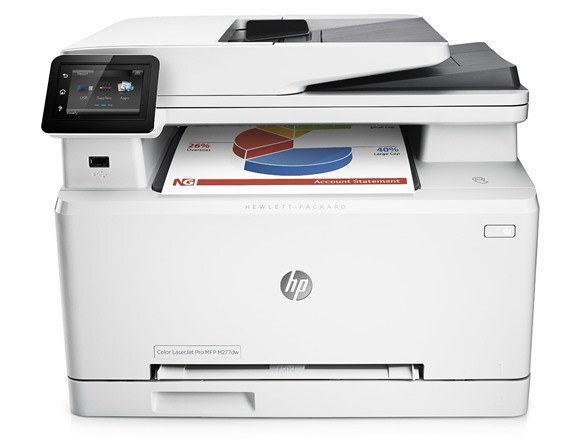
Modern small-office color, no compromises: the Color LaserJet Pro M277DW pairs Wi-Fi with automatic duplex on HP's mid-2010s single-function color printing. Color documents from any laptop in the room, both sides printed by default.
It runs on the 201A/201X cartridge family — CF400A (black), CF401A, CF402A, CF403A — each color with its own high-yield X option for busier months. Busier months have a per-slot answer as well: yellow graduates to CF402X, magenta to CF403X, cyan to CF401X and black to CF400X, each change stretching the gap before the next reorder.
Toner Cartridges for Color LaserJet Pro M277DW
This printer works with the following toner cartridges:
- HP CF400A
- HP CF401A
- HP CF402A
- HP CF403A
- HP CF400X
- HP CF401X
- HP CF402X
- HP CF403X
More HP Printers
- Color LaserJet M252
- Color LaserJet M252DW
- Color LaserJet M277
- Color LaserJet M277DW
- Color LaserJet MFP M277DW
- Color LaserJet Pro M252
- Color LaserJet Pro M252DW
- Color LaserJet Pro M252N
- Color LaserJet Pro M277
- Color LaserJet Pro M277N
- Color LaserJet Pro MFP M277
- Color LaserJet Pro MFP M277DW
- Color LaserJet Pro MFP M277N
- LaserJet Pro M252
- LaserJet Pro M252dw
- LaserJet Pro M277
- LaserJet Pro M277dw
- LaserJet Pro M277n
- LaserJet Pro MFP M277
- LaserJet Pro MFP M277dw
Frequently Asked Questions
Can I use CF400A toner in the Color LaserJet Pro M277DW?
The correct cartridges for the Color LaserJet Pro M277DW are the standard set (CF400A, CF401A, CF402A, CF403A) or the high-yield set (CF400X, CF401X, CF402X, CF403X). Check the code printed on your current cartridge to confirm.
How do I reconnect the Color LaserJet Pro M277DW after changing my router?
After a router change, rerun the wireless setup wizard on the Color LaserJet Pro M277DW's control panel with the new network name and password; the Color LaserJet Pro M277DW cannot follow the old network automatically.
The Color LaserJet Pro M277DW prints gray instead of black — what is wrong?
Gray-looking output from the Color LaserJet Pro M277DW usually signals a depleted CF400A or an economy/draft setting left on — check the driver quality setting first, then the CF400A level in the Color LaserJet Pro M277DW.