






 See Compatible Printers
 Read more about our ink!
Canon
Compatible Canon BCI-3e Yellow Ink Cartridge
- Page Yield:
- 340 pages
- Shipping:
- Calculated at Checkout

Amazon Price:

- Page Yield:
- 340 pages
- Shipping:
- Calculated at Checkout
- Compatible Printers
- Canon BJC-3000
- Canon BJC-6000
- Canon BJC-6100
- Canon i550
- Canon i850
- Canon S400
- Canon S450
- Canon S500
- Canon S520
- Canon S530D
- Canon S600
- Canon S630
- Canon S750
- Canon MultiPASS C755
- Canon MultiPASS F30
- Canon MultiPASS F50
- Canon MultiPASS F60
- Canon MultiPASS F80
- Canon MultiPASS MP700
- Canon MultiPASS MP730
- BJC-8200
- PIXMA MP750
- PIXMA MP760
- PIXMA MP780
- PIXMA iP3000
- PIXMA iP4000
- PIXMA iP4000R
- PIXMA iP5000
- PIXMA iP6000D
- PIXMA iP8500
- S800
- S820D
- S830D
- S900
- S9000
- i560
- i860
- i865
- i900D
- i950
- i960
- i9900
- Specifications
- SKU:
- CS-CN-3-Y
- Condition:
- New (compatible)
- OEM Part #:
- BCI-3e
- Color:
- Yellow
- Ink Type:
- Dye
- Page Yield:
- 340 pages
- Chip:
- No chip — optical ink sensor
- Warranty:
- Lifetime Warranty
- Returns:
- 1 Year
- Description
- Reviews
The Clever Supplies compatible Canon BCI-3e Yellow ink cartridge replaces the Canon BCI-3e and fits 20 verified printers — the BJC-3000 and the rest of the list under Compatible Printers below. It is rated at about 340 pages; our cartridge is filled to the same specification with dye ink.
This generation of Canon printers checks ink with an optical sensor in the tank, not a chip. Installation is a straight swap, ink levels keep reading normally, and there are no chip-related warnings to clear.
Shop the BCI-3e family: BCI-6 Black, BCI-6 Cyan, BCI-6 Magenta, BCI-6 Yellow, BCI-6 Photo Cyan, BCI-6 Photo Magenta, BCI-6 Red, BCI-6 Green, BCI-3e Black, BCI-3e Cyan, BCI-3e Magenta, BCI-3e Photo Black, BCI-3e Photo Cyan, BCI-3e Photo Magenta, BCI-3e Set of 10, BCI-3e BCI-6 Set of 11, BCI-3e BCI-6 Set of 5, BCI-6 Set of 14, BCI-6 Set of 6, BCI-3e Set of 15, BCI-3e Set of 5, BCI-6 Set of 18, BCI-6 Set of 8.
Printer series: BubbleJet printers · Canon i Series printers · Canon S Series printers · MultiPASS printers — every model in the Compatible Printers list below takes this cartridge.


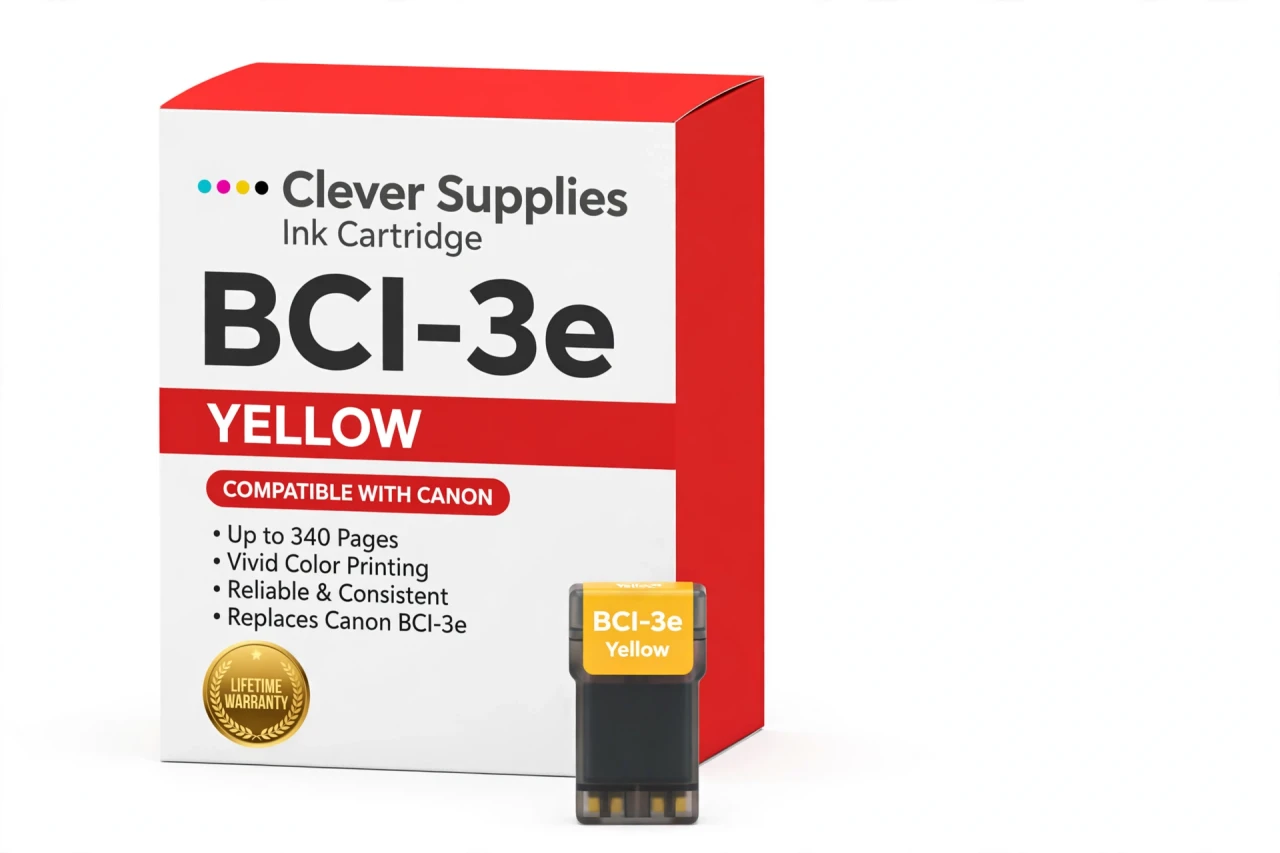
CLEVER SUPPLIES · CANON BCI-3e INK
Compatible Canon BCI-3e Yellow Ink Cartridge
Replaces Canon BCI-3e
340 pages · Dye ink
Fits: BJC-3000, BJC-6000, BJC-6100, i550, i850 and more
Covered by the Clever Supplies Lifetime Warranty
Frequently Asked Questions
Why is yellow the hardest low tank to spot?
Yellow is nearly invisible on white paper by itself, so a fading yellow tank hides until greens turn blue and warm highlights go cold. By the time a photo looks wrong, yellow may have been empty for several pages. This BCI-3e yellow tank restores the warm base that greens, golds and skin highlights are built from.
Which printers take this yellow tank?
It fits the Canon BJC-3000, Canon BJC-6100, Canon i550, Canon i850, Canon S500, Canon S520, Canon S750 and Canon MultiPASS MP700, and the full list is under Compatible Printers on this page.
My greens look blue and photos look cold — is that a yellow problem?
Very likely. Green is printed as cyan plus yellow; remove yellow and every green shifts blue, while warm scenes lose their glow. Print a nozzle check and look at the yellow block specifically. If it is weak or missing while BCI-3e Cyan prints solid, replace yellow before adjusting any color settings.
How many pages is this tank rated for?
About 340 pages under ISO/IEC 24711 test conditions at around 5% coverage. Pages rich in greens, warm graphics or full-bleed color draw yellow steadily, so the real count depends on what you print. A household printing mostly text with small color touches will see yellow last far longer.
How do I check yellow when the printer gives no chip warning?
There is no chip in this family at all — the level is sensed optically through the tank. Check the ink you can see in the tank window, and use the nozzle check as your gauge when colors drift. Nothing needs resetting after a change; the sensor simply reads the fresh tank.
Which tanks should I check at the same time?
While the cover is open, glance at BCI-3e Cyan, BCI-3e Magenta and BCI-3e Black. Colors rarely run out together, and each tank swaps independently, but a quick look at all four levels saves a second interruption a few days later when the next slot follows.
What does the replacement involve?
Open the cover, wait for the carriage to center, pop the old yellow tank out and press the new BCI-3e tank into the yellow slot until it seats. Close the cover and print a nozzle check plus one warm-toned image; greens returning to green confirms the swap worked.
Is this a genuine Canon tank?
No, it is a Clever Supplies compatible tank built to the BCI-3e specification with dye ink. These BJC, i and S series printers are long out of production and original yellow stock is scarce; this tank keeps the color set complete at a practical price.
Any tips for storing a spare yellow tank?
Keep it sealed and upright at room temperature, away from sunlight and heat vents. Because yellow gives so little visual warning before it fails, a stored spare is especially worthwhile: when the nozzle check finally shows the gap, the replacement is already in the drawer.
What protection does this tank carry?
The Clever Supplies Lifetime Warranty covers this inkjet tank against leaking and poor printing, handled by replacement or refund, and returns are accepted for 1 Year. If a new tank still shows a missing yellow block after one cleaning cycle, contact us for warranty help.
Related Items
Canon
Compatible Canon BCI-3e Black Ink Cartridge
The Clever Supplies compatible Canon BCI-3e Black ink cartridge replaces the Canon BCI-3e and fits 42 verified printers — the BJC-3000 and the rest of the list under Compatible Printers below. It is...

Canon
Compatible Canon BCI-3e Magenta Ink Cartridge
The Clever Supplies compatible Canon BCI-3e Magenta ink cartridge replaces the Canon BCI-3e and fits 20 verified printers — the BJC-3000 and the rest of the list under Compatible Printers below. It...
Canon
Compatible Canon BCI-3e Cyan Ink Cartridge
The Clever Supplies compatible Canon BCI-3e Cyan ink cartridge replaces the Canon BCI-3e and fits 20 verified printers — the BJC-3000 and the rest of the list under Compatible Printers below. It is...
Canon
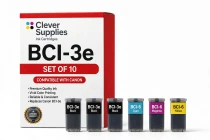
Compatible Canon BCI-3e Set of 10 Ink Cartridges
The Clever Supplies compatible Canon BCI-3e Set of 10 bundles 10 cartridges — 4 BCI-3e Black and 2 each of BCI-6 Cyan,