






 See Compatible Printers
 Read more about our ink!
Canon
Compatible Canon BCI-3e Black Ink Cartridge
- Page Yield:
- 420 pages
- Shipping:
- Calculated at Checkout

Amazon Price:

- Page Yield:
- 420 pages
- Shipping:
- Calculated at Checkout
- Compatible Printers
- Canon BJC-3000
- Canon BJC-6000
- Canon BJC-6100
- Canon i550
- Canon i850
- Canon S400
- Canon S450
- Canon S500
- Canon S520
- Canon S530D
- Canon S600
- Canon S630
- Canon S750
- Canon MultiPASS C755
- Canon MultiPASS F30
- Canon MultiPASS F50
- Canon MultiPASS F60
- Canon MultiPASS F80
- Canon MultiPASS MP700
- Canon MultiPASS MP730
- Canon i560
- Canon i860
- Canon i865
- Canon i900D
- Canon i950
- Canon i960
- Canon i9900
- Canon PIXMA iP3000
- Canon PIXMA iP4000
- Canon PIXMA iP4000R
- Canon PIXMA iP5000
- Canon PIXMA iP6000D
- Canon PIXMA iP8500
- Canon PIXMA MP750
- Canon PIXMA MP760
- Canon PIXMA MP780
- Canon S800
- Canon S820D
- Canon S830D
- Canon S900
- Canon S9000
- Canon BJC-8200
- Specifications
- SKU:
- CS-CN-3-BK
- Condition:
- New (compatible)
- OEM Part #:
- BCI-3e
- Color:
- Black
- Ink Type:
- Pigment
- Page Yield:
- 420 pages
- Chip:
- No chip — optical ink sensor
- Warranty:
- Lifetime Warranty
- Returns:
- 1 Year
- Description
- Reviews
The Clever Supplies compatible Canon BCI-3e Black ink cartridge replaces the Canon BCI-3e and fits 42 verified printers — the BJC-3000 and the rest of the list under Compatible Printers below. It is rated at about 420 pages; our cartridge is filled to the same specification with pigment ink.
These printers read the ink tank optically rather than through an electronic chip, so there is no chip to fail and no recognition warning to work around — the tank drops in and the printer tracks the ink level from the tank itself.
Shop the BCI-3e family: BCI-3e Yellow, BCI-6 Black, BCI-6 Cyan, BCI-6 Magenta, BCI-6 Yellow, BCI-6 Photo Cyan, BCI-6 Photo Magenta, BCI-6 Red, BCI-6 Green, BCI-3e Cyan, BCI-3e Magenta, BCI-3e Photo Black, BCI-3e Photo Cyan, BCI-3e Photo Magenta, BCI-3e Set of 10, BCI-3e BCI-6 Set of 11, BCI-3e BCI-6 Set of 5, BCI-6 Set of 14, BCI-6 Set of 6, BCI-3e Set of 15, BCI-3e Set of 5, BCI-6 Set of 18, BCI-6 Set of 8.
Printer series: BubbleJet printers · Canon i Series printers · Canon S Series printers · MultiPASS printers · PIXMA printers — every model in the Compatible Printers list below takes this cartridge.


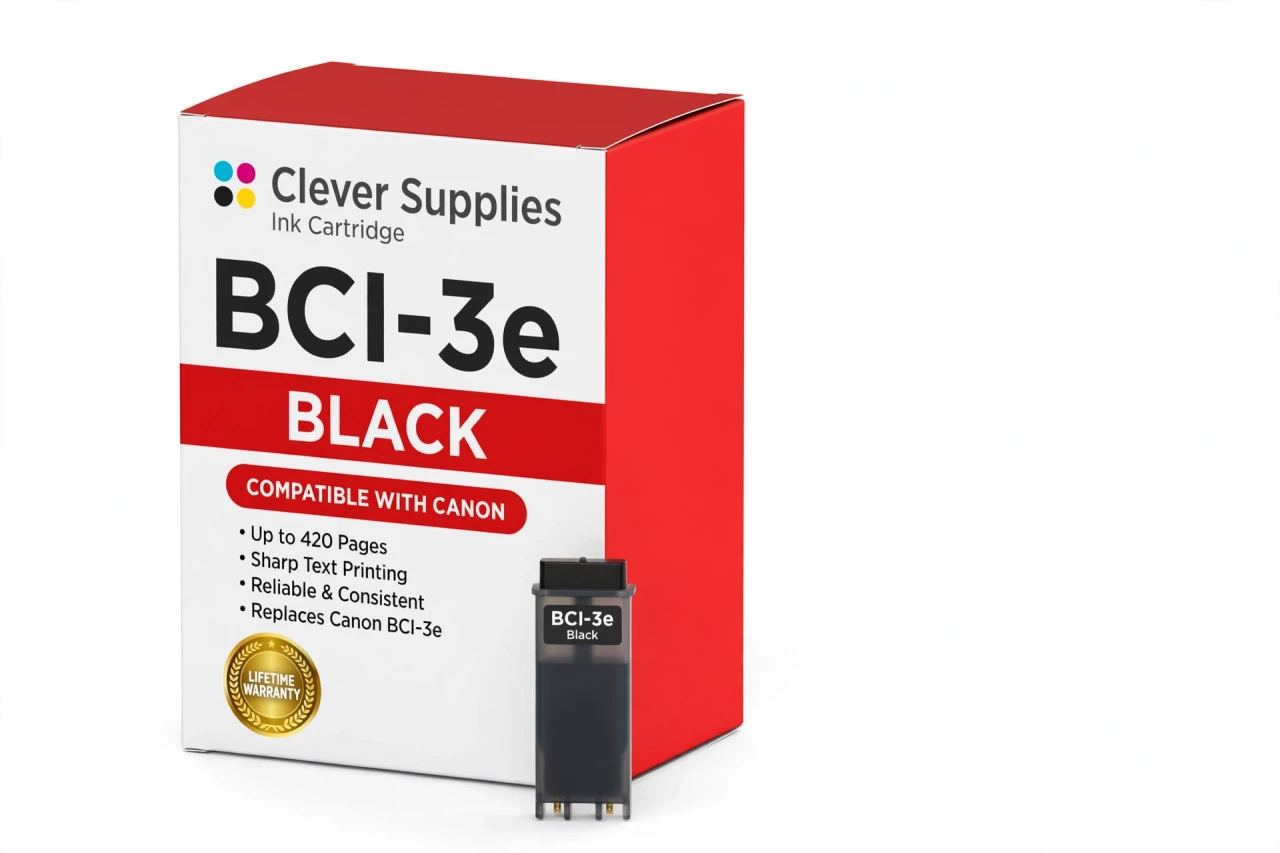
CLEVER SUPPLIES · CANON BCI-3e INK
Compatible Canon BCI-3e Black Ink Cartridge
Replaces Canon BCI-3e
420 pages · Pigment ink
Fits: BJC-3000, BJC-6000, BJC-6100, i550, i850 and more
Covered by the Clever Supplies Lifetime Warranty
Frequently Asked Questions
Will this black tank work in my older Canon printer?
Yes, if your printer takes the BCI-3e black tank. Verified models include the Canon BJC-3000, Canon BJC-6000, Canon i550, Canon i850, Canon S400, Canon S500, Canon MultiPASS F50 and Canon PIXMA iP4000, and the full list is under Compatible Printers on this page.
How many pages should I expect from one tank?
About 420 pages under ISO/IEC 24711 test conditions at around 5% coverage. Letters, invoices and schoolwork land close to that figure. Pages with bold headings, logos or shaded tables use more ink, so a document-heavy week will finish the tank sooner than light everyday printing.
Why does the black use pigment ink while the colors use dye?
Pigment black sits on the paper surface and dries to sharp, dark characters, which is what you want for readable text. The matching color tanks, such as BCI-3e Cyan and BCI-3e Magenta, use dye ink that blends smoothly for graphics and photos. Each slot gets the ink type it was designed for.
There is no chip — how does the printer know the ink level?
This generation reads the tank optically. A sensor looks through the tank itself, so there is no chip to fail, no reset to run and no recognition warning to clear. You check the level the practical way as well: lift the cover and look at the ink visible in the tank window.
What does installation involve on a BJC, i, S or PIXMA model?
Open the cover, wait for the carriage to center, lift out the empty tank and press the new BCI-3e tank into the black slot until it seats. Close the cover and print a test page. The printer tracks the new tank right away, with no extra steps.
My text prints light gray instead of solid black — is the tank empty?
Not always. First check the visible ink level in the tank. If ink remains, run the printer cleaning cycle once and print a nozzle check; a printer that sat unused can clog long before the tank is dry. If the pattern is still broken after cleaning, replace the tank and keep the old one aside for warranty review.
Which color tanks sit alongside this black in the same printer?
The standard companions are BCI-3e Cyan, BCI-3e Magenta and BCI-3e Yellow. Photo models in this family also use the BCI-3e Photo Black tank, which is a separate dye tank and does not replace this pigment black for documents.
How should I store a spare black tank?
Keep it sealed, upright, at room temperature and out of direct sunlight. Do not open it until the installed tank is actually low — once opened, install it promptly. A sealed spare stays ready for the day your printer runs dry mid-job.
Is this a genuine Canon tank?
No. This is a Clever Supplies compatible tank built to the same BCI-3e specification. These printers have been out of production for years and original stock is scarce and expensive, so a compatible tank is the practical way to keep a working BJC, S or early PIXMA machine in service.
What protection covers this purchase?
Every tank carries the Clever Supplies Lifetime Warranty for inkjet products: if it leaks, prints poorly or fails, contact us for a replacement or refund. Returns run for 1 Year.
Related Items
Canon
Compatible Canon BCI-3e Photo Black Ink Cartridge
The Clever Supplies compatible Canon BCI-3e Photo Black ink cartridge replaces the Canon BCI-3e and fits 20 verified printers — the BJC-3000 and the rest of the list under Compatible Printers below...

Canon
Compatible Canon BCI-3e Yellow Ink Cartridge
The Clever Supplies compatible Canon BCI-3e Yellow ink cartridge replaces the Canon BCI-3e and fits 20 verified printers — the BJC-3000 and the rest of the list under Compatible Printers below. It is...
Canon
Compatible Canon BCI-3e Magenta Ink Cartridge
The Clever Supplies compatible Canon BCI-3e Magenta ink cartridge replaces the Canon BCI-3e and fits 20 verified printers — the BJC-3000 and the rest of the list under Compatible Printers below. It...
Canon
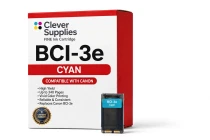
Compatible Canon BCI-3e Cyan Ink Cartridge
The Clever Supplies compatible Canon BCI-3e Cyan ink cartridge replaces the Canon BCI-3e and fits 20 verified printers — the BJC-3000 and the rest of the list under Compatible Printers below. It is...