




S830D
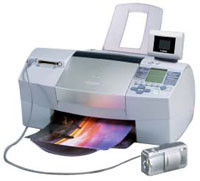
The Canon S830D is a desktop photo printer that lays down photographs with the dye-based BCI-6 Black, BCI-6 Cyan, BCI-6 Magenta and BCI-6 Yellow, refined by BCI-6 Photo Cyan and BCI-6 Photo Magenta and extended by BCI-6 Red and BCI-6 Green — every one of those tanks rated at about 280 pages. Paperwork is handled by a separate pigment cartridge, the BCI-3E Black, rated near 420 pages. The full range is listed below as Clever Supplies compatibles matched to the original yields.
The S830D prints in photo sessions, and a session leans on its color tanks together rather than one at a time, so ink — bought tank by tank — is the real cost of that rhythm. Compatible cartridges cut the cost of every session while keeping the same rated output per tank, which is what keeps a dedicated photo printer of this vintage economical to run. The dye colors do the photographic work; the pigment black alongside them covers documents on its own slower schedule, and it can be restocked separately from the photo row. This family produced some of Canon's most respected desktop photo printers of its era.
Ink Cartridges for the S830D
| Cartridge | Color | Page Yield |
|---|---|---|
| BCI-6 Black | Black | About 280 pages |
| BCI-6 Cyan | Cyan | About 280 pages |
| BCI-6 Magenta | Magenta | About 280 pages |
| BCI-6 Yellow | Yellow | About 280 pages |
| BCI-6 Photo Cyan | Photo Cyan | About 280 pages |
| BCI-6 Photo Magenta | Photo Magenta | About 280 pages |
| BCI-6 Red | Red | About 280 pages |
| BCI-6 Green | Green | About 280 pages |
| BCI-3E Black | Black (pigment, for documents) | About 420 pages |
| BCI-3E Set of 10 | Mixed (BCI-3E range) | See product page |
| BCI-3E / BCI-6 Set of 11 | Mixed, extra blacks | See product page |
| BCI-3E / BCI-6 Set of 5 | Mixed starter set | See product page |
| BCI-6 Set of 14 | 4 black, 2 each of C/M/Y/PC/PM | See product page |
| BCI-6 Set of 6 | Core color row | See product page |
| BCI-6 Set of 18 | Full range incl. red and green | See product page |
| BCI-6 Set of 8 | Main slots together | See product page |
Which cartridge should you buy?
Because sessions draw the colors down together, S830D owners feel the pinch in clusters: two or three positions report low in the same week. Singles remain the cheapest answer to a single flagged tank, but the boxed sets fit this printer's rhythm well — the six- and eight-tank boxes refresh the main row before a big session, and the fourteen- and eighteen-tank boxes hold doubles of the shades that photo work cycles quickly, red and green included at the largest size. If the machine also prints the household's paperwork, a mixed BCI-3E/BCI-6 box keeps the pigment black in the same order. All of these compatibles carry a 1-year warranty and 1-year returns.
Chips, ink levels and everyday use
Between sessions there is nothing digital to tend: the tank is the sensor. Levels are gauged optically, so a swap is made when the printer flags a position low — no chip, no reset procedure, no warning to clear. During the quiet weeks between batches of photos, print something every few weeks so the heads stay wet, and keep the printer dust-free. Spare tanks store well sealed at room temperature. Bear in mind that the roughly 280-page rating for each color is a 5%-coverage figure; a session of full-bleed prints is the heaviest drinking this machine does, and tank life should be planned around it.
Frequently Asked Questions
Which ink does the Canon S830D take?
Eight BCI-6 dye cartridges for photographs — black, cyan, magenta, yellow, photo cyan, photo magenta, red and green — plus the BCI-3E pigment black for text. Every position is an individual tank, replaced as it empties.
Several colors flagged low in the same week — is something wrong?
Almost certainly not. Photo sessions spend the colors together, so their levels converge and the warnings arrive in a bunch. It is the natural pattern of this printer, and a set box is sized for exactly that moment.
Does the S830D use a drum or any other consumable?
No. Ink tanks are the only consumables in this design. Streaky or faded output after a quiet period points to dried nozzles, and a cleaning cycle is the fix to try before replacing anything.
Are the red and green tanks optional extras?
They are part of the cartridge range sold for this photo family, widening the saturated reds and the foliage tones the printer can lay down. Like every other position, each is replaced on its own when the printer reports it low.
More printers that use the same cartridges
The BCI-6 shelf, with its BCI-3E document black, is shared by the whole generation of Canon photo printers and all-in-ones below:
BJC-3000, BJC-6100, MultiPass F50, MultiPass F80, MultiPass MP730, Multipass F30, PIXMA MP760, PIXMA iP3000, PIXMA iP4000R, PIXMA iP6000D, S400, S500, S530D, S630, S800, S900, i550, i850, i865, i950, i9900, BJC-6000, BJC-8200, MultiPass F60, MultiPass MP700, Multipass C755, PIXMA MP750, PIXMA MP780, PIXMA iP4000, PIXMA iP5000, PIXMA iP8500, S450, S520, S600, S750, S820D, S9000, i560, i860, i900D, i960