




PIXMA iP8500
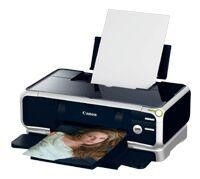
The Canon PIXMA iP8500 works from the widest ink shelf on this page: eight dye colors — BCI-6 Black, BCI-6 Cyan, BCI-6 Magenta, BCI-6 Yellow, BCI-6 Photo Cyan, BCI-6 Photo Magenta, BCI-6 Red and BCI-6 Green, each rated at about 280 pages — plus the BCI-3E Black pigment tank, rated at about 420 pages, for documents. Owners keep this printer running because it does its job without drama, and because ink is its only running cost.
With eight colors in play, the economics reward restraint: compatible ink cuts the cost at the same rated output per cartridge, and each color is stocked and replaced on its own schedule. The owners who spend least on this machine are not the ones with the fullest shelf — they are the ones who stock the color that empties first and let the slow colors wait their turn.
Ink Cartridges for PIXMA iP8500
| Cartridge | Color | Page Yield |
|---|---|---|
| BCI-6 Black | Black | Roughly 280 pages |
| BCI-6 Cyan | Cyan | Roughly 280 pages |
| BCI-6 Magenta | Magenta | Roughly 280 pages |
| BCI-6 Yellow | Yellow | Roughly 280 pages |
| BCI-6 Photo Cyan | Photo Cyan | Roughly 280 pages |
| BCI-6 Photo Magenta | Photo Magenta | Roughly 280 pages |
| BCI-6 Red | Red | Roughly 280 pages |
| BCI-6 Green | Green | Roughly 280 pages |
| BCI-3E Black | Black | Roughly 420 pages |
The multipacks below bundle the same tanks for restocking; per-cartridge yields are on each product page.
- BCI-3E Set of 10 — the document black, ten at a time.
- BCI-3E / BCI-6 Set of 11 — extra blacks from both families with the core colors doubled.
- BCI-3E / BCI-6 Set of 5 — the small mixed box for a light restock.
- BCI-6 Set of 14 — core and photo colors with spares — the photographer's restock.
- BCI-6 Set of 6 — the six core dye colors, one apiece.
- BCI-6 Set of 18 — the only box that mirrors this printer's whole shelf, red and green spares included.
- BCI-6 Set of 8 — a mid-size dye restock between the six and the fourteen.
Which cartridge should you buy?
Stock the color that empties first, rather than a full set bought early. On an eight-color printer, two or three tanks do most of the work — follow the level readings for a month and your own ranking will be obvious. When a genuine full restock is due, one box mirrors the entire shelf: the BCI-6 Set of 18, with spares of every dye color on this page. The BCI-6 Set of 14 is the narrower photo restock if red and green still sit full, and document work is covered separately by the BCI-3E Black single.
Chip, ink and everyday use
Replacement on the iP8500 follows the flag, not a routine: each tank is read optically, so there are no chips to fail on these cartridges and nothing to reset after a swap. Keep the printer dust-free, print something every few weeks so the heads stay wet, and store spare tanks sealed at room temperature. Every compatible cartridge here carries a 1-year warranty with 1-year returns.
Frequently Asked Questions
Why does this printer list red and green cartridges?
Because its color range is wider than a four-color shelf: BCI-6 Red extends the reds and oranges, BCI-6 Green the natural greens, and the two photo colors smooth the gradients in between. Subjects that live in those ranges are what empty these tanks.
Which cartridge should I stock first for the iP8500?
Your fastest one — and only your printer knows which. Portrait work usually nominates the magentas, landscape work the cyans and green. Buy that tank as a standing spare and let the level readings correct your guess over time.
Do all eight colors last the same number of pages?
They are all rated at about 280 pages, but rated life and real life part company quickly: the rating assumes standard coverage, while an actual photograph spends ink by area and by color. Expect the colors your subjects favor to finish well ahead of the rest.
Does the iP8500 use the same black for text and photos?
No — it keeps two. The BCI-3E Black is a pigment tank for text, rated at about 420 pages; the BCI-6 Black is a dye tank that works inside photographs and color graphics alongside the other colors.
More printers that use the same cartridges
Every model below shares this shelf with the iP8500, tanks and all: BJC-3000, BJC-6000, BJC-6100, BJC-8200, MultiPass F50, MultiPass F60, MultiPass F80, MultiPass MP700, MultiPass MP730, Multipass C755, Multipass F30, PIXMA MP750, PIXMA MP760, PIXMA MP780, PIXMA iP3000, PIXMA iP4000, PIXMA iP4000R, PIXMA iP5000, PIXMA iP6000D, i550, i560, i850, i860, i865, i900D, i950, i960, i9900, S400, S450, S500, S520, S530D, S600, S630, S750, S800, S820D, S830D, S900, S9000.