






 See Compatible Printers
 Read more about our ink!
Canon
Compatible Canon BCI-3e Cyan Ink Cartridge
- Page Yield:
- 340 pages
- Shipping:
- Calculated at Checkout

Amazon Price:

- Page Yield:
- 340 pages
- Shipping:
- Calculated at Checkout
- Compatible Printers
- Canon BJC-3000
- Canon BJC-6000
- Canon BJC-6100
- Canon i550
- Canon i850
- Canon S400
- Canon S450
- Canon S500
- Canon S520
- Canon S530D
- Canon S600
- Canon S630
- Canon S750
- Canon MultiPASS C755
- Canon MultiPASS F30
- Canon MultiPASS F50
- Canon MultiPASS F60
- Canon MultiPASS F80
- Canon MultiPASS MP700
- Canon MultiPASS MP730
- BJC-8200
- PIXMA MP750
- PIXMA MP760
- PIXMA MP780
- PIXMA iP3000
- PIXMA iP4000
- PIXMA iP4000R
- PIXMA iP5000
- PIXMA iP6000D
- PIXMA iP8500
- S800
- S820D
- S830D
- S900
- S9000
- i560
- i860
- i865
- i900D
- i950
- i960
- i9900
- Specifications
- SKU:
- CS-CN-3-C
- Condition:
- New (compatible)
- OEM Part #:
- BCI-3e
- Color:
- Cyan
- Ink Type:
- Dye
- Page Yield:
- 340 pages
- Chip:
- No chip — optical ink sensor
- Warranty:
- Lifetime Warranty
- Returns:
- 1 Year
- Description
- Reviews
The Clever Supplies compatible Canon BCI-3e Cyan ink cartridge replaces the Canon BCI-3e and fits 20 verified printers — the BJC-3000 and the rest of the list under Compatible Printers below. It is rated at about 340 pages; our cartridge is filled to the same specification with dye ink.
No chip is involved on this cartridge family: the printer senses the ink level optically. That makes installation simple and removes the most common cause of "cartridge not recognized" messages on newer models.
Shop the BCI-3e family: BCI-3e Yellow, BCI-6 Black, BCI-6 Cyan, BCI-6 Magenta, BCI-6 Yellow, BCI-6 Photo Cyan, BCI-6 Photo Magenta, BCI-6 Red, BCI-6 Green, BCI-3e Black, BCI-3e Magenta, BCI-3e Photo Black, BCI-3e Photo Cyan, BCI-3e Photo Magenta, BCI-3e Set of 10, BCI-3e BCI-6 Set of 11, BCI-3e BCI-6 Set of 5, BCI-6 Set of 14, BCI-6 Set of 6, BCI-3e Set of 15, BCI-3e Set of 5, BCI-6 Set of 18, BCI-6 Set of 8.
Printer series: BubbleJet printers · Canon i Series printers · Canon S Series printers · MultiPASS printers — every model in the Compatible Printers list below takes this cartridge.


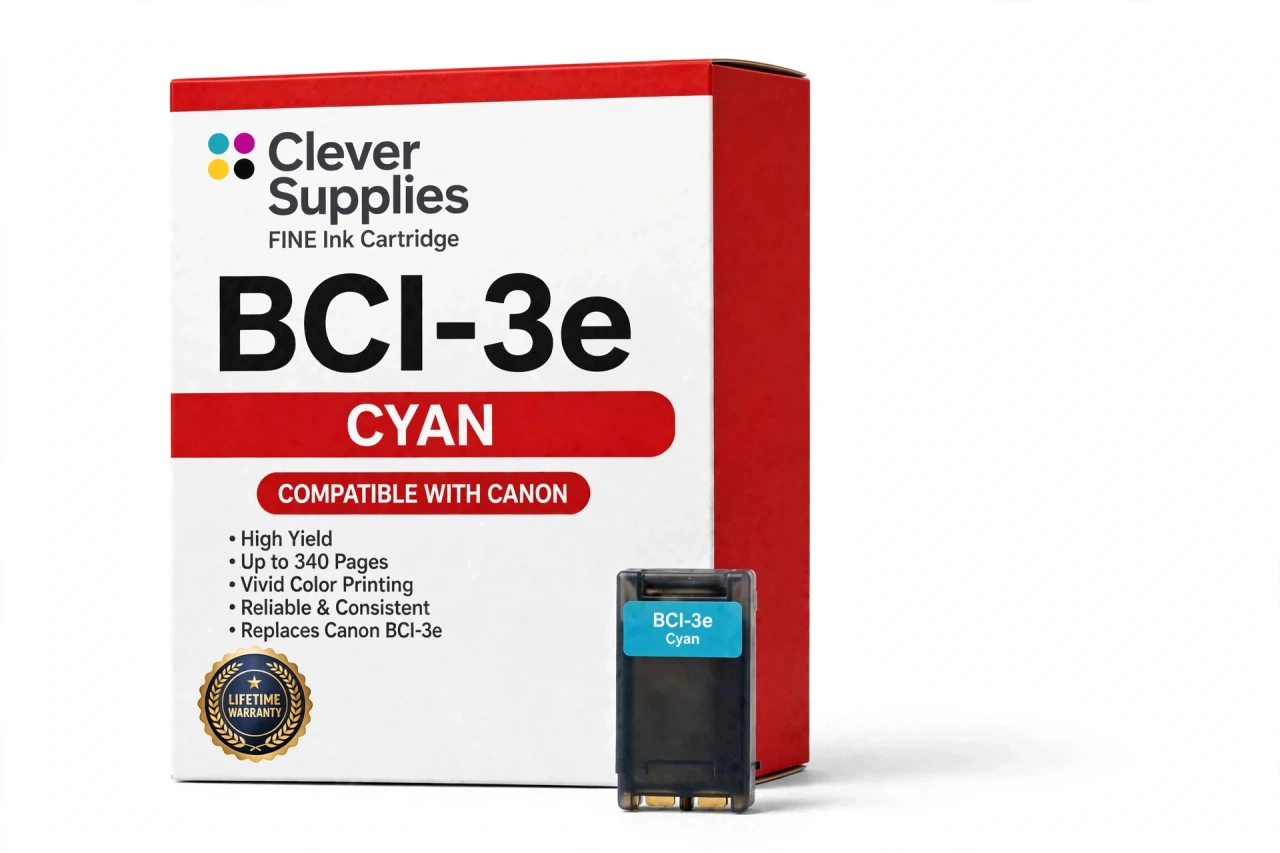
CLEVER SUPPLIES · CANON BCI-3e INK
Compatible Canon BCI-3e Cyan Ink Cartridge
Replaces Canon BCI-3e
340 pages · Dye ink
Fits: BJC-3000, BJC-6000, BJC-6100, i550, i850 and more
Covered by the Clever Supplies Lifetime Warranty
Frequently Asked Questions
What does the cyan tank actually do in my prints?
Cyan builds every sky, water and blue-green tone on the page, and it mixes with the other dye colors to form greens and purples. When cyan runs low, skies wash out and clip art turns oddly pink. This BCI-3e cyan tank restores that blue foundation so charts, school projects and photos keep their intended balance.
Which printers accept this cyan tank?
It fits the Canon BJC-3000, Canon BJC-6100, Canon i550, Canon i850, Canon S450, Canon S520, Canon S600 and Canon MultiPASS MP730, and the full list is under Compatible Printers on this page.
How far does one cyan tank go?
The rating is about 340 pages under ISO/IEC 24711 conditions at around 5% coverage. Real use varies sharply with content: a page of blue charts or a full-page sky photo can use several times the cyan of a text page with a small color logo, so heavy graphics work shortens the run.
How can I tell cyan is low if there is no chip warning?
There will not be a chip warning at all — this family reads ink optically through the tank. Check the ink visible in the tank window, and watch the output: fading blues, banding in skies and a pink shift in neutral areas are the classic signs that cyan, not the print head, needs attention first.
My blues print streaky — should I replace the tank or clean first?
Clean first if ink is still visible. Run one cleaning cycle and a nozzle check. If the cyan blocks fill in, keep printing. If the tank looks nearly empty or the pattern stays broken after cleaning, swap in the new tank; continuing to print on an empty slot pulls air and makes recovery harder.
What other tanks complete the color set?
Cyan works with BCI-3e Magenta and BCI-3e Yellow for standard color, plus BCI-3e Black for text. On photo models, BCI-3e Photo Cyan is a separate lighter tank that supports smooth gradients — it does not substitute for this standard cyan.
Can I change only the cyan tank, or must I change all colors together?
Change only cyan. Each color sits in its own tank and runs out on its own schedule, which is the advantage of this design over a single tri-color cartridge. Replace the empty tank, leave the others in place, and print a test page to confirm the color balance is back.
Is this an original Canon product?
No, it is a Clever Supplies compatible BCI-3e tank filled to the original specification with dye ink. With these BJC, i and S series printers long out of production, original cyan stock is hard to find; this tank keeps the same slot working at a sensible price.
How do I store the spare cyan tank I am not installing yet?
Leave it sealed, upright and away from heat and direct sun, at steady room temperature. Open it only when the installed cyan is visibly low, then install it in the same session.
What warranty and return terms apply?
The tank is covered by the Clever Supplies Lifetime Warranty on inkjet products — a leaking, poorly printing or failed tank is replaced or refunded — and returns are accepted for 1 Year. Keep your order details handy if you ever need to reach us about a tank.
Related Items
Canon
Compatible Canon BCI-3e Photo Cyan Ink Cartridge
The Clever Supplies compatible Canon BCI-3e Photo Cyan ink cartridge replaces the Canon BCI-3e and fits 20 verified printers — the BJC-3000 and the rest of the list under Compatible Printers below...

Canon
Compatible Canon BCI-3e Yellow Ink Cartridge
The Clever Supplies compatible Canon BCI-3e Yellow ink cartridge replaces the Canon BCI-3e and fits 20 verified printers — the BJC-3000 and the rest of the list under Compatible Printers below. It is...
Canon
Compatible Canon BCI-3e Black Ink Cartridge
The Clever Supplies compatible Canon BCI-3e Black ink cartridge replaces the Canon BCI-3e and fits 42 verified printers — the BJC-3000 and the rest of the list under Compatible Printers below. It is...
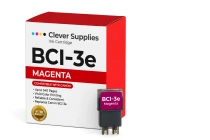
Canon
Compatible Canon BCI-3e Magenta Ink Cartridge
The Clever Supplies compatible Canon BCI-3e Magenta ink cartridge replaces the Canon BCI-3e and fits 20 verified printers — the BJC-3000 and the rest of the list under Compatible Printers below. It...