




Phaser 6500DN
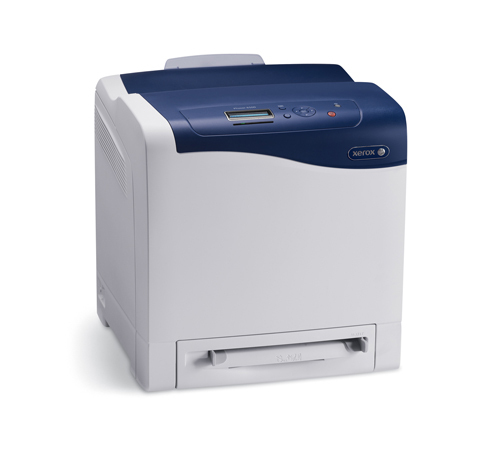
Color work on the Xerox Phaser 6500DN comes from four high-yield toner cartridges that are replaced one at a time: 106R01597 in black, 106R01594 in cyan, 106R01595 in magenta and 106R01596 in yellow. The printer itself is a laser model built for dependable everyday office printing, and it drops into existing office networks and workflows without drama, so the cartridges below are the only supplies this page needs to cover.
Offices that lean on two-sided printing get the most from this machine, and two-sided volume eats black toner faster than any other color. Contracts, reports and internal documents are mostly text, so on a 6500DN the black cartridge usually calls for replacement long before the colors do. Keeping the high-yield family in every slot stretches the gap between those swaps and keeps the printer out of everyone's way.
Toner Cartridges for Phaser 6500DN
| Cartridge | Color | Page Yield |
|---|---|---|
| 106R01597 Laser Toner Cartridge High Yield Black | Black | See product page |
| Phaser 6500DN Toner Cartridges Black | Black | See product page |
| 106R01594 Laser Toner Cartridge High Yield Cyan | Cyan | See product page |
| Phaser 6500DN Toner Cartridges Cyan | Cyan | See product page |
| 106R01595 Laser Toner Cartridge High Yield Magenta | Magenta | See product page |
| Phaser 6500DN Toner Cartridges Magenta | Magenta | See product page |
| 106R01596 Laser Toner Cartridge High Yield Yellow | Yellow | See product page |
| Phaser 6500DN Toner Cartridges Yellow | Yellow | See product page |
| Laser Toner Cartridges High Yield 4 Color Set | Set | See product page |
| Phaser 6500DN Toner Cartridges 4 Color Set | Set | See product page |
| Phaser 6500DN Laser Toner Cartridges High Yield 4 Color Set | Set | See product page |
| Phaser 6500DN Premium Quality Laser Toner Cartridges High Yield 4 Color Set | Set | See product page |
Which cartridge should you buy?
Every cartridge sold for this model here is the high-yield version, so the choice is about how you buy rather than which capacity to pick. If a single color has run down, order that color on its own — there is no reason to touch the three cartridges that still have life in them. When several colors are low at once, or the printer is new to your office, a four-color set refreshes every slot in one order and leaves you with a known starting point. Text-heavy teams may also keep a spare 106R01597 black on the shelf, since black is the cartridge this printer asks for most often.
Chip, toner and everyday use
Each cartridge carries a chip the printer reads to confirm the part and report the remaining level, so seat a new cartridge firmly until it clicks and the low-toner warning should clear on its own. Before fitting it, hold the cartridge level and rock it gently from side to side; that loosens toner that settled in shipping and helps the first pages print evenly. Quoted yields for cartridges like these are estimates worked out at five percent page coverage, and dense graphics will use toner faster than plain text pages. Store unopened spares flat, away from heat and direct sunlight.
Frequently Asked Questions
Which toner cartridges fit the Phaser 6500DN?
Four high-yield cartridges fit: black 106R01597, cyan 106R01594, magenta 106R01595 and yellow 106R01596. Each color has its own slot, so match the code on the cartridge you are replacing before you order.
Is there a standard-yield option for this printer?
Not among the listings on this page. Every compatible cartridge offered for the 6500DN here is the high-yield build, which suits a networked office printer that sees daily use.
Do I have to replace all four colors at the same time?
No. The four cartridges wear out independently, and the printer only needs the empty one changed. Replace the color that has run down and leave the others in place until their turn comes.
Why does my printer still show a low-toner message after a swap?
Usually the new cartridge is not fully seated, so its chip is not being read. Open the cover, slide the cartridge out, push it back in until it clicks, and close the cover; the message should clear once the chip registers.
More printers that use the same cartridges
The same four cartridges also run the rest of this printer family, so if your office keeps more than one of these machines, one shelf of toner covers them all: Phaser 6500, Phaser 6500N, Phaser 6505, Phaser 6505DN, Phaser 6505N, WorkCentre 6505, WorkCentre 6505DN, WorkCentre 6505N.